Windows Vista Installed.....Finally!


Well after putting off installing Windows Vista for several weeks, I finally took the time and did it.  I opened up my PC and removed the small backup hard drive I had installed, and replaced it with a brand new 250gb drive.  It only took a few minutes to switch drives, and took another minute to make sure everything was secure and wires were firmly in place.

Next I booted back into XP to make sure the new drive is installed correctly and proceeded to setup the new hard drive.  Now it's time to install Vista Ultimate!
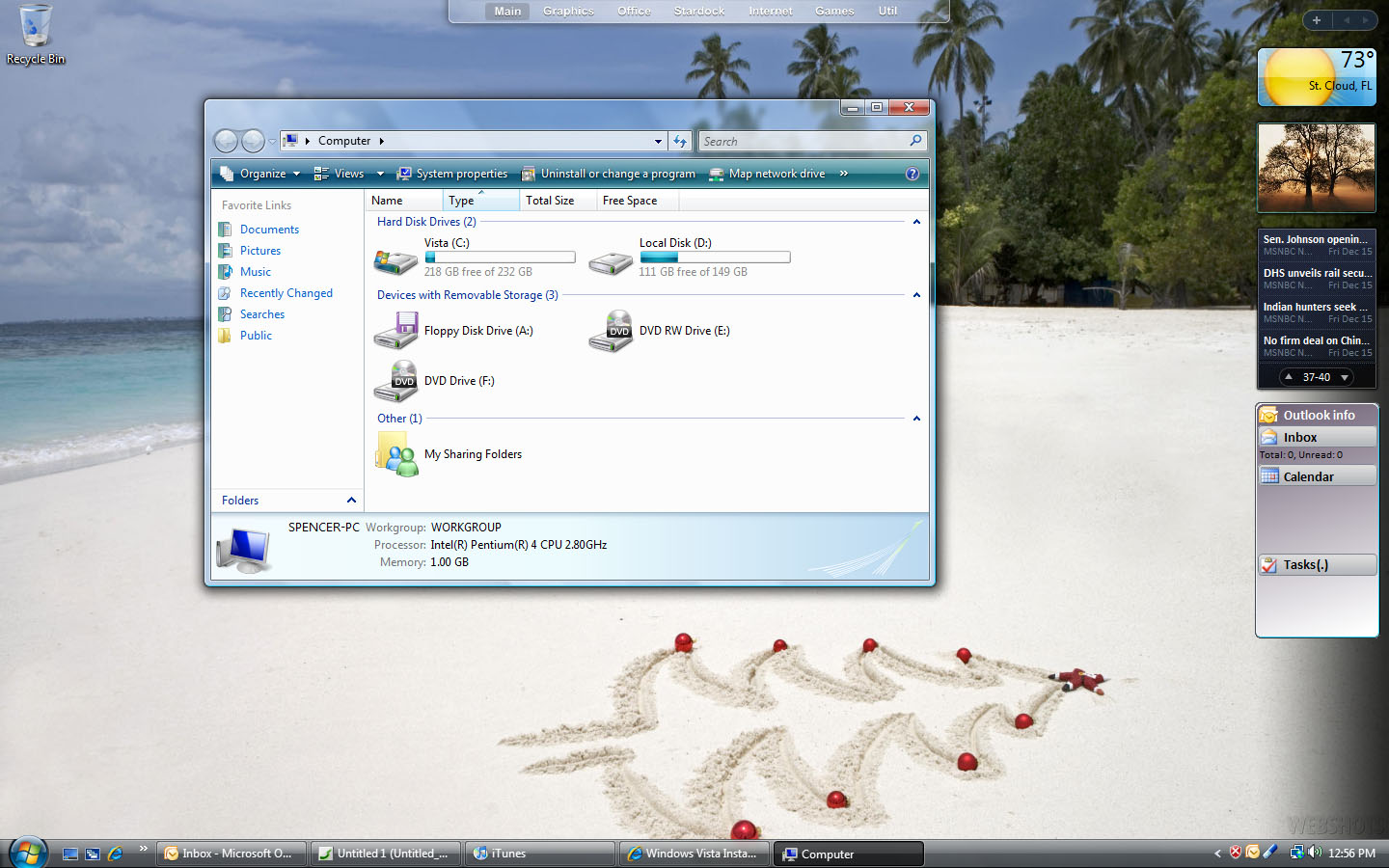
Popped in the DVD, restarted and booted to the DVD, selected a few options, and off we go.  Total time from putting the DVD in the drive to a usable desktop was about 25 minutes, very nice I must say.

Windows Vista booted to the desktop and then ran an update.  After a few minutes all the updates were installed, and it was time for me to install my video drivers and a few other minor things.  Now I was curious of how my Vista score looked.....3.7.....about what I expected.  I am running an Intel P4 2.8 with 1gig of RAM, and a Radeon 9800 Pro video card. 

Just running Vista for a few hours, the performance is about equal to how XP runs.  I noticed a few things run a little slower, but overall I'm happy with the performance considering this system is several years old.  Next step is to install Stardock Central, and get ObjectDock Plus and Multiplicity installed.  It seems I can't function properly without these two applications.

Next, it's time to get Windowblinds installed, and a few other programs such as iTunes and Office 2007.  After making an image of the drive, it's now time to explore and have some fun.....well try to at least.


 

9,247 views 23 replies
Reply #2 Top
Congratulations, I.D. Waiting to see how it works out for you.
Reply #3 Top

Does Multiplicity work with Vista?

Yes.

Reply #4 Top
Woo Hoo!

Now stop teasing us all who have to wait until the economy collapses just to purchase Vista!
Reply #5 Top
From running Vista on my laptop (Turion ml52 X2/1GBram/GeF6150) and my desktop (Athlon3000+/1GBram/GeF6600)I've found it to be alot smoother and runs much nicer. So much that I have only used XP for playing games (display drivers are better and i need to overclock my 6600 to get nicer graphics)
Reply #7 Top
Must be nice to be rich


Yes, it is. Thank you very much.
Reply #8 Top
Decided it was time to get it running 'for real' instead of in a Virtual ....so picked up a new drive to do so....now gotta go through the same process as ID...
Reply #9 Top
so you got the Radeon 9800 Pro video card to actually work? What about the sound card? Cause as allot of people know Creative labs isn;t releasing the finally drivers until Jan 30th! So did everytthing else work? Did you get Aero to work? Have you looked that Performance area where Vista tells you in percentage on how slow it is running to beable to use Aera?
Reply #10 Top
Nice work. I've got Vista too, but can't use it right now. Seems like you somehow got your internet to work. Vista RC1 won't install my wireless internet driver.
Reply #11 Top
so you got the Radeon 9800 Pro video card to actually work? What about the sound card? Cause as allot of people know Creative labs isn;t releasing the finally drivers until Jan 30th! So did everytthing else work?


I didn't have any problems with hardware.  I downloaded the ATI drivers for Vista, and they haven't caused any problems.  As far as the sound goes, I have a Turtle Beach sound card, and it works perfectly.

 
Reply #12 Top
so you got the Radeon 9800 Pro video card to actually work? What about the sound card? Cause as allot of people know Creative labs isn;t releasing the finally drivers until Jan 30th! So did everytthing else work? Did you get Aero to work? Have you looked that Performance area where Vista tells you in percentage on how slow it is running to beable to use Aera?


I got a DELL I bought in 2003. It's a P4 HT 2.8GHz, 2GB RAM (originally 1GB), Creative Soundblaster Live 5.1 Digital and a ATI RADEON 9800 (not the pro version).
And I've run Vista Beta 2 up to RC 2 fine. It's only the joystick port that I' lacking a driver for, othervise everything works great. I think my current performance rating is 4.2. (might be different because I can't remember if that was before the RAM upgrade or after)
Reply #13 Top
What about the sound card? Cause as allot of people know Creative labs isn;t releasing the finally drivers until Jan 30th!


I have the SoundBlaster Audigy 4 soundcard from Creative and it runs great with Vista, as does the packaged software. However, the SoundBlaster Live card I had a few months back would not install properly....just basic drivers (no 5.1 or digital input/output) and no software suite for recording/editing, etc.

Last I saw on the Creative site, there were no plans to update the Live series drivers for Vista, just the Audigy series and above, tho hopefully that'll change cos my old 'Live' card is in the machine I've since built for my wife. It works okay in XP but not in Vista, so she has to disable it and use the on-board sound when booted in there...just as well I kept the extra set of spare speakers, then.
Reply #14 Top
What? No proper Vista drivers for the Live series? That's annoying. I noticed that on Vista I could only select stereo speakers and not 5.1 as I could in XP.
I thought Live was still a widely used soundcard... but then again, I haven't been paying attention much since I bought my Dell.
Reply #15 Top


so with your Audigy 4 the EAX HD works good and along with the CMSS 3D? Cause when I tired it back in November I couldn't get any of the CMSS 3d or the EAX HD even when I installed the BETA driver..Did you have to download the Beta Drivers for the Audigy sereis or did you use the one that Vista installed prior to the installation?
Reply #16 Top
What? No proper Vista drivers for the Live series?


Last I saw on the Creative site, there were no plans to update the Live series drivers to Vista....which is why I upgraded to the Audigy 4. Vista just installs basic stereo drivers for the Live series cards....so an upgrade was necessary if my Creative Inspire 5.1 Digital 5600 was going to run in true digital 5.1 sound.


so with your Audigy 4 the EAX HD works good and along with the CMSS 3D? Cause when I tired it back in November I couldn't get any of the CMSS 3d or the EAX HD even when I installed the BETA driver..Did you have to download the Beta Drivers for the Audigy sereis or did you use the one that Vista installed prior to the installation?


Yep, the EAX & CMSS functions work great in Vista....straight of the Audigy 4 installation disc. I did, however, notice that the record function would not open properly, so I downloaded the beta pack from Creative and everything is working great, if not better than in XP. I think in some instances it might depend on the individual machine, mobo and BIOs, etc?....for example, Digital Image Pro 9 will install on my machine in Vista but not my wife's, and ArtRage2 will install correctly on hers but not on mine in Vista.

Oh well, it's a brand new OS and there are going to be some teething problems until MS and the 3rd party devs iron out the remaining compatability issues, not that those will deter me from purchasing Vista somewhere around mid to late 2007. I've been quite happy with my Vista experience so far and can see no reason not to upgrade.

Reply #17 Top
i am interested how the dual boot worked out. I will install vista once i get it. I installed the beta to play with it and scored a 5 something but i had to uninstall xp in order to allow vista's boot software to take control and function properly. What version of the vista are you running. I am wondering how sweet it will look with my system (amd x2 4000+, 2 gig ram, nvidia 7900gt, 300gig raid 0 for main and 300gig for mydocs). I have no doubt it will work but vista seems to be all hype and no delivery. You mentioned things ran slower...what things ran slower?
Reply #18 Top
yeah.. what ran slower?
Reply #19 Top
iTunes for one.

 
Reply #20 Top
what things ran slower?


I've not seen anything run slower on Vista Ultimate RTM or Business RTM. (I don't use iAnything)

Edit: I take that back. One thing I've noticed is that the computer management mmc takes much longer to open than in XP.
Reply #21 Top
Hello everyone. I got Vista Business at home, and i intend to install it shortly.. but first i got some questions that really matter to me before i install anything..

1) most importantly: can WB5 be installed on Vista? Does it work ok?
2) is it true Vista needs 40gb free space in order to be installed?? (it may take only 6gb for the installation, but i've heard that in order for it to start installing it needs to "see" 40gb of free hard disk...)
3) Does IconPackager work on Vista?

I'm really bored of that aero skin (i used to have the vista tranformation pack for quite some time) and i want to be able to customize my desktop like i do now with XP..

One last thing.. Will i be able to play my games? They are pretty recent ones. Thank you in advance for your help.
Reply #22 Top
1. Yes
2. No. It only needs 15gb.
3. Yes.