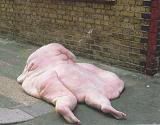
Steamy Videos of Carmen Electra

...are one of many things I could burn onto a DVD if someone could teach me how to actually burn DVDs.

That was cheap, I know, but I had to get your attention somehow.

I know very, very little about this stuff, so here is what I've got going on:

My laptop has something called CyberLink PowerDVD.  The little DVD/CD tray says "Compact Disc Rewritable"  "DVD Multi Recorder" "RW DVD+Rewritable" and "RW DVD+R DL" on the side.

I have Sony DVD+RW discs, Memorex CD-R discs, and mini Panasonic DVD-R discs (the kind that goes in a mini DVD camcorder, which I also have and which I would also love to learn how to upload video to my laptop from that thing, but that's another blog I guess).  Will any of these work?

I have tried copying to a DVD+RW from Windows Movie Maker.  No Go.

I have tried copying to a DVD+RW and a CD-R and a mini DVD-R from Windows Media Player.   No Go. 

If any of those actions were exceedingly stupid, well, I never claimed to be smart.  I was just trying everything I could think of.

I couldn't even figure out where an option to burn a DVD from the CyberLink thing was.  No Go.

I have no clue how to do this.  I didn't get any manuals for the software and I read the help stuff with CyberLink and still couldn't figure out how to do anything more than watch regular DVDs (well, and the mini DVDs from my camcorder).

*sigh*

I feel too stupid for words right now.  Any help anyone can give me is greatly appreciated.  And PLEASE, if you are giving me advice on what to do, put it in the simplest terms possible...like you're explaining it to a 3 year old.  Otherwise I WILL screw it up.

TIA.


101,198 views 23 replies
Reply #1 Top

PowerDVD, last time I checked, was a DVD player software, not one for burning DVDs.

You'll need to grab yourself a copy of Nero ....or some equivalent CD/DVD authoring [burning] software....

Reply #2 Top
Yeah get nero, throw in a dvd.. go to whatever function u want to do, burn Data, Video, Mp3's etc.. then it will prompt you for the files you want to burn, browse to them, after you have added what you want to burn, click next, set a burn speed and BURN BABY BURN.

Nero will make it easy to do for ya..promise.   
Reply #3 Top
You need some decent burning software...Nero is good for burning, but sometimes you also need to do some converting if your Vid's are not in "DVD" format...

Heres a program that I use ... VSO

And heres a link to Nero Nero

Here is a help guide for using different burning programs to burn different types of media, found it through a "Google" search..

Guides

Hope something helps...

Reply #4 Top
You're cruel, Tex, you're very, very cruel . . .
Reply #6 Top
I hear she recently discovered Krispy Kremes.
Reply #7 Top
Reply #8 Top
neeeeeeerooooooooo.
Reply #9 Top
Po, you're making me cry here.
Reply #10 Top
Why? I like 'em curvy. I used to have a major crush on Wendy Jo Sperber. I thought she was sexier than Donna Dixon any day of the week.
Reply #11 Top
I hear she recently discovered Krispy Kremes


now THAT'S steamy!
Reply #12 Top
Here's a little freebie that works quite well. The web site is quite good at explaining how to use it:

Link

FYI, you can download Nero from their web site and purchase it there as well. They'll email your key.

There are a lot of burning programs out there, and I've used most of them over the years. For a novice Nero is probably the way to go. Use the download in demo mode if you want to try it out first. It's a good investment though. They support it with upgrades and fixes just about monthly as things develope. The latest version, released on Tuesday, does Blu-Ray and HD DVD as well as dual layer DVDs.

The freebie above will do .iso .bin and .md5 as well as burn VIDEO_TS folders (look at the contents of a DVD movie sometime, there are ususally just 2 folders VIDEO_TS and AUDIO_TS audio is usually empty. But that's another lesson.

I process a lot of video on my set up. Everything from transcoding to editing. I keep most of my favorite DVD movies in digital format and play back with a virtual DVD drive and WinDVD. If you need some help just holler!
Reply #13 Top
Heres a link for you. It covers a lot of info, so be prepared for overload. It'll give you an idea of the possibilities with digital media (like how do I add 5.1 surround sound to home movies on a DVD?).

Link

Reply #14 Top
I don't know. Plus this disturbed me for a bit, until I realized I was being a dumbass and thinking of Cameron Diaz. Blech. The Holiday. (shudder) Or when she tries to sing. (ears trying to jump off of my head and run away)


But Carmen Electra. Yeah, no. She's hot.


Reply #15 Top
LOL. Thanks guys! I *have* Nero. I had no idea what it was for. Sad, sad, sad.

PS - I agree Carmen Electra is hot. She's my "girl crush".
Reply #16 Top
Had some REAL STEAMY Pics of Carmen Electra.....but the sauna shots revealed bugger all so I deleted 'em.
Reply #17 Top
i'm still recovering from post# 11 WTF!
Reply #18 Top
PS - I agree Carmen Electra is hot. She's my "girl crush".


Yeah if you're into plastic silicon-filled barbie dolls. Now Jessica Alba on the other hand....
Reply #19 Top
Nothing wrong with Jessica Alba. However, being a chick myself, Carmen Electra gets bonus points for having a *great* personality and for teaching me how to do a cardio strip tease routine in the comfort of my living room (And for playing "Roxanne" in Good Burger).

I will second the WTF about post #11.

Back on topic, though, I am still clueless. I am using Nero, but nothing is happening. Am I using the wrong kind of disc? I read through the explanation PDF, and it's pretty straight-forward and I'm following the directions, but it's still not working. I really don't know what I'm doing wrong.

Gah.
Reply #20 Top
Back on topic, though, I am still clueless. I am using Nero, but nothing is happening. Am I using the wrong kind of disc? I read through the explanation PDF, and it's pretty straight-forward and I'm following the directions, but it's still not working. I really don't know what I'm doing wrong.


Ok...I did another "Google" search for "How-To" Guides heres one that I actually "skimmed" through..looks decent enough..

CD Burning
Hope it helps...

Off Topic-..Im gonna hafta go With Jessica Alba...LoL
Reply #21 Top
Thanks, DZ.

Imma go to bed, but tomorrow when and if I get a chance (3 kids, LOL), I will check that out. I really appreciate how helpful everyone is here.

Reply #22 Top
Thanks, DZ.

Imma go to bed, but tomorrow when and if I get a chance (3 kids, LOL), I will check that out. I really appreciate how helpful everyone is here.


You're welcome T.Wahine... One thing I "flashed" on while I was falling asleep...(Ok..im really tired,LoL) You are trying to burn DVD's and I gave you a link to CD Burning...

Heres one for DVD's... DVD Burning

While burning DVD's is basically a simple process for those of us that have been doing it awhile, it really is *not all that simple.. There is allot to it, and many things to take into consideration, such as "File Format" "Disk Type & Speed" "Burner Software" etc..etc..

You may end up having to download other "plugins" and or software to prepare your files to actually burn to your DVD...

The more you do it, the easier it gets, ~promise..LoL

Have Fun...
Reply #23 Top
I had Nero...unfortunately the diskdrive I got with it either burned out or just hates me...doesn't want to work anymore, of course I never really tried fixing it all that much.

~Zoo