Moving the Data bar

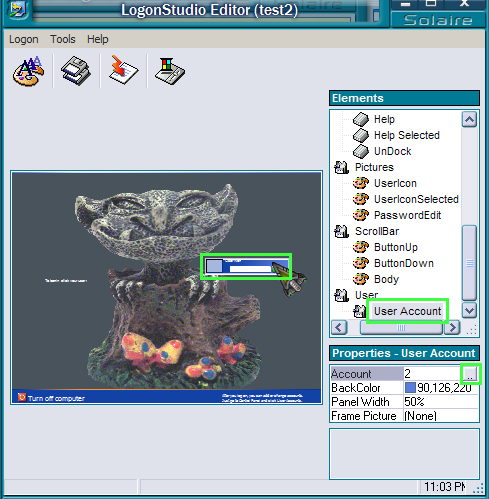
When creating Logon skins, how do you move the data bar so that it doesn't have to be in the middle of the screen?
919 views 3 replies
Reply #1 Top
In Logon Studio Properties User Account

Account 0 little light grey square click it opens up menu

gives 9 positions that you can set to move it around screen.
Reply #2 Top
Reply #3 Top
Here's another little tip:

If you set the panel width to 30%, the account banner will be flush with the edge of the screen when in positions 1, 2, 5, 6, 7 and 8
