



[HELP] MyColors messed up my Windows XP theme
I've already uninstalled...
from  Stardock Forums
Stardock Forums
I've already uninstalled it, and restored uxtheme.dll in my system32 folder, and it still looks like this...
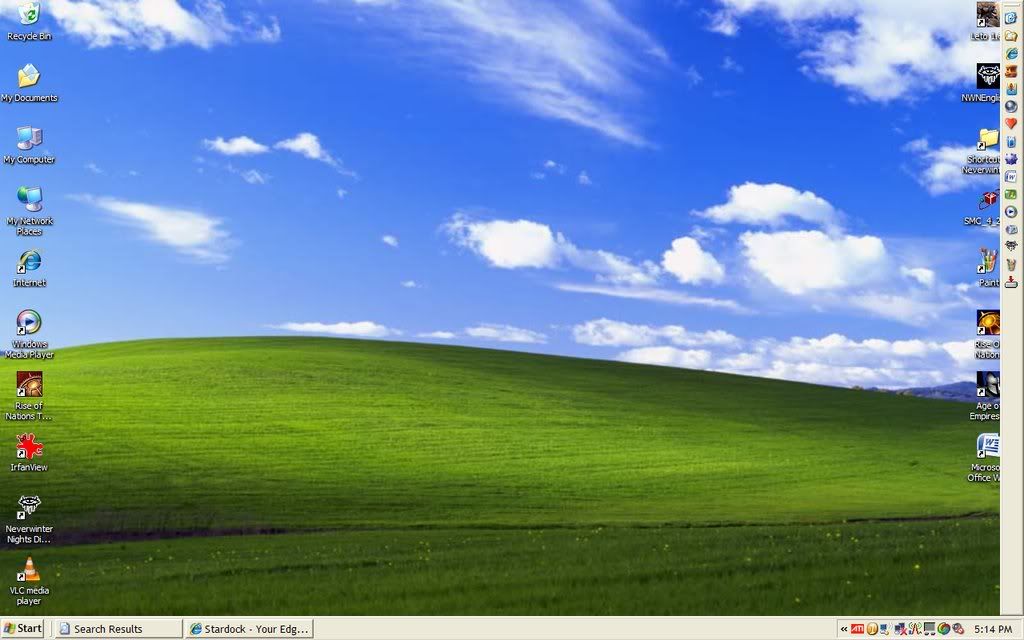
It should look like the Windows XP theme, but... it doesn't. This happened right after I installed MyColors. MyColors didn't work, so I uninstalled it on the "administrator" account. That account's theme is fine, but my account is messed up.
Now what?
Earlier, I tried to patch uxtheme.dll in my system32 folder with a patcher, so I could use themes that weren't from Windows, but it messed it up, similarly to this. So I freaked out, and finally found out how to restore uxtheme.dll with Replacer and I breathed a sigh of relief. Now it's messed up again.
I can give you any information you need.
Please help!
Thanks.
