sViz sViz

Microbe: Red (BETA)

Microbe: Red (BETA)


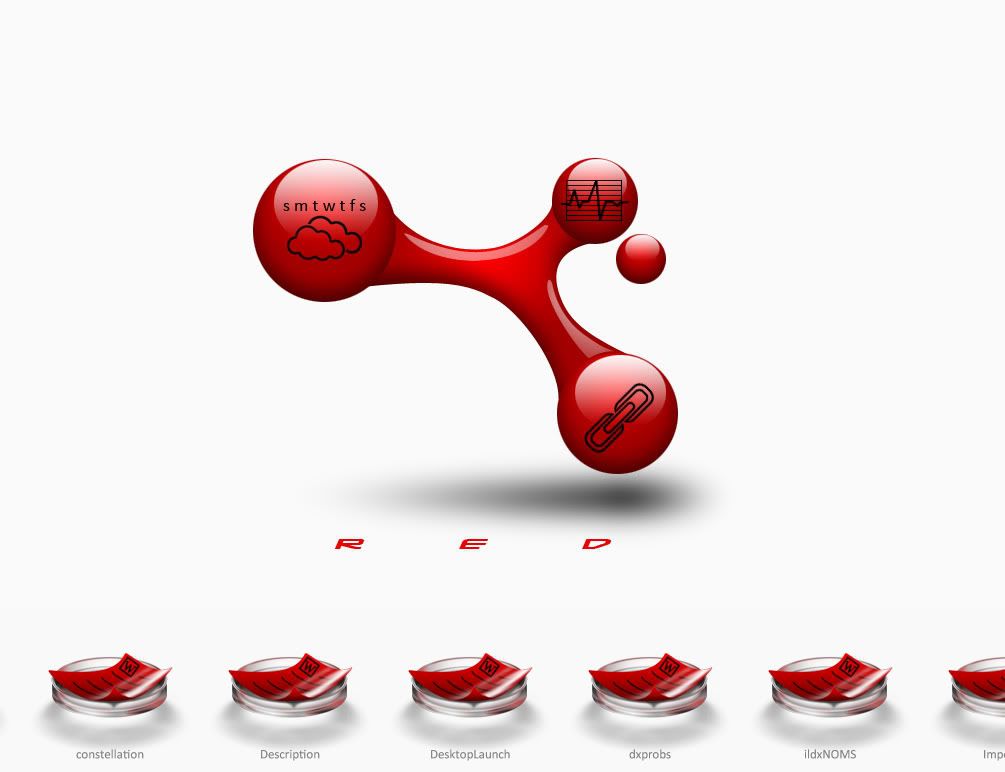
Experimenting with this one. Trying my hand at a bunch of new functions. Desktop icons arrange in the petri dishes at the bottom. It scrolls on hover. I'm hoping to have several custom file icons. 

The large molecule in the middle is the wall. I centered it on a 2560x2048 canvas so it's rez independent. That allows me to position the black icons on top of them in DX. The smaller red orb moves in a circular perspective effect. At the very least, I expect to make a few more templates from this theme.


***  UPDATE 6/16/09: BETA 1.3 DOWNLOAD LINK  ***

181,520 views 78 replies
Reply #51 Top

as in:


.exe

.jpg

.png

.msi
End of quote

No, I meant in the actual name, e.g. This.is.my.file.exe

and the shortcut didn't run - possibly because what a dragged down was a shortcut that had been on my desktop which I dragged into a folder - switched back to the default desktop bar - opened that folder checked the shortcut to make sure it did work, copied the link out of properties to check against the link on my created bar...
End of quote

Yeah, that is a problem, moving the files after a shortcut's been created. I'll have to work on several contingencies. Perhaps a warning that the path no longer exists and option to change the target.

Thanks for your input so far. I'll try to have modified version up by tomorrow.

Reply #52 Top

for some reason, while it's running it seems to cause FF to hang when minimizing unless I right click on the taskbar to do so
End of quote

The only thing using internet is the weather. I don't have FF, so I'm not sure what the cause is.

Reply #53 Top

c

so I'm not sure what the cause is.
End of quote


could be my semi old system...

Reply #54 Top

No, I meant in the actual name, e.g. This.is.my.file.exe
End of quote


i did have some downloaded .exe's with version numbers like 1.2.6 and a zip with a url in the name


Reply #55 Top

Looks, and works fine for me!

I like the satellit ball.. B)


Reply #56 Top

bilbo


click the little molecule to the left of 'desktop' and create a new bar

drag some some on onto it

switch back and forth and see if the new bar still holds up...

Reply #57 Top

Quoting Bichur, reply 6
bilbo


click the little molecule to the left of 'desktop' and create a new bar

drag some some on onto it

switch back and forth and see if the new bar still holds up...
End of Bichur's quote


yeah it works till  I'm trying rename the new bar.. then dx crashes.. on builder mode too.. :(

Reply #58 Top

I could name it, go to it, drag stuff to it, but when I went back to desktop then back to the bar, then name is still there but the bar was empty,  I'll look some more tomorrow... might need to clear my cache and start it over

Reply #59 Top


yeah it works till I'm trying rename the new bar.. then dx crashes.. on builder mode too
End of quote

I'm seeing some odd bugs there, too. I'll try to iron it out by tomorrow.

I could name it, go to it, drag stuff to it, but when I went back to desktop then back to the bar, then name is still there but the bar was empty, I'll look some more tomorrow... might need to clear my cache and start it over
End of quote

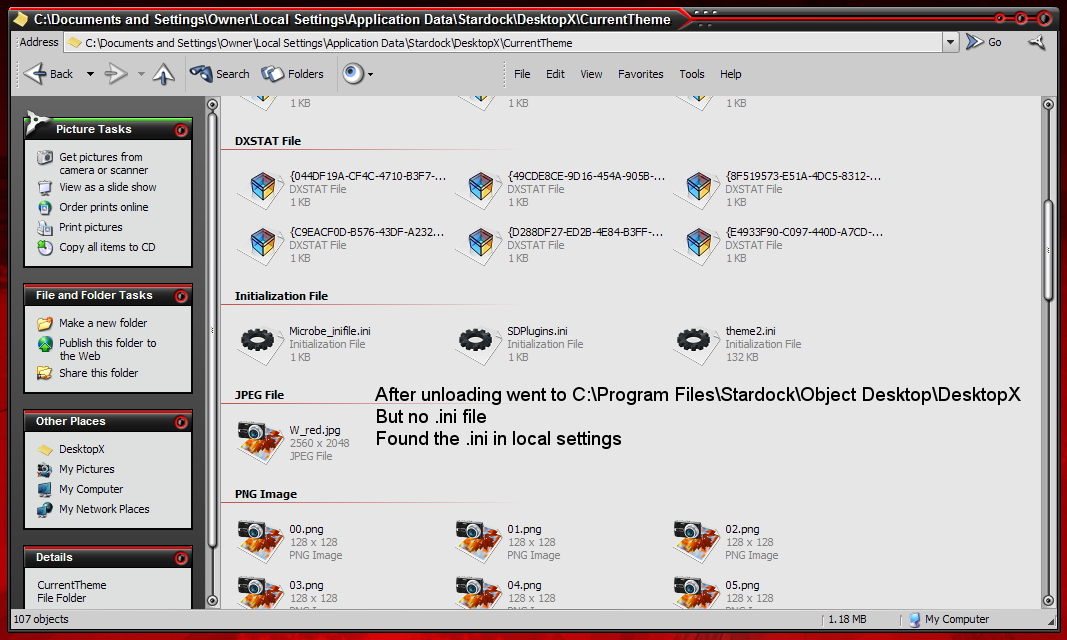
If all else fails, go to the DesktopX folder and delete the Microbe_inifile.txt  text file. Then restart the theme. Sometimes the formatting gets screwed up and the theme can't read the file.

Reply #60 Top

Okay, updated version.

BETA 1.1 DOWNLOAD LINK

Updates:

- Fixes to recognize files with (.) in their base names
- Fixes to delete items that have been moved or otherwise gone missing.
- Fixes to rename menu
- Fixes to facilitate drag and drop files with identical names
- Added menu refresh button (click on the menu name text object to refresh)

Reply #61 Top


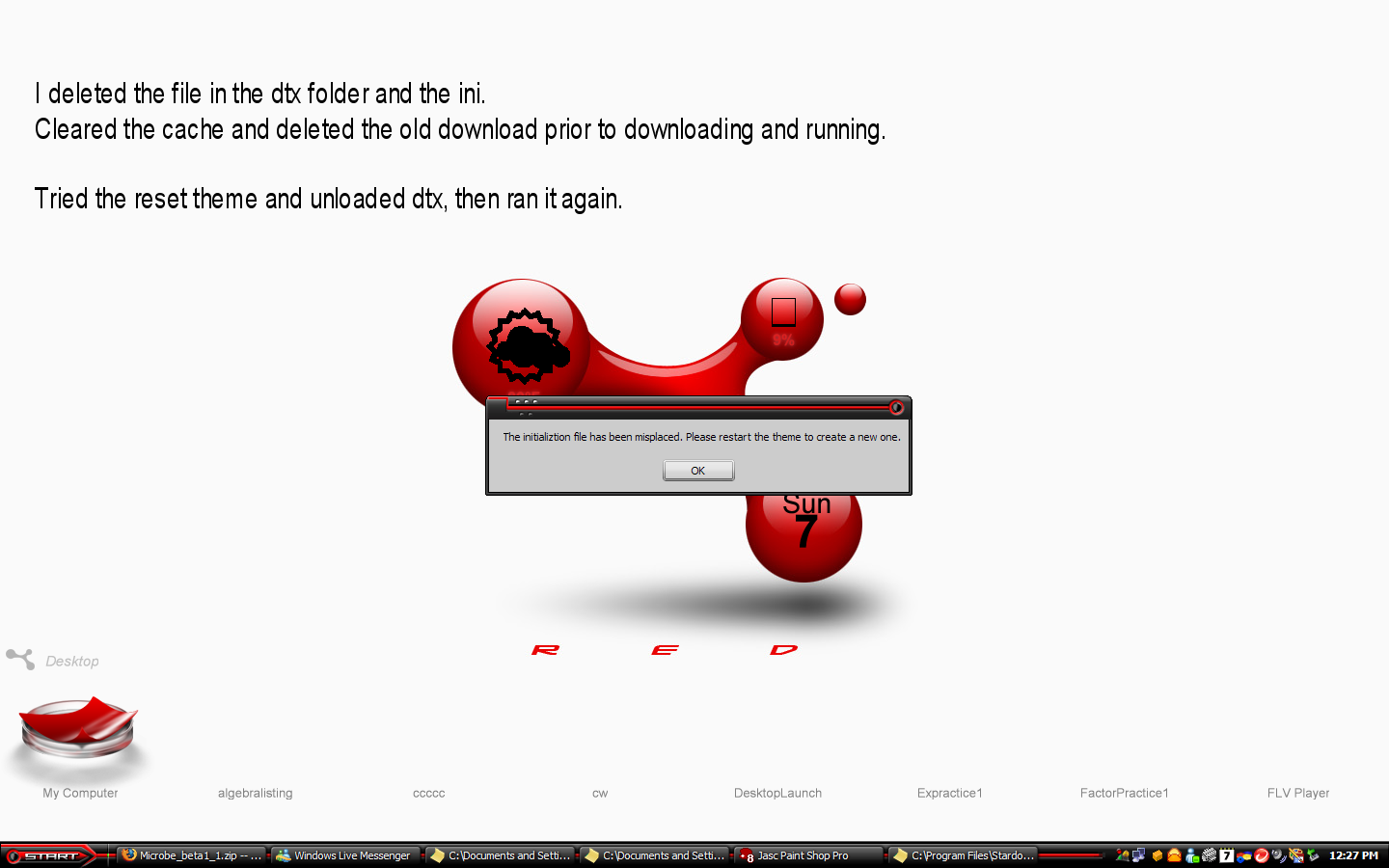
I get the misplace message when clicking 'desktop' also


Reply #62 Top

you uploaded your copy huh?  that's why the extra titles are there but no icons (since I don't have those)?

Reply #63 Top

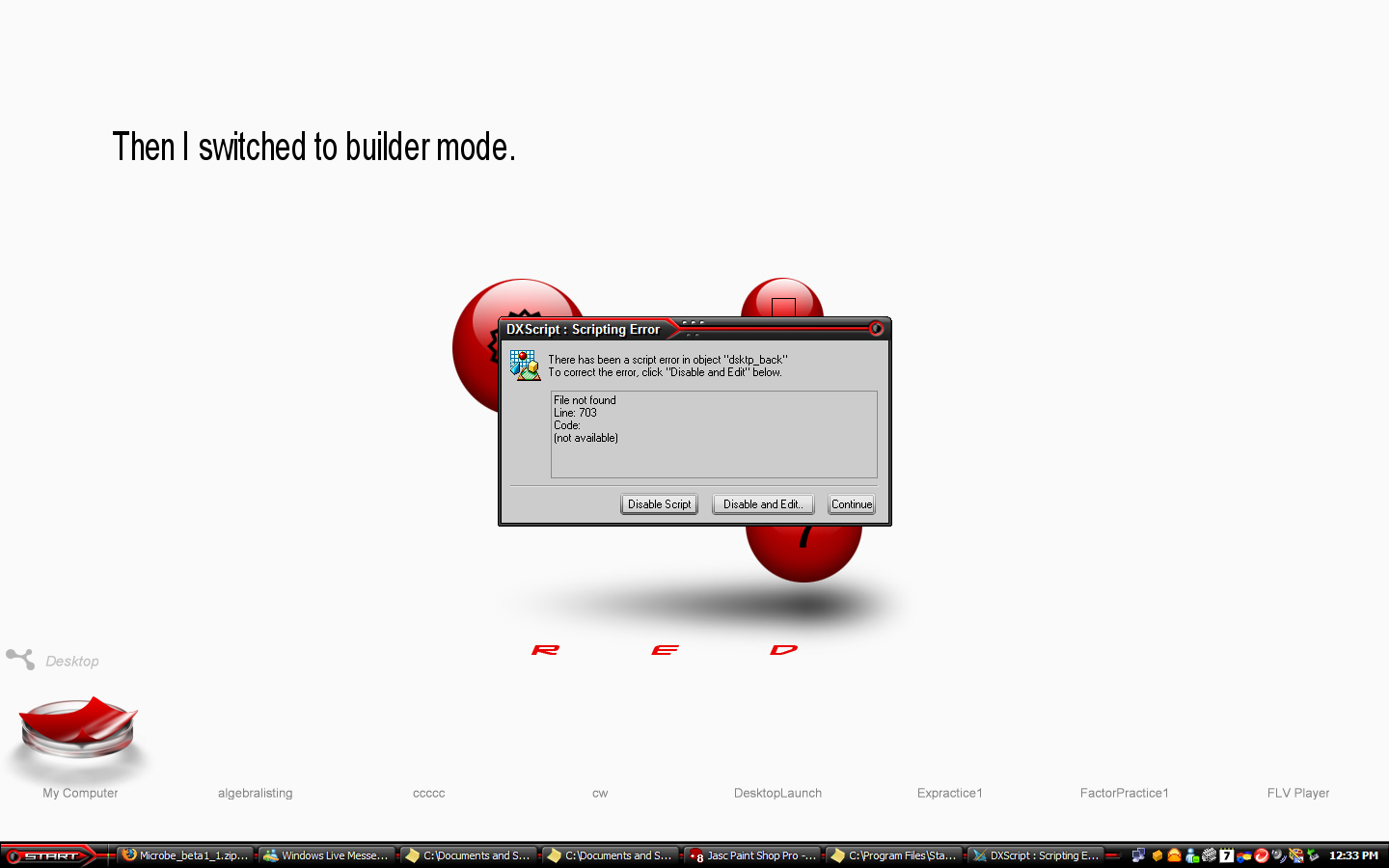
Ah, dang! One minor oversight on line 703. It should be an .ini file instead of the old .txt file.

you uploaded your copy huh? that's why the extra titles are there but no icons (since I don't have those)?
End of quote

Yeah, that's what was on my desktop, but the theme would have cleared all that if not for the error on 703.

On startup, the theme will copy the clean ini file to the DesktopX folder, so the first-time end user will start with a clean theme even if it's been previously set up.

I'll fix the error and re-up in a bit. Thanks for your help!

Reply #64 Top

Updated. Also added a "Clear all settings" option to the theme; just click on the rotating molecule and select it from the popup menu. This will save you the trouble of having to find the ini file and delete it manually.

BETA 1.2 DOWNLOAD

Reply #65 Top

the clear all seems to clear all except weather zip code

had no trouble this time running it and creating a new

color change - the icons change, the weather/cpu text changes, the calender text on the center molecule doesn'

will the wall eventually change to a different color too?


I don't think the FF hanging is strictly due to Microbe even though it appears to only happen when it's running...


I still get a hang with FF clicking on any of the window buttons - I get the glow on mouse over, I click and nothing happens except the glow stays - using motoXP b1

IE is fine as are regular folder window, wb config, etc - seems to just be FF  - have waited over 60 secs = nada


hmmm... just switched skins a couple of times - vienna2, xenomorph, antares - checking a few with/without those extra (midi?) buttons - FF is fine with those - but even though Antares has the keep on top switch it doesn't have the others moto has...


have to find another.....


gotta be the buttons...


Alien Technology has extra buttons (pin on top & media player on top left, winamp bottom left plus calc and notepad bottom right)

initially had about an 8 sec delay from pressing min to actually minimizing - tried several times same delay - after a few minutes, no more delay

clicking calc or notepad on the ff window either had no effect or ff went dead until minimizing/restoring from the taskbar

unload microbe everything works

clicking calc or notepad on the IE window worked with microbe running


motoxp has a transparency button - thought AT had one too, but I can't find it if it does... need to find another that does to see what happens...


gonna have to test some more themes out now...


Reply #66 Top

huh... AT's desription says it has a transp button - coulda sworn the bottom right had 3 button, now there's only 2

Reply #67 Top

the clear all seems to clear all except weather zip code
End of quote

Fixed now. Defaults to New York.

color change - the icons change, the weather/cpu text changes, the calender text on the center molecule doesn'

will the wall eventually change to a different color too?
End of quote

The calendar text remains black. You have to change the wallpaper manually (click on the rotating molecule and choose 'Wallpaper'); forgot to mention the Microbe wallpaper pack can be downloaded HERE


Microbe is a busy theme (behind the scenes), so maybe that's causing some hang time . It's got seven scripts running, but save for the weather, RAM meter, and rotating molecule, most don't do anything until interacted with.


Reply #68 Top

Microbe is a busy theme (behind the scenes),
End of quote


figured that... but why the hang and only on FF and only with what appears to be so far those skins with midi buttions (and possibly it's only the transp which may be what caused the initial hang with AT even though I can't find the button)


I don't expect you to answer that... (something for me to mull over later...)

Reply #69 Top


suggestion...


what about some left/right scroll buttons?  :karma:

kinda distracting seeing it zip left/right everytime I move my mouse towards the taskbar

Reply #70 Top

what about some left/right scroll buttons?

kinda distracting seeing it zip left/right everytime I move my mouse towards the taskbar
End of quote

It's got a half-second delay before scrolling on mouseover. I might make the delay longer or add an option to choose how the menu scrolls.

Reply #71 Top

It's got a half-second delay before scrolling on mouseover. I might make the delay longer or add an option to choose how the menu scrolls.
End of quote


:thumbsup:

Reply #72 Top

wow this looks awesome :thumbsup: :thumbsup:

Reply #73 Top

Thanks storm. :)

Reply #74 Top

BETA 1.3

Added hover/click to scroll option in addition to a few other fixes. The option is available in the theme options menu (click on the rotating molecule).

Hopefully, I got all the kinks worked out, and I can upload this weekend. I've been informed that it's buggy on Win7 so if that's what you've got, don't use the theme. If you're on Vista or XP let me know if you run into anymore problems.

Thanks. :)

Reply #75 Top

I missed the ealier betas . . this is NICE!