New icons won't go where they're told

Pretty new to this program but it looks simple enough yet it doesn't seem to work. :/

I've set All new icons to go to a specific fence (which isn't full or anything) as well as tried checking the specific file types (pictures, music, downloads, etc) to go there, but nothing seems to work and they all appear on the desktop outside of the fences.

Is there something I'm missing here? I hope someone here can help.
8,014 views 13 replies
Reply #1 Top

Can you take a screenshot of your rules settings?

Reply #2 Top

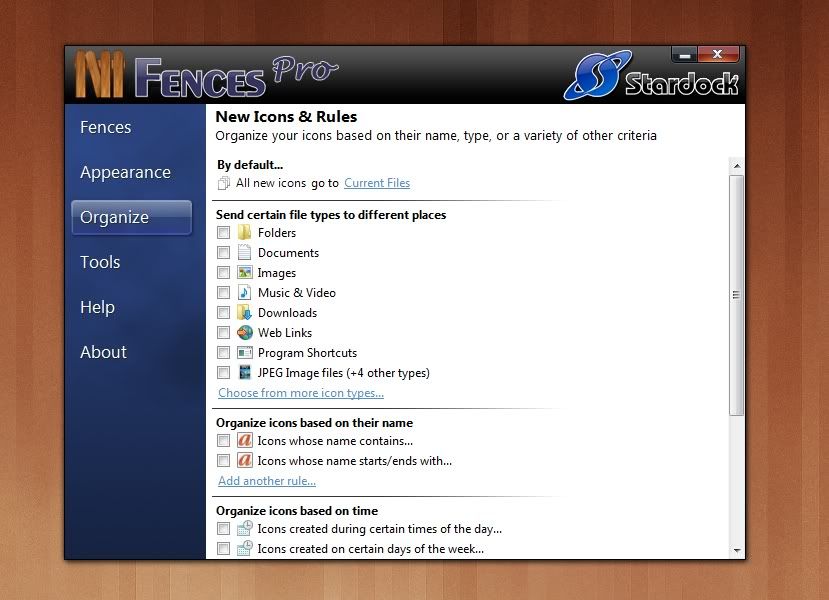
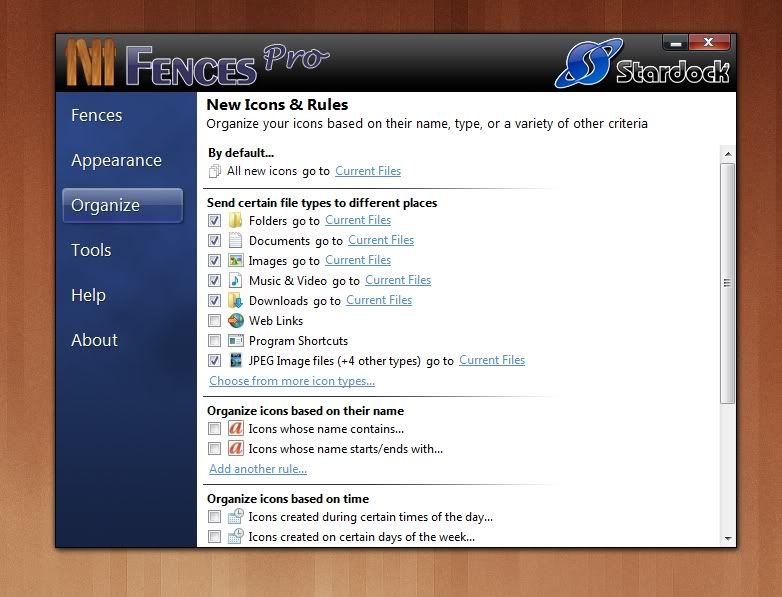
Setting 1: First specific settings. Does not work, any new files created/saved to the desktop appear outside fences on the desktop.


Setting 2: No specific file types selected, just relying on the general "By default" rule sending new icons to specific fence.

They do not go there, again they go to the desktop outside the fences.


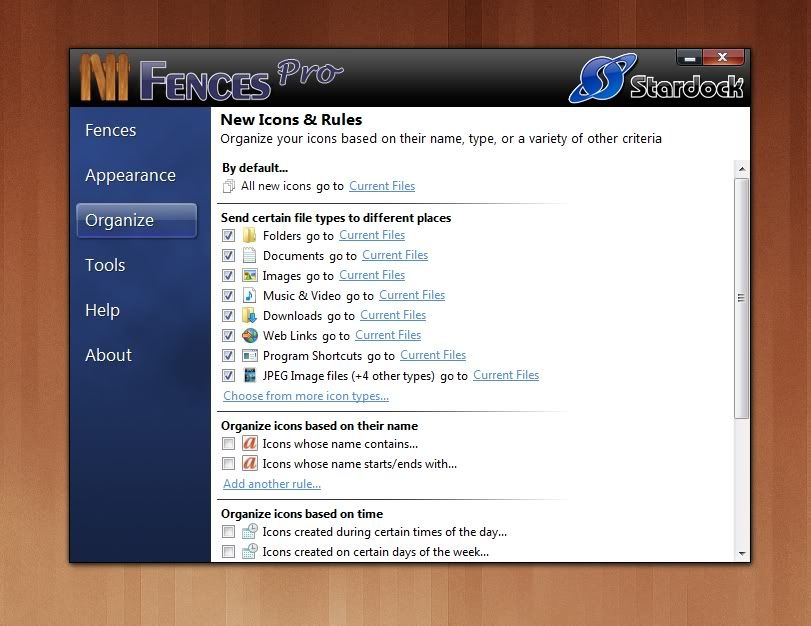
3rd Setting: Just activate everything in the specific file types section. To no effect, any and all new created, saved and downloaded items
do not go where they are told, they appear on the desktop outside the fences.

Finally, the only thing not show is I have the box ticked for "Keep rules applied at all times".


Any help or suggestions would be appreciated.

Reply #3 Top

Definitely odd...  Can you also post a screenshot of the "Change the order in which rules are applied" settings?  I just want to rule anything out there.  Also, do you have any other software installed that might be butting heads with Fences?  Anything that deals with the Desktop, or explorer?

Reply #4 Top

It's easier to just say that the "Change the order in which rules are applied" section is in the same order as the specific file types list shown in the above screenshots, the order is the same as that.

The only other program I have running that somewhat involves the desktop is Object Desktop, only being used to change file icons and that's it.

Reply #5 Top

Any kind of Security software?  Is UAC turned on or off?

Reply #7 Top

UAC is User Account Control, which is the thing that asks you if you're sure you want to do something or run something on your computer.

Reply #9 Top

I have this exact same problem... Have you figured out how to fix it?

Ps.: I also use RocketDock.

Reply #10 Top

Quoting MasterSemaj, reply 6
I have an anti-virus program
End of MasterSemaj's quote

For completeness sake, try adding exceptions for Fences (and its dlls) and see if that helps.

Reply #12 Top

At this point, I would send an email to [email protected] and list everything you've tried.  We'll need to take a closer look.

Reply #13 Top

Ugh... well I guess I'll try emailing. This is proving to be more hassle and dragging out longer than it's worth.

Thanks for your time anyway.