Multiplicity
Switching between PC's moves the cursor to monitor 2 and not monitor 1
Hi
When I move my cursor between two PC's it puts the cursor on Monitor 2 and not Monitor 1
Can anybody advise me on how to resolve this problem.
Switching between PC's moves the cursor to monitor 2 and not monitor 1
Hi
When I move my cursor between two PC's it puts the cursor on Monitor 2 and not Monitor 1
Can anybody advise me on how to resolve this problem.
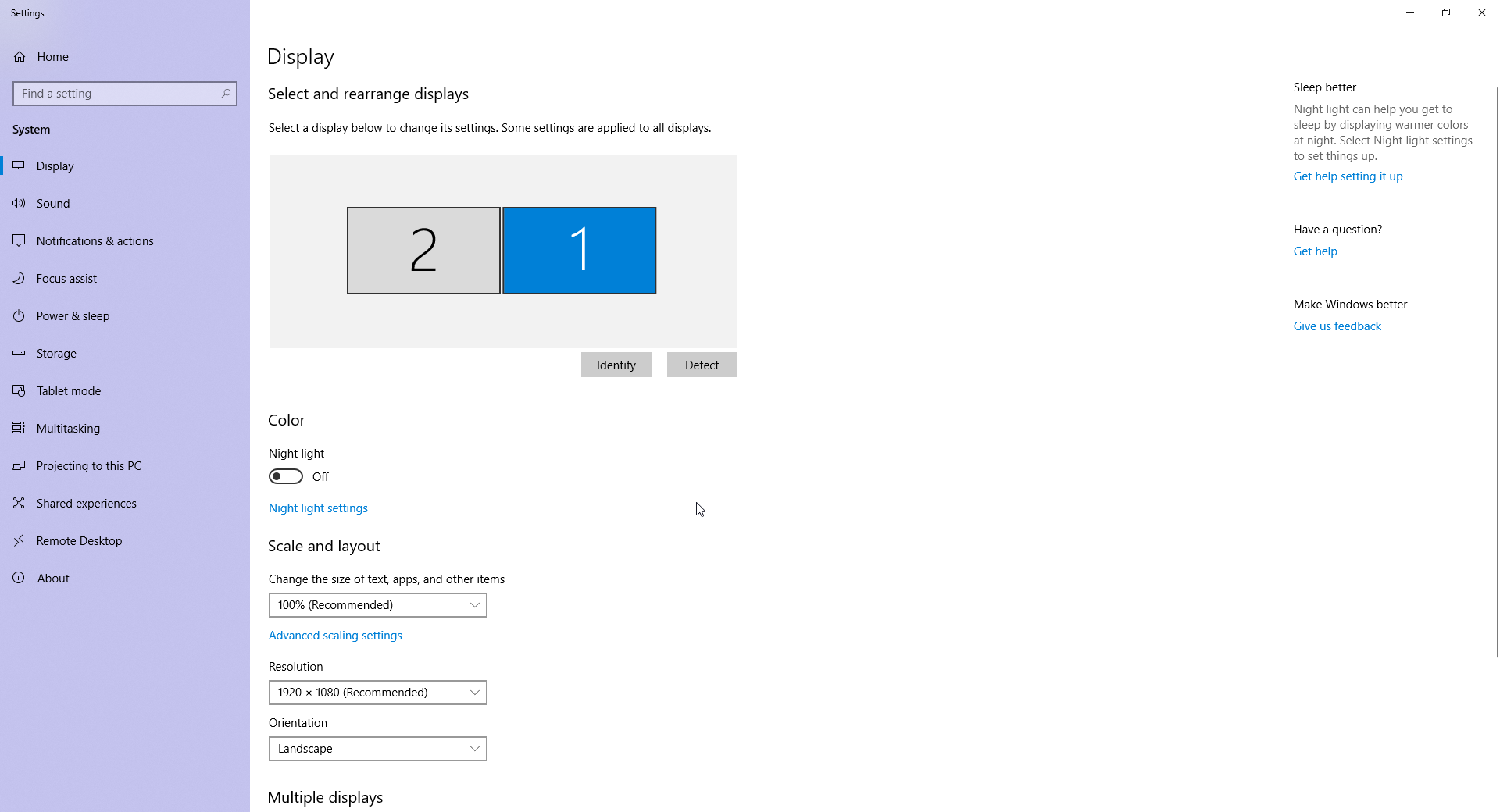
You need to make sure the monitor setup is such that it goes to the 'main' monitor as Windows sees it. You can change that in this Windows options menu:

Sorry you were correct and I was wrong.
Thanks for your help, problem resolved.
That is something I wish more people said to me
Glad it worked out for you.
----------------
Sean Drohan
Stardock Customer Service Manager
Welcome Guest! Please take the time to register with us.
Select a reason for giving karma:
You're about to visit an external site:
Sign up here to get the latest news, updates, and special offers delivered directly to your inbox.