Start 10 Won't activate

I have a new PC and when attempting to install Start 10 on Windows 10, I get a greyed out area and it will not activate. I deactivated the machine, tried again, nothing. I can move around in the window but it doesn't activate. Some parts of the window work under Windows 7 but it still doesn't activate. Never had this problem before. I have installed, deactivated machines, etc. re-installed, etc. I even bought the program again and it does the same. Should I shut down all virus programs, etc. and try. I guess I  could. Just getting tired of doing the same thing over and over.  Any experts?

Thanks,

Barn
11,869 views 28 replies
Reply #1 Top

Hello,
Sorry to hear you are having issues. Need to know more.

1) Windows version. Please use Winver.exe for full version numbers.

2) Start10 version.

3) What is the error when you tried to activate it? And, please post a picture of that greyed out area you mentioned above.


Thanks.

Basj,
Stardock Community Assistant.

Reply #2 Top

Basj: Here's the information you requested:


Windows 10 Version 1903 OS Build 18362.475

Stardock 10: Version 1.75

No error messages. When I activate it by using the serial number, it says it's activated but it just doesn't work. 

Reply #3 Top

Hello,

I have forwarded your report to the Stardock support team for their review and recommendations.

Please keep an eye on this thread for any updates.

We really do appreciate your feedback, thanks.

AzDude
Stardock Community Assistant

Reply #5 Top

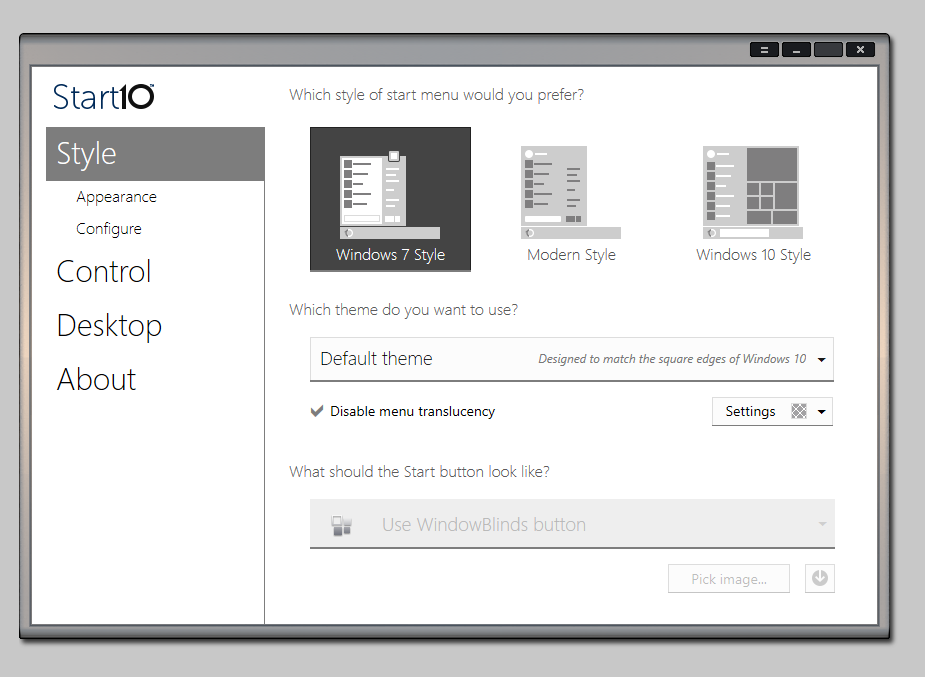
Looking at the screenshot it looks like the system accent colour is simply a light grey so things look disabled.

The start button drop-down is disabled though as WindowBlinds is in control of that.

Reply #6 Top

I’m sorry gentlemen but I followed all instructions sent by Sean and nothing has changed. Good thing? I love Stardock and rarely ever have a problem. Bad? I dislike Windows 10 menu! I want my Start 10 back! Lol

Reply #7 Top

Hello,

I have forwarded your report to the Stardock support team for their review and recommendations.

Please keep an eye on this thread for any updates.

We really do appreciate your feedback, thanks.

AzDude
Stardock Community Assistant

Reply #8 Top

I see that it is activating, last one on: 

12/2/2019 11:02:29 AM DESKTOP-61BSHL9

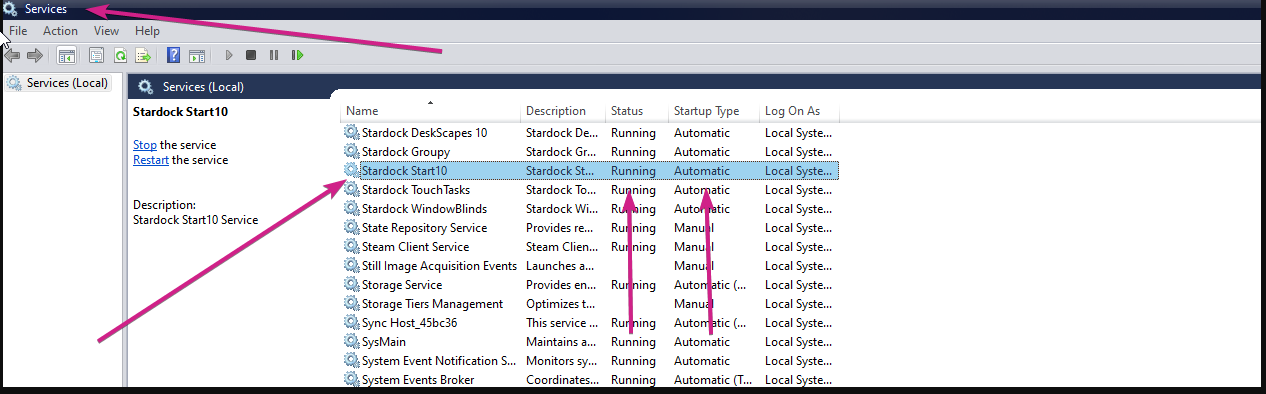
Is the Start10 service running?

If not, is this a corp environment that governs what services can / cannot be running?

Sean Drohan
Stardock Support Manager

Reply #9 Top

Yes, Sean, both Running and Automatic is  running. No I’m just an average Bill on Capitol Hill.

Reply #10 Top

Quoting drbarnum, reply 9

Yes, Sean, both Running and Automatic is  running. No I’m just an average Bill on Capitol Hill.
End of drbarnum's quote

Press the Windows key and "R" at the same time. A "Run" dialog box will pop up, please paste the path below into the "Open" field and press OK.

%ProgramData%\Stardock\

In the folder that pops up, you should see a folder named Start10. Please delete this folder and all of its contents.

After you have deleted that folder, please attempt to activate once again and it should succeed without any errors.

Please let me know if this does not resolve the issue.

Reply #11 Top

It appears after deleting the file Start 10, everything appears okay but I can't get it to switch over from Windows 10 menu to Start 10.

Reply #12 Top

Quoting drbarnum, reply 11

It appears after deleting the file Start 10, everything appears okay but I can't get it to switch over from Windows 10 menu to Start 10.
End of drbarnum's quote

After a reboot, does Start10 then run / show - can you select the 'Windows 7 Style' in the config?

Sean Drohan
Stardock Support Manager

Reply #14 Top

Quoting drbarnum, reply 13

Yes. 
End of drbarnum's quote

Ok, so its working for you......?

Sean Drohan
Stardock Support Manager

Reply #15 Top

No! I can’t get it to switch between windows 10 menu to the Start 10. It’s still on the Windows 10 menu.

Reply #17 Top

Hello,

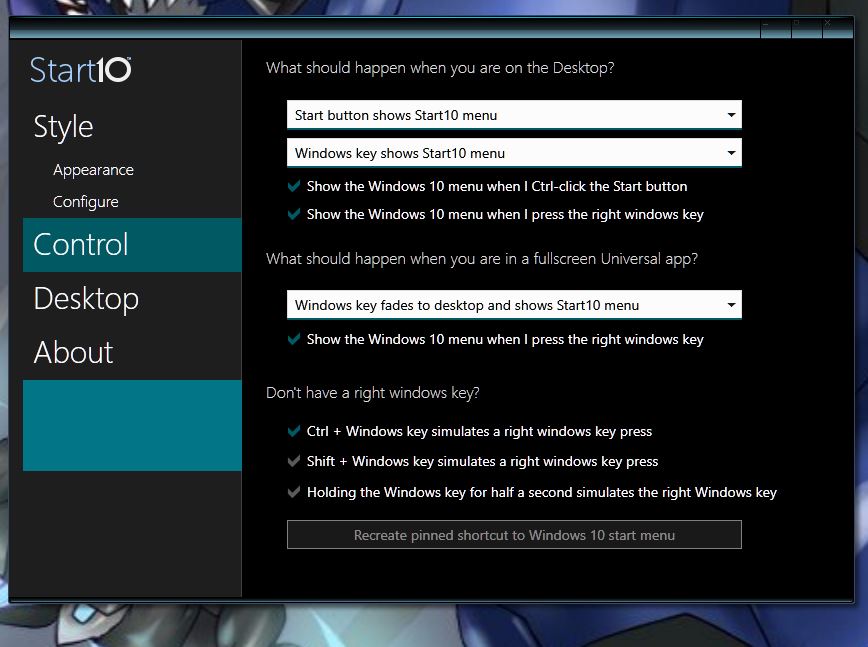
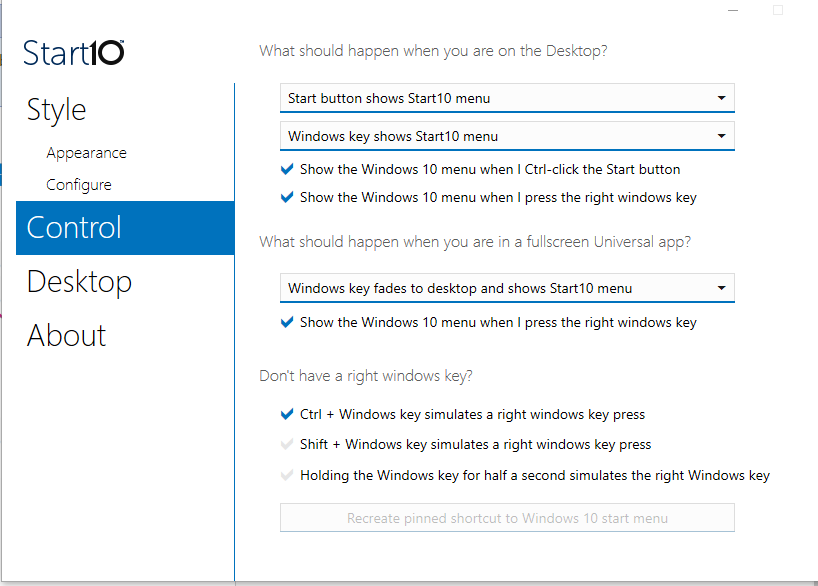
Please post the Start10 Control setting as shown below.

Thank you,

Basj
Stardock Community Assistant.

Reply #18 Top

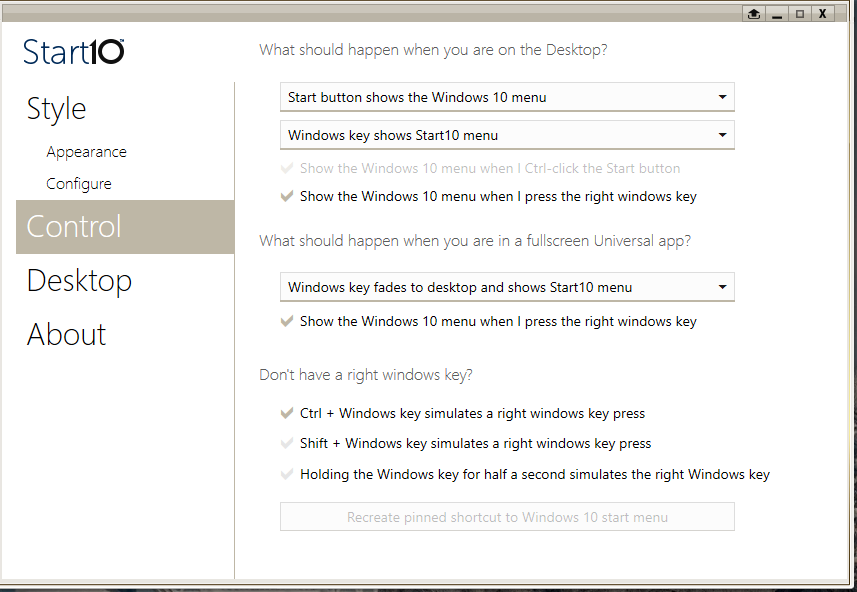
Basj: Thanks to you and Sean for hanging in on this one! All of the settings you pointed out were already

set except the Show the Windows 10 menu when I Ctrl-click the Start button. I have attached a screenshot for your review.

Reply #19 Top

First, unskin Windows with WB - have it at the default Skin (Windows 10 native).

Next, please post a video of selecting the Windows 7 style in the Start10 config, and how the Start button responds, then the Modern Style and how it responds.

You can upload the video to a cloud service (GoogleDrive, OneDrive, DropBox) and post a shared link to it here.

Sean Drohan
Stardock Support Manager

Reply #20 Top

Sean:  I'm a knucklehead and just tried taping it for you. And couldn't grab it. However, here is what I found:

When in default mode, everything works for Windows 7. But again, it doesn't change the menu. Same for Modern Style. Windows 10 Style doesn't show  the configuration and themes settings like 7 & Modern. NONE of them change to the Start 10. I hope that helps, I'm a 66 yr old dude that is probably above average in computer technology. Thanks for the help and bearing with me.


Reply #21 Top

Quoting drbarnum, reply 18

Basj: Thanks to you and Sean for hanging in on this one! All of the settings you pointed out were already

set except the Show the Windows 10 menu when I Ctrl-click the Start button. I have attached a screenshot for your review.

Reduced 92%
Original 857 x 592


End of drbarnum's quote

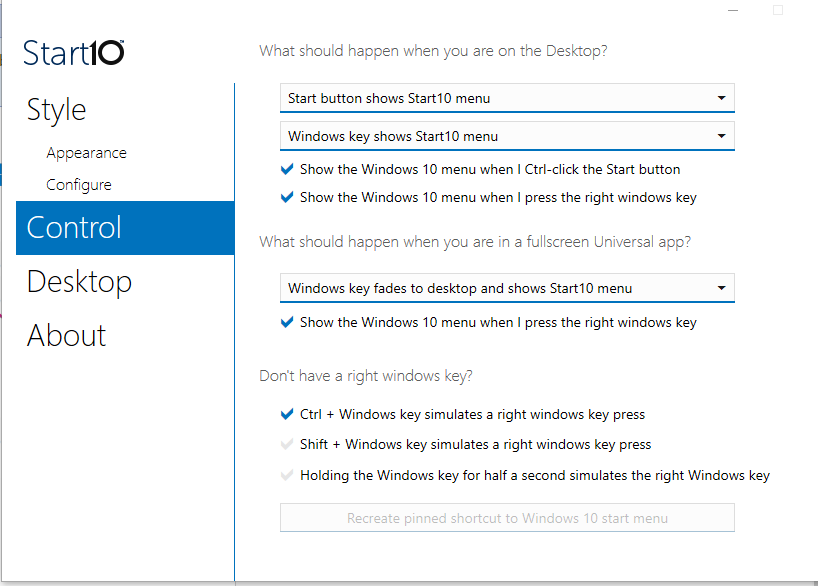
Your settings appear to set Start10 to show the Windows 10 menu when you click the start button.  See first drop down box.

Reply #22 Top

Quoting Neil, reply 21

Your settings appear to set Start10 to show the Windows 10 menu when you click the start button.  See first drop down box.
End of Neil's quote

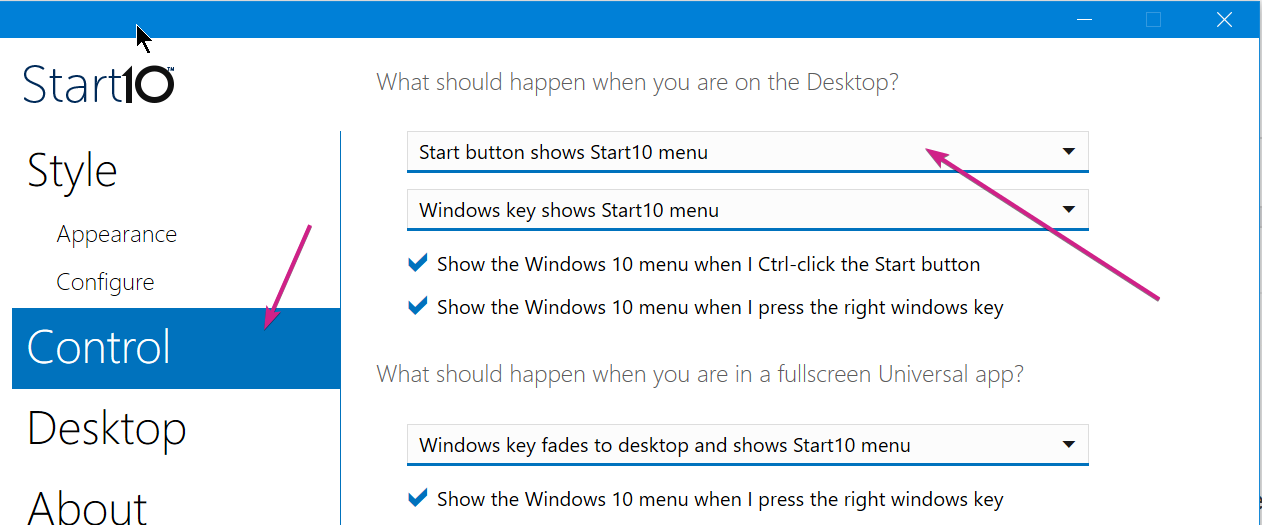
I dont know how I missed that... it should be:

If you ever need to see the Windows Native menu, you can Ctrl + click.

Sean Drohan
Stardock Support Manager

Reply #24 Top

Quoting drbarnum, reply 23

Nothing has changed.
End of drbarnum's quote

With the settings to show the Start10 menu on click, and the Windows 7 style, post a screenshot of what the Start menu looks like when you click it, please.

Sean Drohan
Stardock Support Manager

Reply #25 Top

Sean: I cannot take a screenshot of the menu simply because it won't let me. Good news is that it is working! Question is what is going to happen if I make any changes or add a different skin, etc. Is it going back to the Windows 10 menu?