Unable to Activate Fences

Cannot Activate via Internet or Offline

I just received a laptop with Windows 10 from my company.  I purchased Fences on Jan. 12 and spent 3+ hours trying to activate it yesterday without success.  I have purchased 2 previous Stardock products without any issues.  However, this time I CANNOT activate Fences.

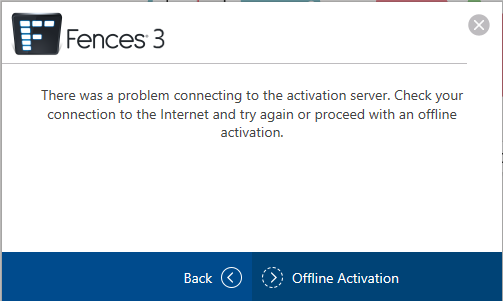
Online Error
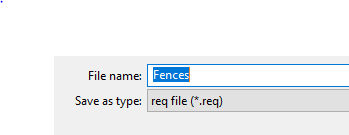
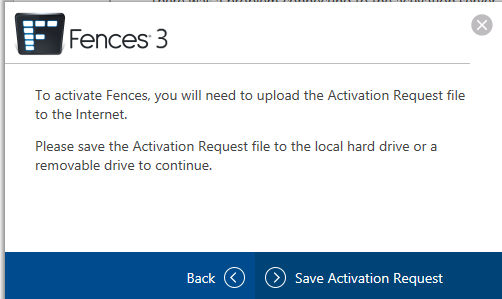
Then I tried the offline activation.  It gave me the option to download a file type of req.  However, when it was time to upload a file, it was looking for a file type of resp.

Please help!  For whatever reason, I'm unable to view the details screens on Stardocks' website.  I can only see the text.  
3,997 views 4 replies
Reply #1 Top

Hello,
I have forward your problem/question to Stardock Support Team for their assistance. Please keep an eye on this thread for any updates. We appreciate your feedback and patience.

Basj,
Stardock Community Assistant

Reply #2 Top

Hello,

Sorry to hear you are having trouble.

Then I tried the offline activation.  It gave me the option to download a file type of req.  However, when it was time to upload a file, it was looking for a file type of resp.
End of quote

Not exactly...

The app will create a .req file that you save on your PC. After, you go here:

http://activate.stardock.com/

After clicking the activation type image, you will click the 'choose file' button to upload the req file - it will process it - and provide you with a resp file.  You save it locally to your PC and go back to the app to have it process it (navigate to where you saved the file).

Sean Drohan
Stardock Support Manager

Reply #3 Top

That worked!  Thank you for your quick response and you help in resolving this activation issue.

Do I need to keep those two files on my PC--the req and resp files?

Thank you!

Reply #4 Top

Hello,

Sorry to hear you are having trouble.

Pleased to hear it worked for you and thank you for your business.

Quoting Patrick5472, reply 3

Do I need to keep those two files on my PC--the req and resp files?
End of Patrick5472's quote

Nope, you can delete them.

Sean Drohan
Stardock Support Manager