Soundpackager not working Win 10 Pro

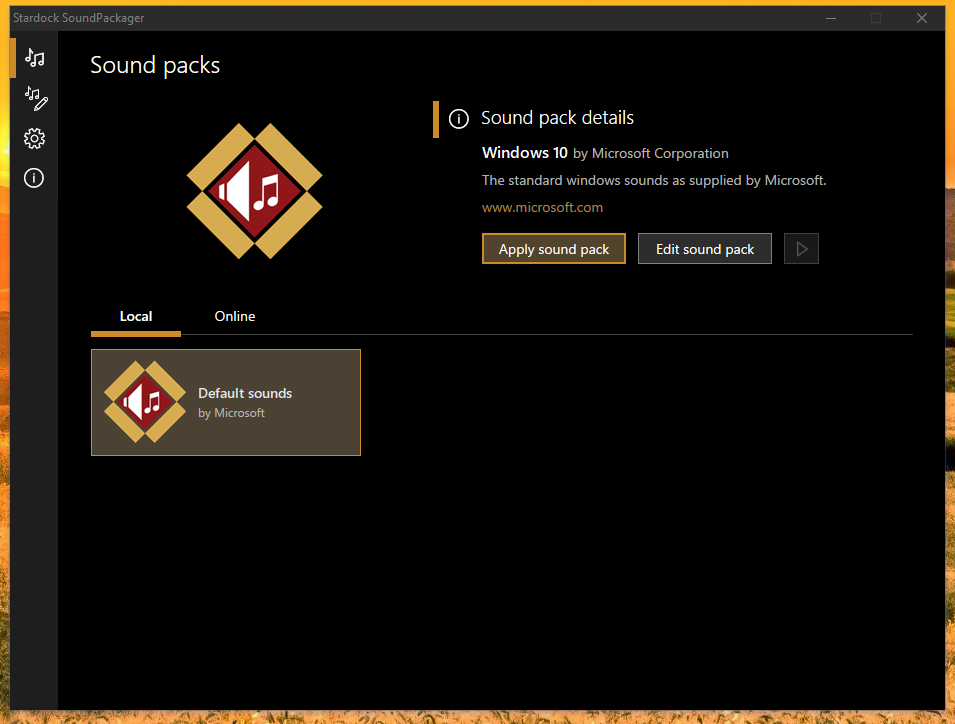
I recently purchased a Soundpackager and installed it on my new system today. The program is not working. Starts, shows the selected schema is downloaded and installed, but does not change. Only the basic windows scheme is visible in the LOCAL tab. The system is Win 10 PRO 20H2 version 19042.964. Have you ever encountered such a situation?

3,228 views 8 replies
Reply #1 Top

Hello,

Sorry to hear you are having issues.

Can you show us a Screenshot of your app , and click on edit and check if you

hear the added changes . When a sound pack is made just some of the windows

sounds may be changed while other Windows sounds remain . 

See my Screenshots below .

And you need to Click on " Appy sound pack " 

then go to edit to hear changes.

I'm running Win10 H0H2


AzDude
Stardock Community Assistant

Reply #2 Top

Thank you for the answer, but the problem is not "how to do it", but that the program supposedly installs a sound scheme, but it is not visible in the LOCAL tab, as in the screenshots in the answer. For me it looks like this, after installing a few schematics:

Reply #3 Top

Hello,
Sorry to hear you are having issues. I wonder if you have installed Soundpackager not in its default directory?


Basj,
Stardock Community Assistant.

Reply #4 Top

The program is installed in the default location. But it occurred to me, does file storage also matter ?. For me, the MY DOCUMENTS folder is moved to another partition.

Reply #5 Top

Hello,
I have forward your problem/question to Stardock Support Team for their assistance. Please keep an eye on this thread for any updates. We appreciate your feedback and patience.

Basj,
Stardock Community Assistant

Reply #7 Top

Hello,

Sorry to hear you are having issues.

I suggest you uninstall SP and re nstall All parts to Default locations ( that is a must )

Docs folder goes here ... C:\Users\yourname\Documents\Stardock

Then load some sound packs test I you should be fine .

Report back here , please ..


AzDude
Stardock Community Assistant

Reply #8 Top

Hello,

Sorry to hear you are having trouble.

If you have Windows Controlled Folder Access on, try turning it off and testing again:

https://www.tenforums.com/tutorials/113380-how-enable-disable-controlled-folder-access-windows-10-a.html

Sean Drohan
Stardock Support Manager