
No Longer Have Option to Choose Icon Size or List View on Windows 11
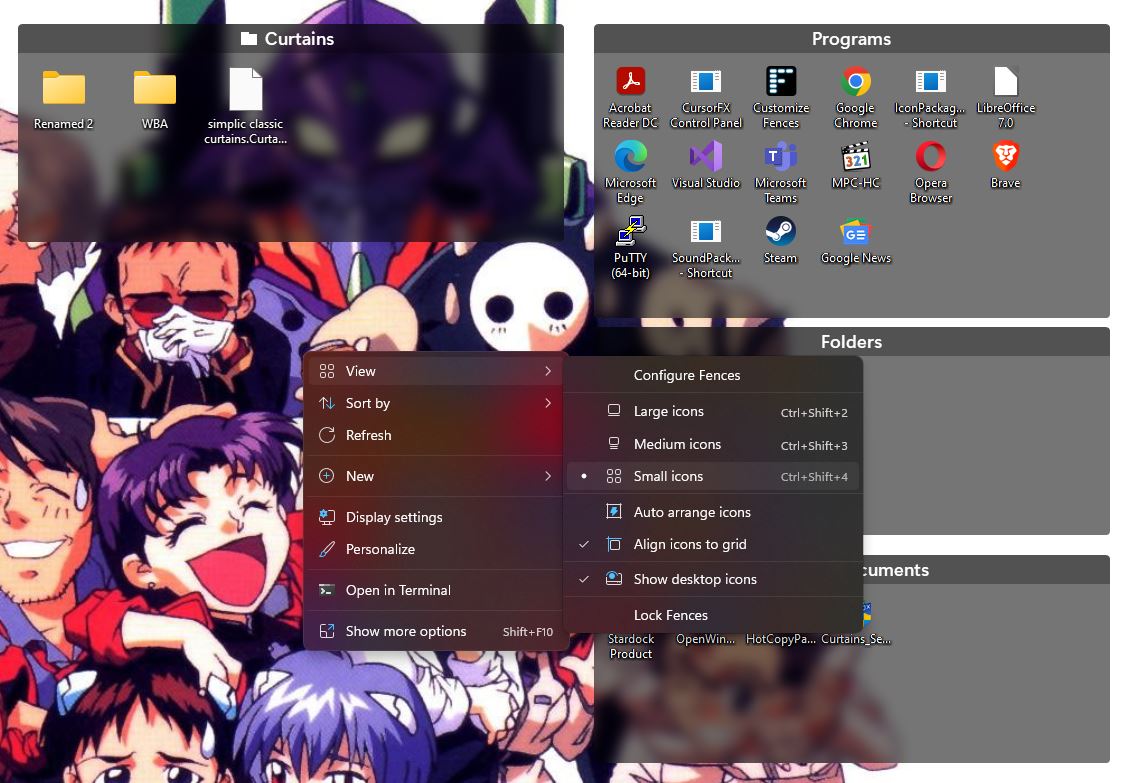
I just installed a new Windows 11 Pro machine and installed Fences 4 but I can no longer find an option to change the icon size or use a list view.
Hello,
Sorry to hear you are having issues. It should be available if you right click on the desktop. Changing that size will change all icons inside all Fences, excluding portal Fences. For portal Fences you will need to right click inside the portal Fences itself. Also, list view only available for portal Fences, not normal Fences.

Thanks
Basj,
Stardock Community Assistant.
Welcome Guest! Please take the time to register with us.
Select a reason for giving karma:
You're about to visit an external site:
Sign up here to get the latest news, updates, and special offers delivered directly to your inbox.