Cursor FX Sass Failure - License not authorized

Hi 

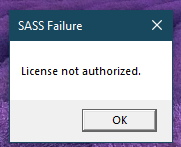
Long time user here since 1.0....I've purchased CursorFX at least 3 times now over the years and again 2 days ago.  As I just got a new laptop and wanted to do a clean install.  Its running Windows 10 and security is managed by work however I do have adminstrator access.  I've installed and uninstalled rebooted etc.  Each time I try to run CursorFX, I get the SASS Failure popup with License not Authorized.  
Can you please help be get this running again? this is my main account but the new download and purchased is on a different email address.  Please help!
 

2,917 views 6 replies
Reply #1 Top

Hello,
Sorry to hear you are having issues. When you do the activation, did any error message pop up? If yes, what is the message? If no, have you tried purge and reinstall steps as mention here? : [Link]. Just make sure to redownload the latest version from your account page. Reboot after the purge. Reinstall and reboot again after the installation. Retest and report back here.

Thank you,
Basj,
Stardock Community Assistant.

Reply #2 Top

Hi Basj,

Thank you for your reply.  As mentioned, I have a new laptop and yes, it was a brand new install using the link from the email from Stardock of my recent RE-purchase of Cursor FX.  I downloaded from this link https://cdn.stardock.us/downloads/public/software/cursorfx/CursorFX4-fs-setup_sd.exe   and got the SASS Failure after installation.

I got your reply above and used the link to download the .bat file and followed the instructions.  It was uninstalled, then I reinstalled AGAIN and right after completion got this popup AGAIN without entering a key or anything.  Yes, I did using Run as Administrator and I also had Admin acess. Oh and rebooted the machine after uninstall and after re-install.

I'm still stuck with non-working application.  Do you have any other suggestions?

Thanks

Reply #3 Top

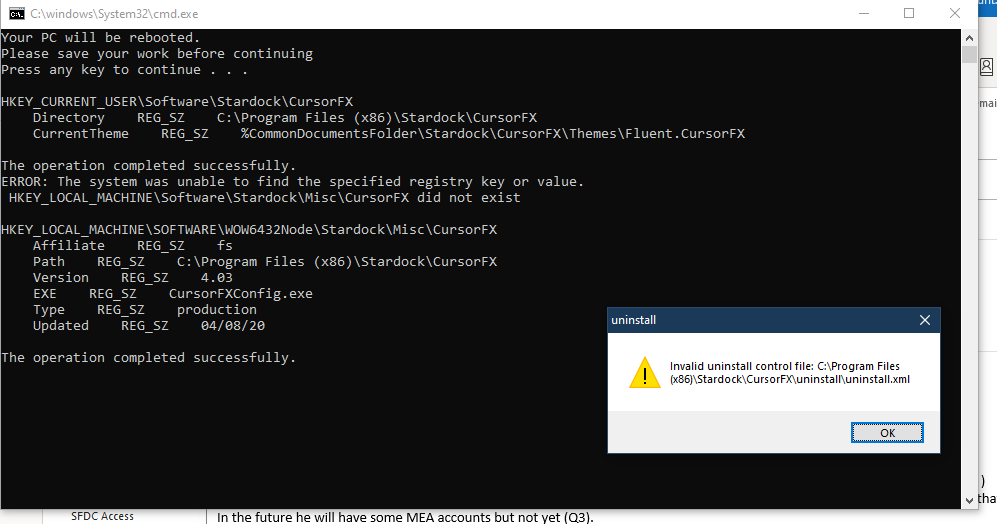
Basj...i tried to run the .bat file again and got this. 


Reply #4 Top

Hello,
I have forward your problem/question to Stardock Support Team for their assistance. Please keep an eye on this thread for any updates. We appreciate your feedback and patience.

Also, while waiting, please check this thread : https://forums.stardock.com/486311/accounts-and-activation-support-faq#Ransomware

Basj,
Stardock Community Assistant

Reply #5 Top

Hi canbasher,

A couple quick questions for you

  • Are you changing from the default install location?
  • Are you getting to the activation screen before you get the SASS popup?

Paul Scroggins
Associate Technical Support Analyst

Reply #6 Top

Hi Paul

Answer to your questions

1) I am not changing the install location.  It goes to C:\Program Files (x86)\....

2) I am NOT getting to go to any activation screen at all.  It just goes straight to SASS failure.  See attached video


FYI.. I am installing as Admin. My PC is security controlled by work with ransomware apps and i have NO WAY to temporarily disable folder access or whitelist the application.