Email address is not valid for the product key Message

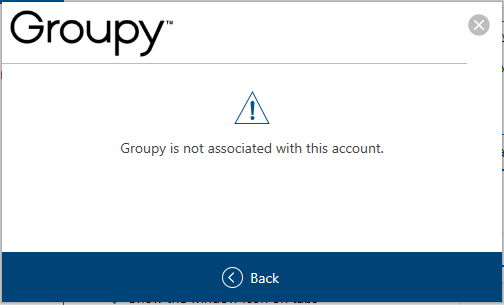
I am trying to install Groupy on a new computer and am getting the below message when I try to activate.


I am using the email address to which my product key was sent.  I have tried copying and pasting as well as typing my email address out manually, but it is not working.  My order number is 4300244.

I have tried activating with my Stardock account, but that gives me the following message.  I"m not sure how that can be, considering I received the product key to my email address.
Please help!
5,473 views 11 replies
Reply #1 Top

Hello,
Sorry to hear you are having issues. It might be due to maximum activation reached. Try deactivate old activation first. Use this guide : https://forums.stardock.com/486311/accounts-and-activation-support-faq#deactivateproduct

Thanks
Basj,
Stardock Community Assistant.

Reply #2 Top

Thank you for your suggestion Basj; unfortunately, it does not appear to have worked.  I deactivated my Groupy installation on my old computer but am still not able to activate it on my new computer.  I am still getting the "Email address is not valid for the product key".

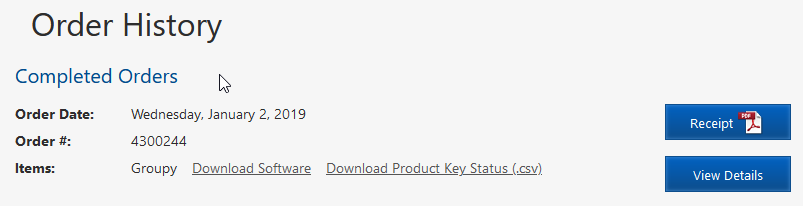
I logged in to my Stardock account, using the same email address I am entering when trying to activate Groupy, and I get the following on the Order History page:

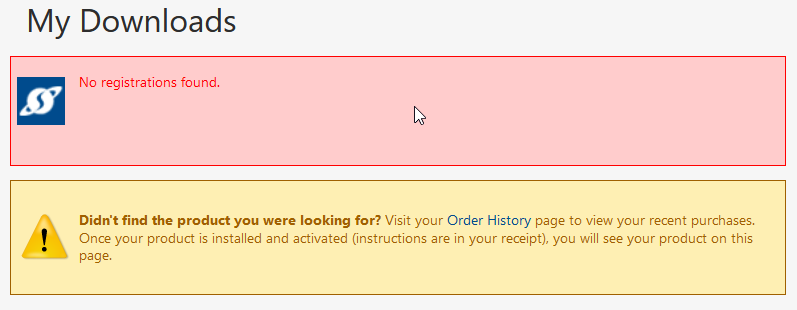
On the My Downloads page, I get the following:

Michael

Reply #3 Top

Make sure to use the email addy that was used to buy the product. If PayPal was uses ise that enail.

Reply #4 Top

Thank you for your help, AzDude.  I am using the email address to which my product key was sent... it is the same email address I used to purchase the product and which I use to log-in to my Stardock user account.

Reply #6 Top

Thank you again for your assistance, it is greatly appreciated.

I went to https://www.stardock.com/support/product-key-retrieval but received the following message:

When I did the lookup, I used the same email address to which my receipt and product code were originally sent to me back in 2019.

The Groupy purchase IS showing in my Stardock account (which is also under the same email address I used when I made my original purchase) on the Order History page, but it is NOT showing on the My Downloads page.  It's like it isn't associated with my account, even though I have the purchase receipt showing the email address which was used to make the purchase.

Reply #7 Top

Hello,
Please raise support ticket using the link below, use the product not receive option. Include all information details. Remember to record down the ticket number for future reference if needed. Do not raise multiple ticket, that will make your ticket back to the end of the line. Send once and wait. Ticket will be answer by the order they send in.

https://stardock.atlassian.net/servicedesk/customer/portal/4

Thanks
Basj,
Stardock Community Assistant

Reply #8 Top

Hi Basj,

Thank you for your help.  As suggested, I have now submitted a ticket under the "Product not received" option.

Michael

Reply #9 Top

Exact same issue. Literally. To a T. 


Forgive me, I got excited and exaggerated a bit. Everything is identical except for the "Account lookup failure" It keeps sending me the same key to the same email and i keep having the same issue of it either not working or saying it doesnt belong to that account, roughly.


Was wondering if you managed a bit of luck on this one?

Either way, well wishes to you.


-H


P.s. apologies for any typos I missed. Promise I'm no dullard. Just own some fingers that think they know better than they do.

Reply #11 Top

It turns out that the email address used to purchase the product is not necessarily the same as the email address to which the product key is sent.  Double check the email address you used to purchase the product and try using that to activate it.  Stardock support may be able to help you figure out which email address you used to make the purchase.