Win7 Style Colours

Hi,

Just bought Start11 after upgrading from Open Shell due to it not hiding the original start icon on Windows 11 and I'm happy with the software. I do have a small issue in regards to Theme Colours.

I selected the Windows 7 style for my Start Menu and the menu is only using Blacks + Dark Grays instead the colour that my system is using. Turning off the use of automatic colours allows me to select a custom colour for the menu however the Menu will then replace the Dark Mode area's with White's which conflicts with the rest of the system. Is there a way to have Custom Colours while keeping the dark mode colour scheme?

6,524 views 5 replies
Reply #1 Top

Hello,
Sorry to hear you are having issues. May I know you're on Windows 10 or 11? Also, need to know its full version number. Use Winver.exe to get it. Include some screenshots of what you're trying to get to might help we understand it better too.

Thanks
Basj,
Stardock Community Assistant.

Reply #2 Top

Hi,

Here's my Windows 11 version and hopefully a better idea of what I want to do if it's currently possible. Hope that helps.

Reply #3 Top

Yes, I see that, I have forward your request to the Stardock Support Team for their review and recommendations. Please keep an eye on this thread for any updates. We really do appreciate your feedback, Thanks

Basj,
Stardock Community Assistant.

+1 Loading…
Reply #4 Top

Until the last update, the Win 7 used Dark Mode like I wanted however it looks like it was reverted as it has gone back to the white background. The Universal Apps Menu however does use Dark Mode for its menu.

Here's my current version of Windows 11.

I dunno, Would having an option to use system colours or select the colour of choice for the Start Menu instead only black or Colour + White be in the realm of possibility?

I just want consistency between all the Windows UI on my setup.

Reply #5 Top

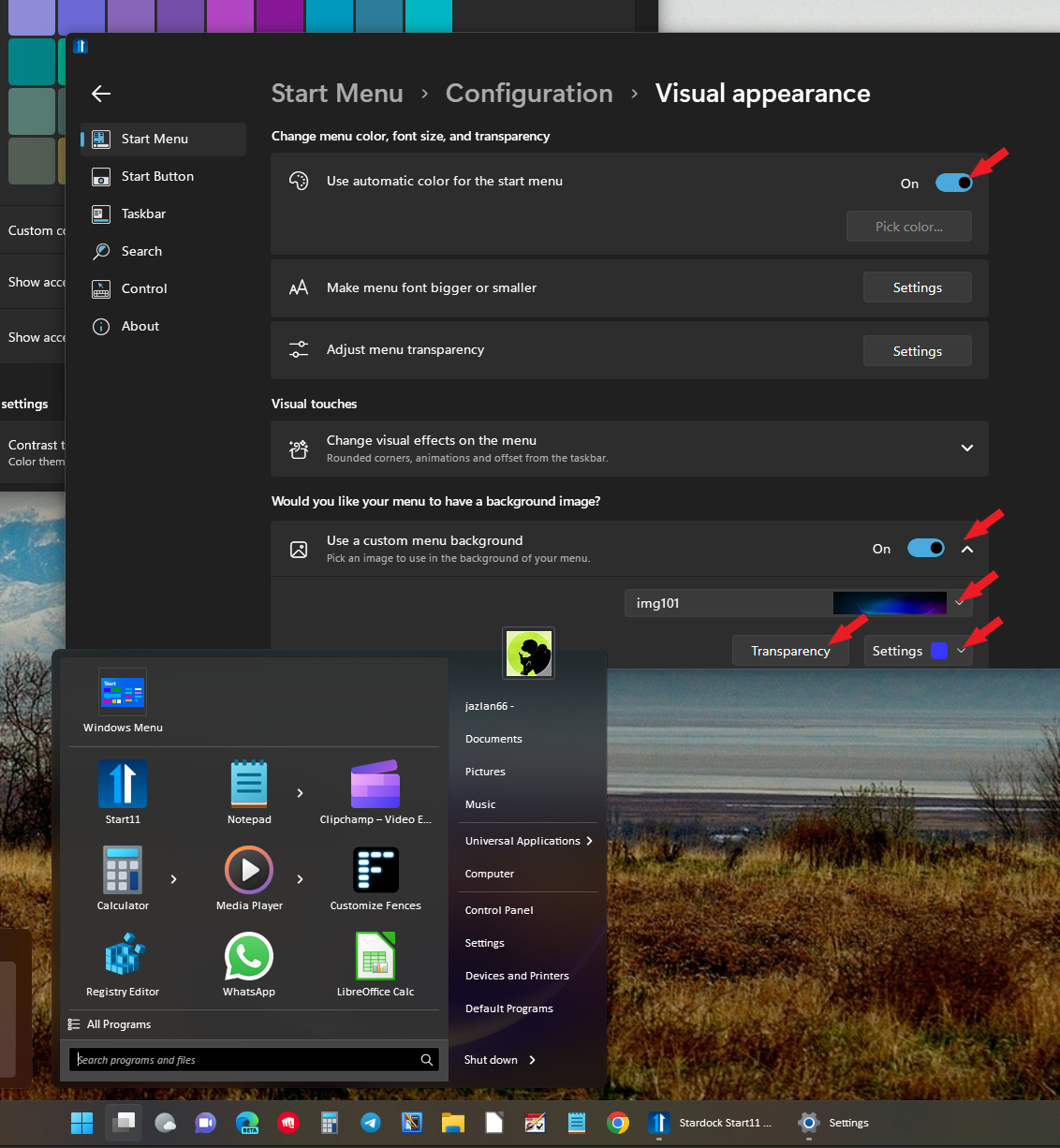
Not sure what you trying to get to. But, refer screenshot below, I can change the menu background to almost anything I like by adjusting those control marked with Red arrow.

Thank you,

Basj,
Stardock Community Assistant

+1 Loading…