


White or Black bars surrounding apps with WindowBlinds enabled
from  Stardock Forums
Stardock Forums
Hi Folks,
I've just installed WindowsBlinds 11 and when I apply a style, I get black or white bars on two or four sides of the application (see image below) - which is both unsightly and problematic, as the cursor assumes the black bars aren't there so the buttons on the application do not line up with the cursor position (I have to aim a bit up and a bit left to trigger the buttons).
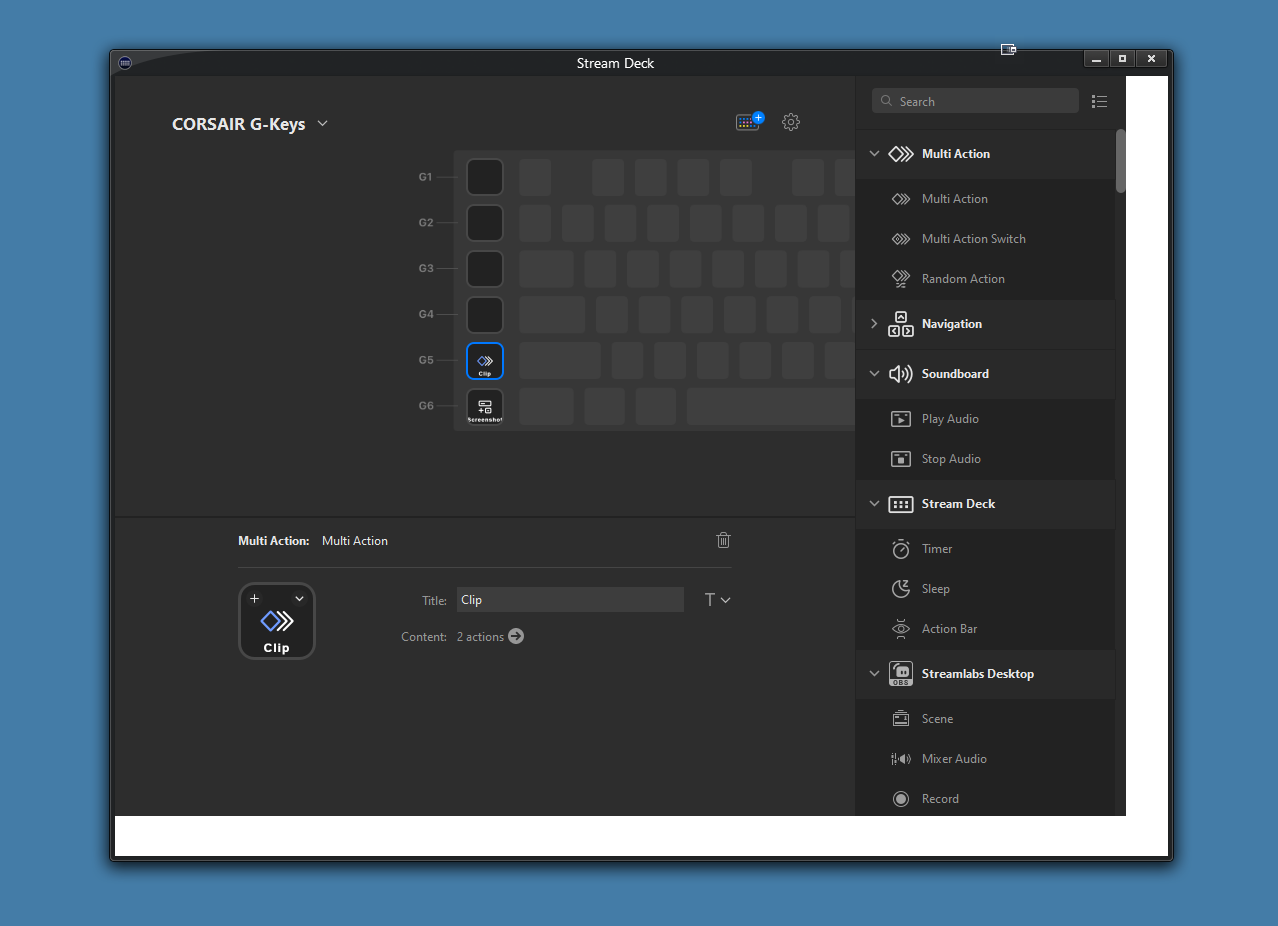
On changing the style applied, the size of the black or white bars can increase/decrease, but the only way to remove them is to not use a custom style, which defeats the point of WindowBlinds.
What I've tried: Turning on Hardware accelerated graphics, restarting the PC, reinstalling the app. TO no success.
Any idea how to fix this?
Thanks.

 WinCustomize Forums