Stuck In Research Center

I am playing version 1.12.369210 and I have encountered a serious issue that I believe has been reported for previous versions and that apparently has not been viewed as being serious enough to assign devs to fix.

When I went to a new turn, I could see all of the AI's take their turns and then I was shown the Research Center screen since research on the previous tech had completed.  I was able to select a new tech, but I was not able to close the screen.  I could go to the Technology Library and Tech Navigator screens, but I could not get out of the Research Center screen.  Clicking on the Done button did nothing.  Double-clicking on a new technology did nothing.  The only way out was to kill the program from the operating system or, if I did not know how to kill the game process, to reboot my PC.

I recognize that working on fixing this type of bug is not as fun or exciting as working on a new combat system, but this is the type of bug that will do serious damage to the reputation of the product and, in my opinion, needs to be fixed ASAP!

The first screen snapshot below shows:

  1. the game is consuming about 23% of my CPU even though I cannot do anything but click around the Research Center.
  2. The CPU usage is spread across all 8 logical CPUs
  3. I also included the Event Handles associated with the program in case they might be of value in determining what is going on since I cannot save the game in its current condition

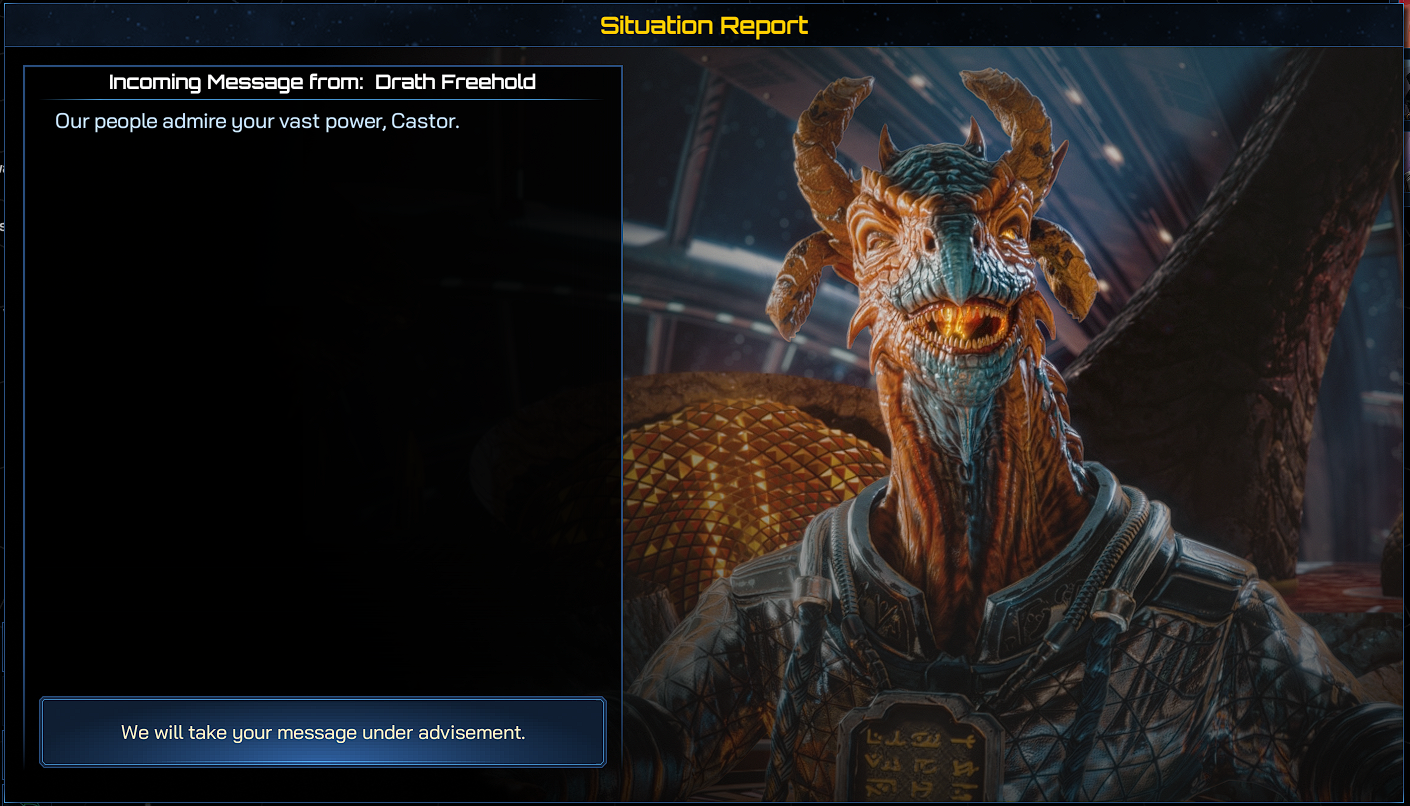
The second screen snapshot shows what the first thing to appear was after I restarted the game and loaded the previous Auto-Save file (I have set the program to auto-save after every turn).  Is it possible that this screen was in the background and the program was waiting for a response from this screen before it would accept a response from the Research Center screen?

 

6,261 views 4 replies
Reply #1 Top

This is all very valuable feedback, to help us better understand the situation and replicate it, would you be kind enough to provide a save file via dropbox link for our team? I'll be sure the situation is reported.

Reply #2 Top

Quoting RammaStardock, reply 1

This is all very valuable feedback, to help us better understand the situation and replicate it, would you be kind enough to provide a save file via dropbox link for our team? I'll be sure the situation is reported.
End of RammaStardock's quote

Since the only thing I could do was click around the Research Center screen, I was not able to save the game.  As I said in my post, when I restarted the game and loaded the previous Auto-Save, the second screen snapshot came up BEFORE the screen to select a new technology came up.  That is why I am guessing that the problem is that the game is waiting for input from the invisible screen before it will accept input to close the Research Center screen.

Reply #3 Top

I have encountered this problem of getting stuck in the Research Center again and this time the issue appears to definitely be because a message window is not appearing as it should.  In this case, I selected the "Resource Extraction Doctrine" option, which requires 3 Drones to research (first screen snapshot below).  Again, I could click around the Research Center, but I could not bring up the menu by hitting the ESC key or get out of the Research Center Screen.  After double-clicking on the "Resource Extraction Doctrine" option and clicking on the "Done" button with no results, I finally double-clicked on a different research option and suddenly the message shown in the second screen snapshot below appeared which should have appeared when I first selected the "Resource Extraction Doctrine" option.  In fact, this message window kept repeating itself as I clicked on the "Yes" button.  I am guessing that it was showing the message once for each time that I double-clicked on the "Resource Extraction Doctrine" option.

I think you need to check the logic for displaying the confirmation window because I believe the code is waiting for a response to the message window, but it never appears.  Instead it looks like the code is queuing-up the request to display the window until after something  else happens and that something else isn't happening.

By the way, even though I repeated said "Yes" I wanted to spend the 3 Drones, no Drones were taken from my inventory.

And, to the question you always ask, no, I cannot give you a save because I could not bring-up the menu to create a save file.

Reply #4 Top

Thank you as usual Paul, I'll expand the previous report with the new details you've provided for the team. Also, to be clear when asking for saves, anything BEFORE the issue takes place is also acceptable like the most recent auto save with steps on how to replicate the situation. I know it sounds like a broken record, but its genuinely one of the best ways to help the team.
