Object Desktop Not show Installed Programs
Showing Install Meneu for Already Installed Programs
from  Stardock Forums
Stardock Forums
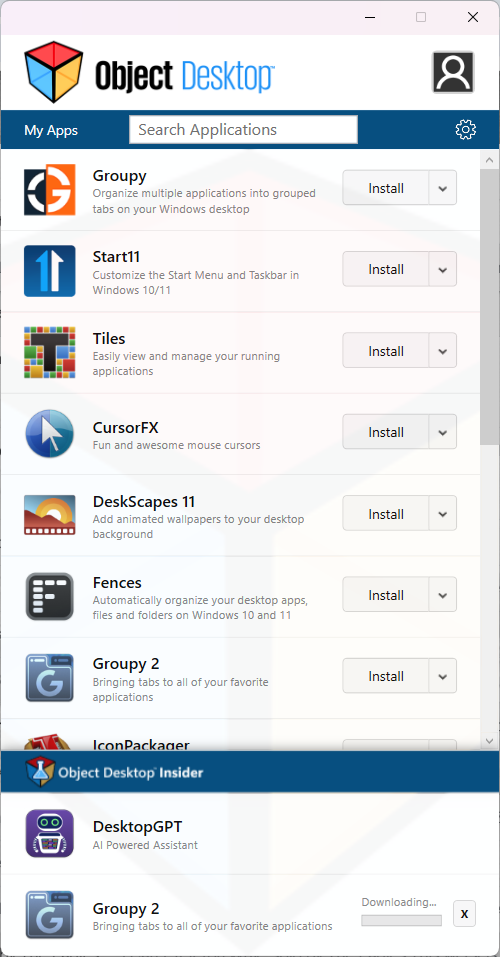
I had to reinstall Win 11 after the last MS update and this may have had an effect on Object Desktop. For example, Groupy, Start11, Tiles, and Fences are installed and running on my computer. But, Object Desktop shows that they can be installed. You can see this in the screen capture below.
Clicking on the Install button shows the "Downloading..." message, but the software does not download or (re)install.
Other programs like ObjectDock 3 are shown in the list of programs but without any dropdown menu. Clicking on this program does not start it.
I tried manually installing Object Desktop but this did not fix the problem.
Any suggestions about how to get everything working again?
Best,
Alan