
sdRohan sdRohan

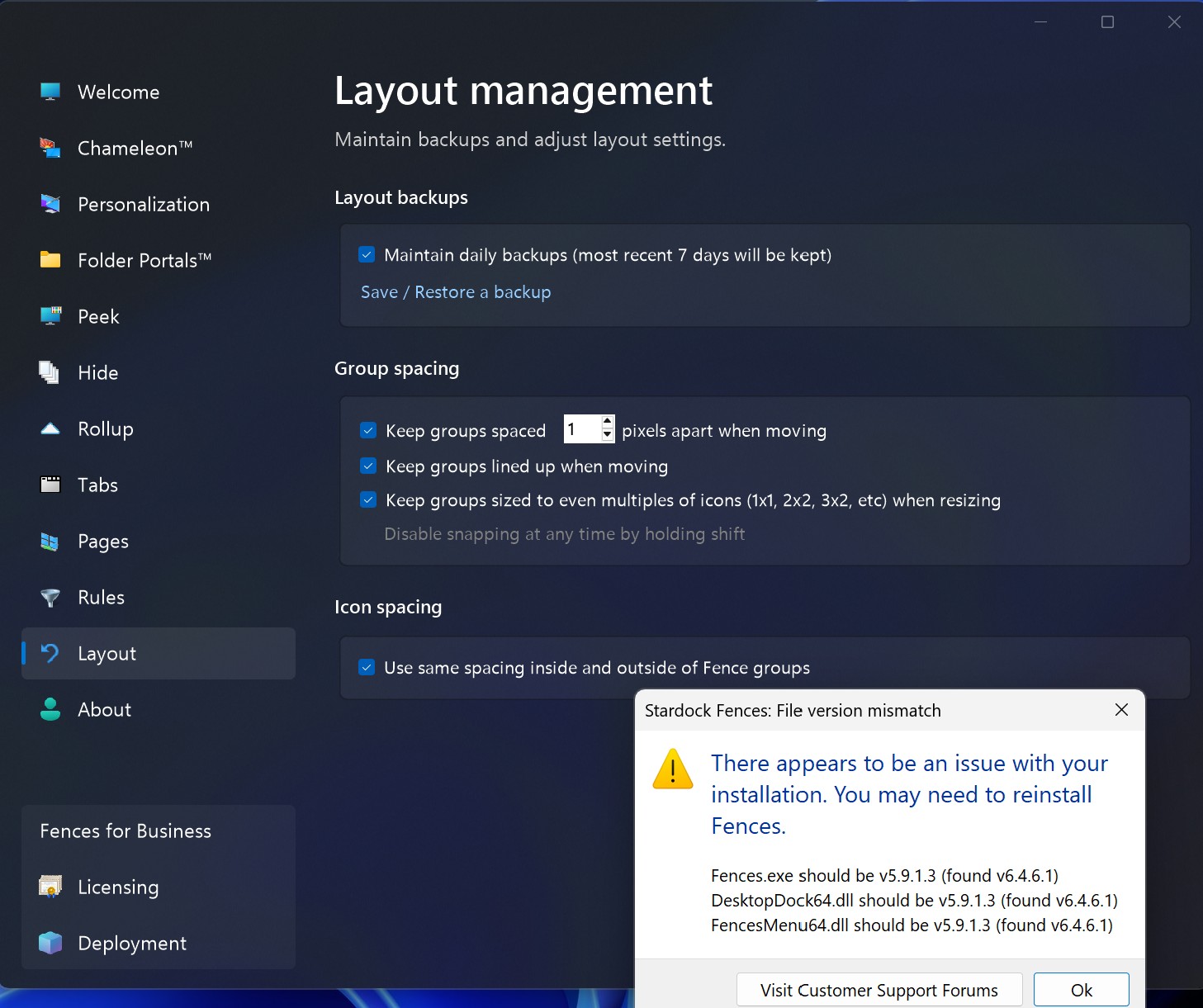
Fences 5 File Version Mismatch Message

Fences 5 File Version Mismatch Message

In an effort to improve the reliability of Fences 5 installs that are done overtop an already existing installation of Fences 5, we have added some messaging that will display if there are any file version mismatches. 

If you received that message, we would like to get more information from you.

  • Did the instructions to perform a reinstallation with the same installer work to resolve it?
  • What version of Windows are you running?
  • What anti-virus software are you using?

Thanks for your feedback and time.

Sean Drohan
Stardock Product Lifecycle Manager
34,160 views 53 replies | Pinned +1 Loading…
Reply #51 Top
Quoting jleblang, reply 3995303

Error popped up from going from Fences 6 Beta to release. W11 Home Insider Ring. Will try reinstalling. 

End of jleblang's quote

Hello,

Sorry to hear you are having issues. If the issue still appear after you do reinstalling and rebooted. Perhaps, you should try, purge and reinstall steps as mention here : [Link]. Just make sure to redownload the latest version from your account page. Reboot after the purge. Reinstall and reboot again after the installation. Retest and report back here.

Thank you,

Basj,

Stardock Community  Assistant.

Reply #52 Top

 The issue still appear after I do reinstalling and rebooted! the following is what I've got:

Windows 11 Home, 25H2, OS Build is 26200.8973

Anti Virus: Windows security

Reply #53 Top
Quoting ngassem, reply 3996529

The issue still appear after I do reinstalling and rebooted! the following is what I've got:

Windows 11 Home, 25H2, OS Build is 26200.8973

Anti Virus: Windows security

End of ngassem's quote

Hello,

Please try steps mentioned in Reply#49 (https://forums.stardock.com/532161/fences-5-file-version-mismatch-message/page/2#3994559). Try it and report back.

Thank you,

Basj,

Stardock Community  Assistant