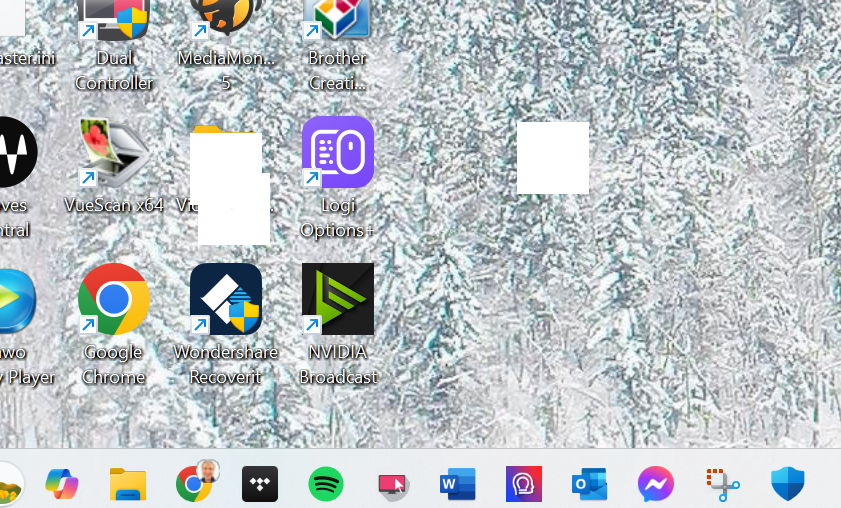
White "ghost" blocks persist
from  Stardock Forums
Stardock Forums
I just had to run a restore on my Windows 11 computer. I realized I had to repin an app to my Start11 menu. When I did, I got a white ghost block. The same size as a small icon, but completely blank. I can grab the block and move it, but I can't delete it. When I close the Start menu, the blocks remain on the screen.
Any idea what's going on? Should I just reinstall/repair Start11?