Fences 6 won't start, Windows 11

Hi.

I've been using Fences 3 for several years without problems.

But after updating to Windows 11, i was facing issues with Fences 3. Therefor i bought Fences 6 instead.

But i can't make it work.

I have been following theese steps:

  1. Uninstall all versions of Fences on my PC
    1. During uninstall i cheked the "Remove settings"
  2. Reboot PC
  3. Go to C:\ProgramData\Stardock and deleted any 'Fences' directory
  4. Reboot PC
  5. Installed Fences 6.
    1. After installation, fences opens asking if i would use the default settings, or creating my own. I have tried both options.

Even though it seems that uninstall and install went as expected, i cant make fences work.

When i try creating new fences on my desktop, notting happens.

When i try to open the Fences App, nothing happens.

After installing Fences 6, i was expecting get an activation prompt - but i didn't..

Can my issue be activation/license related?

I am running on Windows 11 version 25H2 build 26200.7171


Do you have any suggestions why i cant make Fences work on my PC?


Thanks in advance

Regards

Morten Fuglsang

2,450 views 11 replies
Reply #1 Top

Hello,
Sorry to hear you are having issues. Please try purge and reinstall steps as mention here : [Link]. Just make sure to redownload the latest version from your account page. Reboot after the purge. Reinstall and reboot again after the installation. Retest and report back here.

Thank you,
Basj,
Stardock Community Assistant.

Reply #2 Top

Hi Basj.

Thanks for quick reply.

I've tried what you suggested - unfortunetaly it didn't solve the problem.

I followed theese steps:

  1. Download and execute the Perge.bat as Administrator
  2. Reboot PC
  3. Download lates Fences version from my account page 
  4. Installed Fences 6
  5. Reboot PC

Still same issues:

  • If i try to create a fence on my desktop nothing happens
    • The "Create Fence here" appears, but nothing happens if i press it,
  • If i go to C:\Program Files (x86)\Stardock\Fences and execute the Fences.exe, nothing happens.


Regards 

Morten

Reply #3 Top

Please use this guide and see Fences was setup properly to start up twice in your Task Manager->Startup. https://support.stardock.com/space/SHC/1331232868/Fences+is+not+starting+after+boot. Check that and report back. 

Thank you,

Basj,
Stardock Community Assistant

Reply #4 Top

Hi Basj.

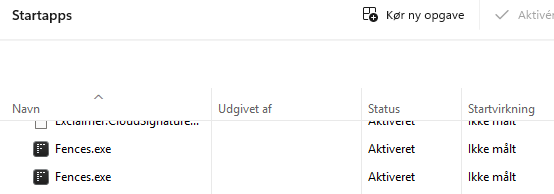
Fences is setup to start twice in the task manager (See picture below)


Regards

Morten

Reply #5 Top

Great, next, check if you have something else running that is blocking Fences from working properly. Do you have 360 Total security, or any other application that have its own desktop organizer that conflicting with Fences? As a reference: https://forums.stardock.com/494957/ or If you have previously locked your Fences and when uninstalling it did not properly unlock it.

Thank you,

Basj,
Stardock Community Assistant

Reply #6 Top

Hi Basj.

As far as i know, i have no other desktop organizers running on my pc - have never used anything else then Fences 3.

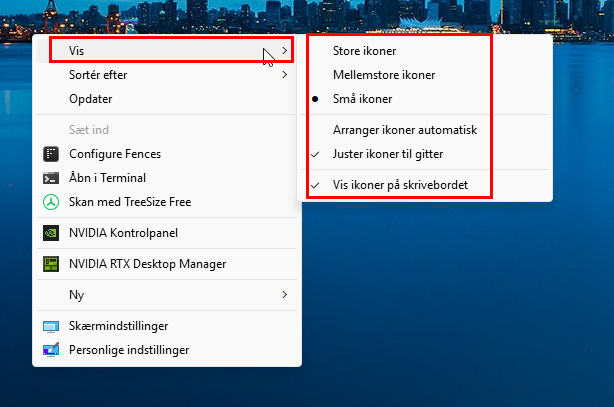
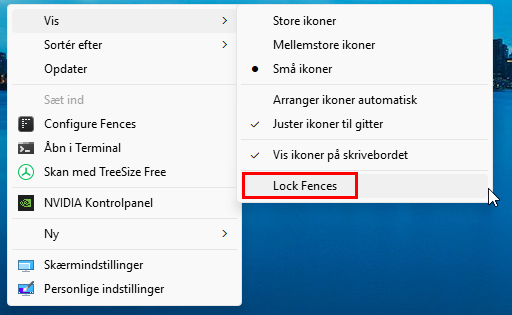
Regarding the "lock fences" option, i don't have this option on my pc - is this normal?

Regards

Morten

Reply #8 Top

After enabling the "lock fences" function, i see that "lock fences" is not activated - i guess that is as it should be?


Regards

Morten

Reply #9 Top

Just try lock and unlock it again. See if that help.

Thank you,

Basj,
Stardock Community Assistant

Reply #10 Top

Unfortunately that didn't made any difference.


Regards

Morten