Fences 6 Upgrade im Object Desktop-Abo

Fences 6 full version is not available

Here's my situation:

I'm using an Object Desktop subscription (AiO). This subscription is supposed to include all Stardock software solutions, and as a subscription, it should always be up-to-date, since you pay a fixed amount regularly, not just a one-time fee.

The OD-App lists all the apps and notifies you when updates are available.

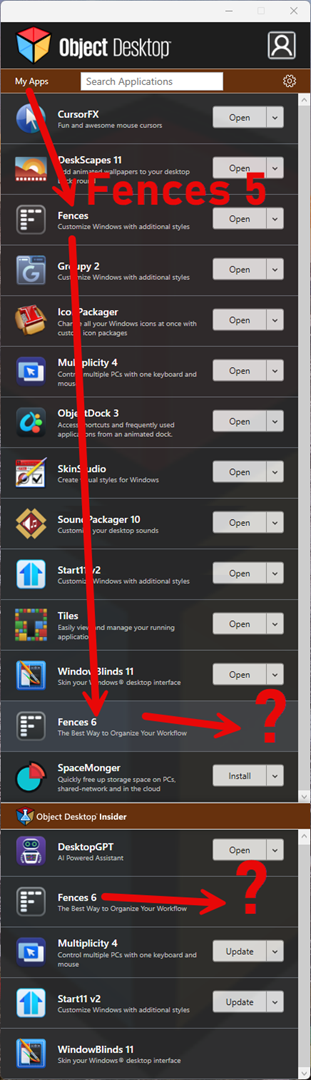
Fences 6 has been released for about six months, and I still haven't received a notification to update from Fences 5 to the current Fences 6 version. Fences 6 isn't showing up for me. Uninstalling version 5, restarting the operating system, and reopening the OD app doesn't change anything. It still only shows version 5 for installation.

Only an "Inside" version of Fences 6 is offered. But I'm not paying for experiments; as a paying customer, I expect a current, stable, and reliable final solution.

What should I do?
1,337 views 3 replies
Reply #1 Top

Hello,
Sorry to hear you are having issues. That is not entirely true. Not "all Stardock software" listed under Object Desktop, only those that listed under Object Desktop when you first purchase Object Desktop, will be listed, and any newer updates or upgrade will get included as long as the subscription still active. As the issue you mention is on Fences 5 and see, I see both of those are listed in there.

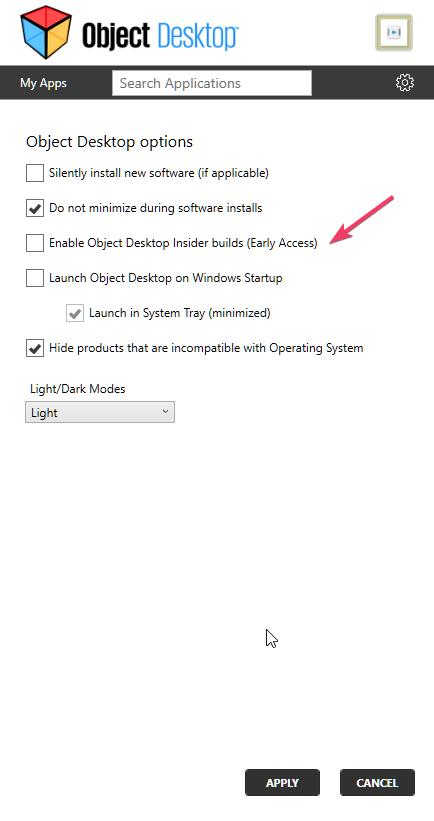
And, if you wish not to see insider/beta release get listed you can turn it off here.

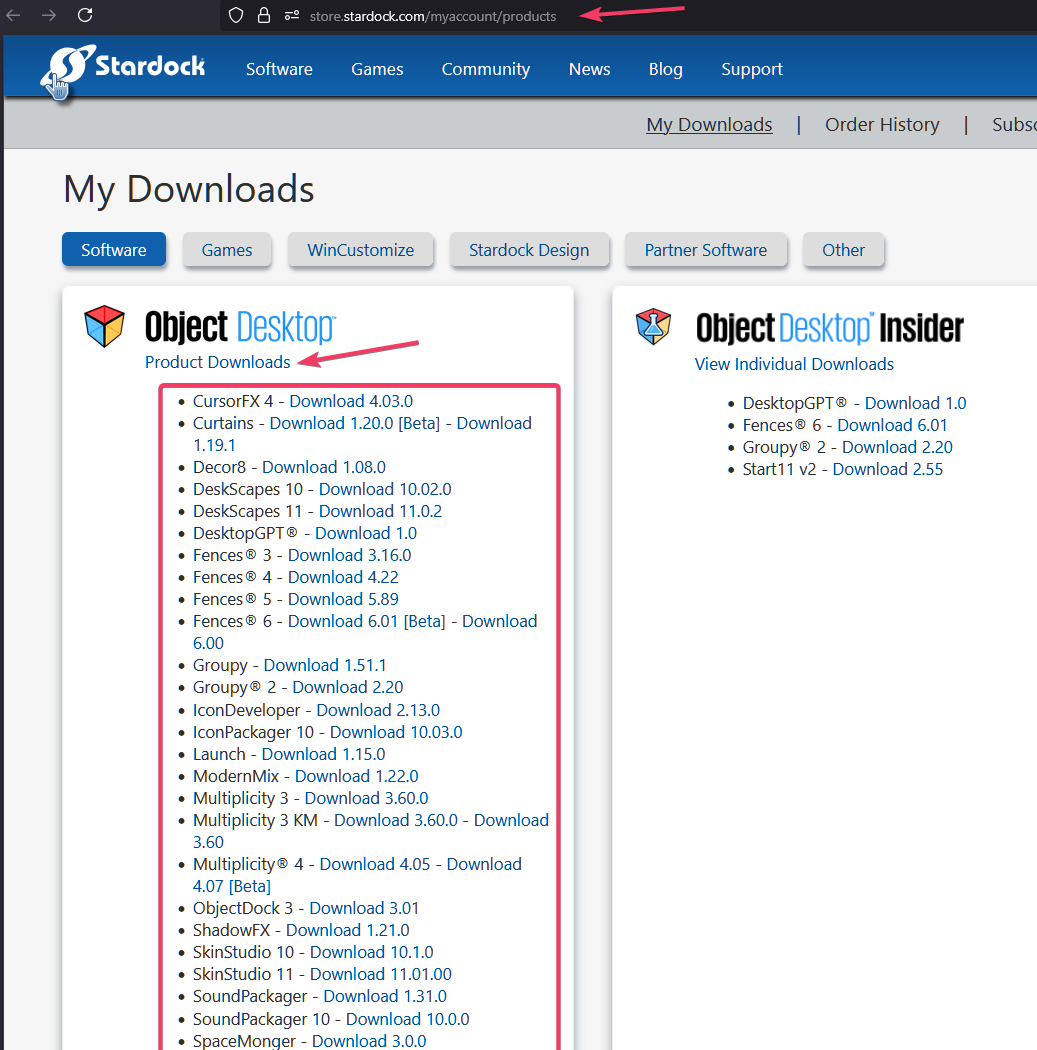
Also it is better to use your account product download page: https://store.stardock.com/myaccount/products. On this page you will see all the download link, betas and official release. Refer to my screenshot below, where you can pick which version you wish to download.


Hope it clarify things for you.

Thank you,
Basj,
Stardock Community Assistant.

Reply #2 Top

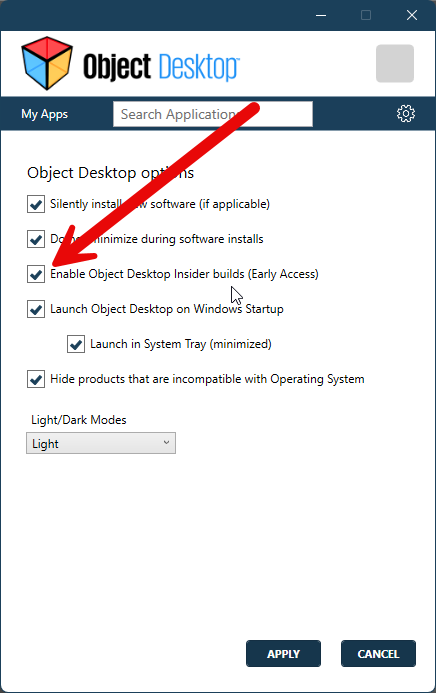
Early Access is already activated for me, otherwise I wouldn't be able to see Frances 6 Inside.

But the fact that there's a dropdown menu with all the products hidden under Object Desktop -> Product Downloads isn't exactly intuitive or obvious at a glance. I certainly didn't think to hover the mouse over it and click.

You have to figure it out first. But now I know! XD  

Thanks a lot!

Reply #3 Top

Great, glad you have found it.

Thank you,

Basj,
Stardock Community Assistant