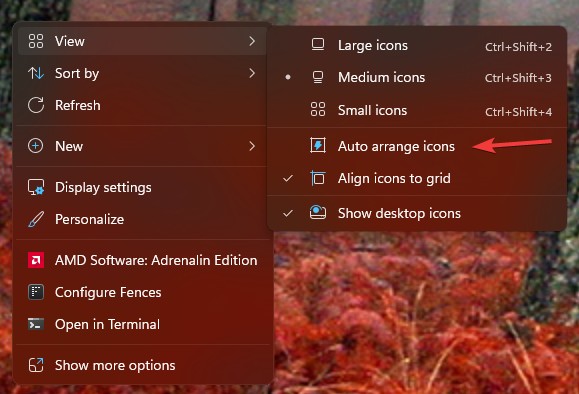
Free moving files and folders on desktop
from  Stardock Forums
Stardock Forums
Using Fences 6.2 on win 11. Im trying to move my files on my desktop freely without them snapping back into the sorting automatically. Ive never been able to find the option to turn that off. Today a box did pop up once asking if i wanted to turn it off. I said YES, turn it off but it did not turn it off and still no option in the settings to make this happen. I just want to place my files and folders (not fences) freely on my desktop. Any help would be appreciated.
Jason