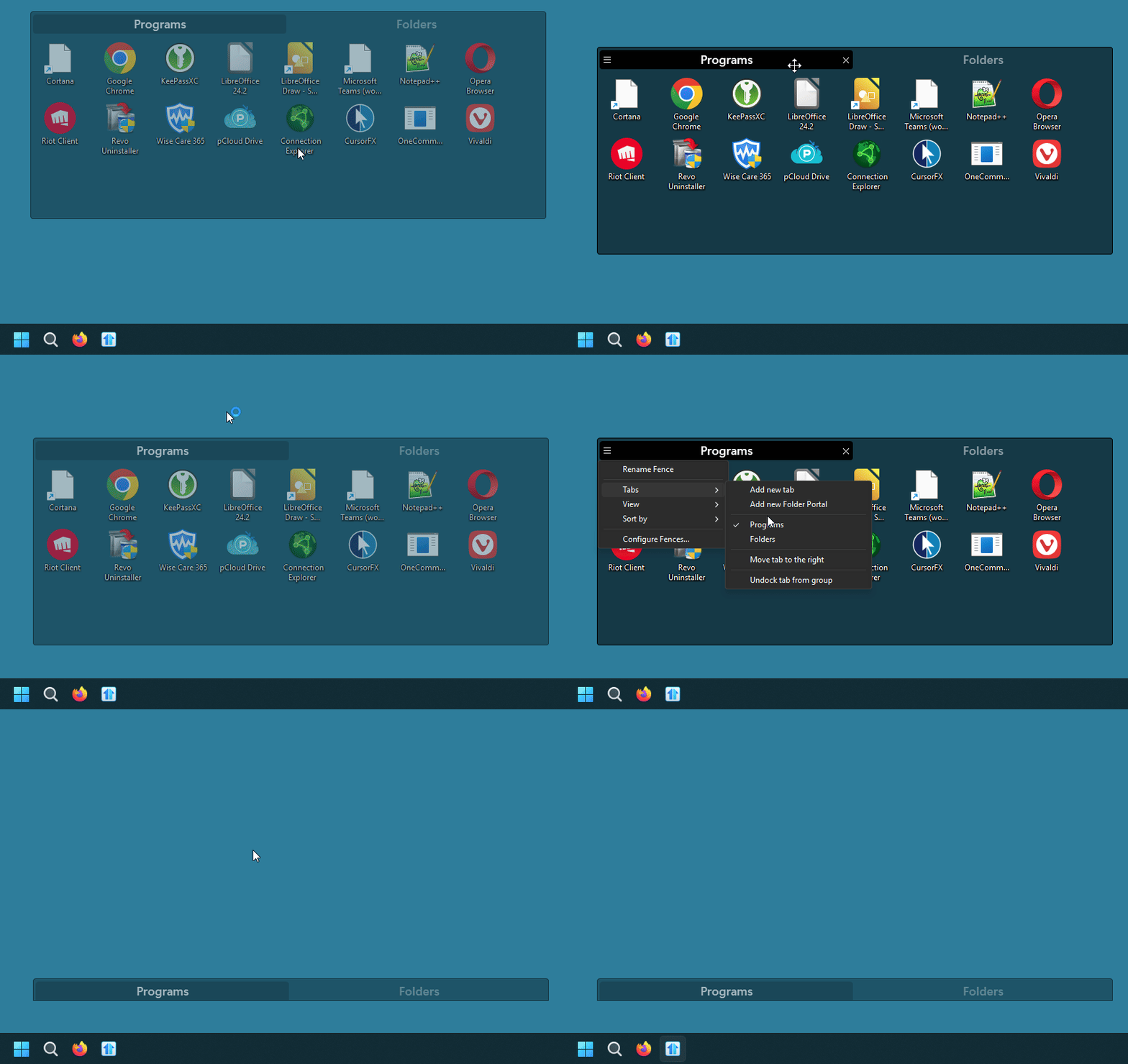
You need to dock your fences to the edge for your taskbar for it to roll up properly. Please refer to my short video below.
Here a step by step.
- disable roll up fence.
- click and drag your fences close to your taskbar.
- Stop when you feel that when you move down, the Fences will not move. Do note if you push harder it will still move down which is not what you want.
- When it stop for the first time. Turn on the roll up fence.
- You should see something similar to my video below.
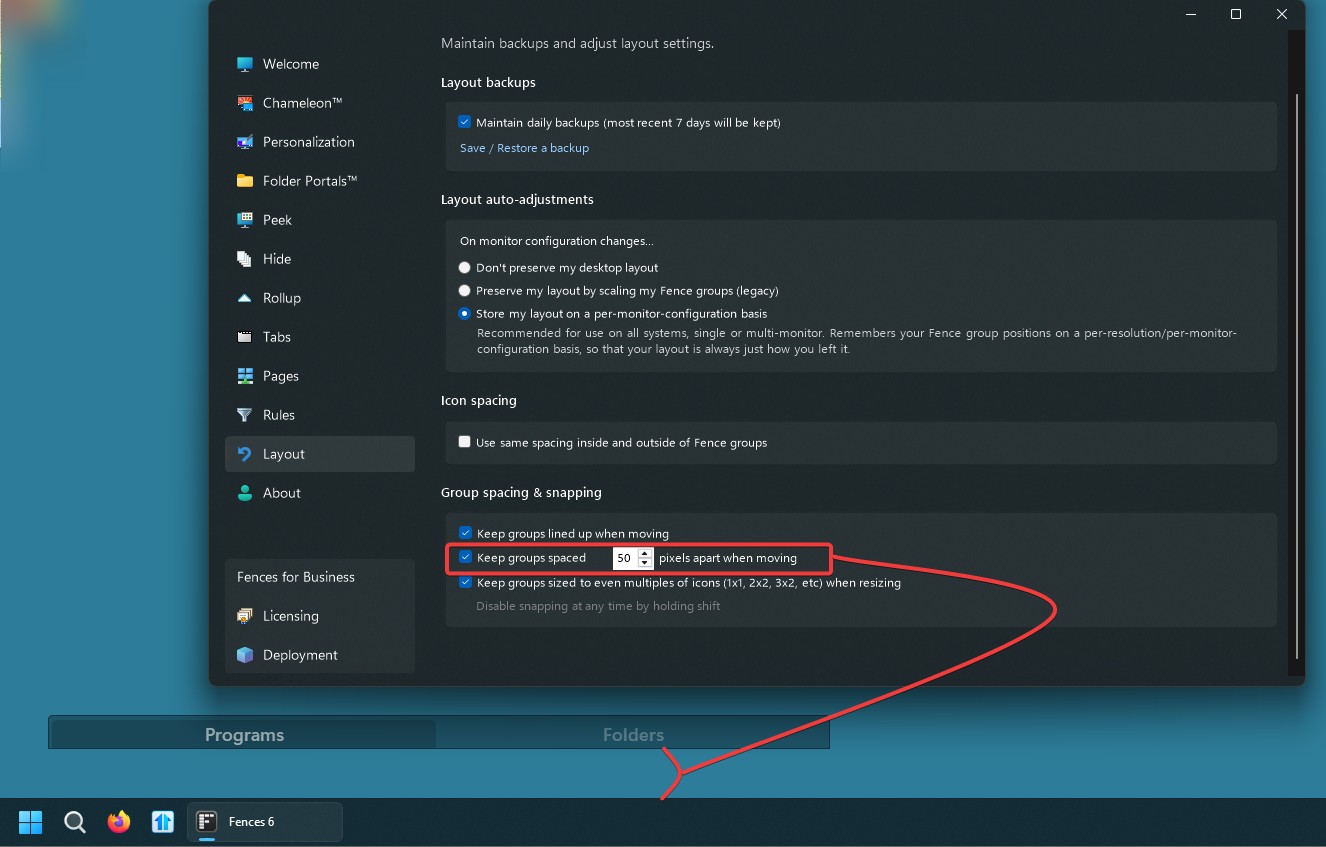
I believe if you wish to have large gab from your taskbar. You can set the pixels apart when moving setting. Refer to my screenshot below. Set that size first before moving your Fences. Once that is set, the first move stopper should be "50" pixel from the top of your taskbar.
Thank you,
Basj,
Stardock Community Assistant


 Stardock Forums
