Pin a program on the secondary screen

So on the primary screen, I can pin a program to the task bar. But on my secondary screen, that option is not available. Can this be added too please?

1,343 views 11 replies
Reply #1 Top

Hello,

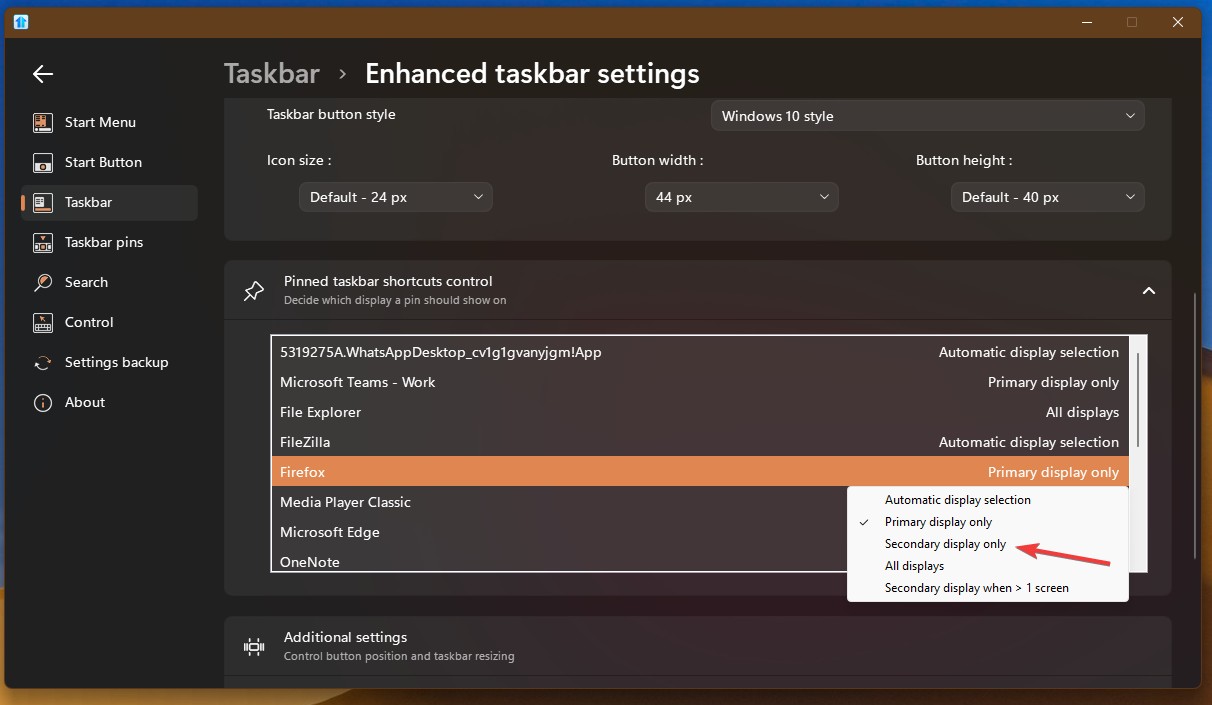
Have you try these steps.

  1. Pin a program to your taskbar.
  2. Open up Start11 Configuration.
  3. Turn on Enhance taskbar if it is not already turned on.
  4. Click on "Configure enhanced taskbar"
  5. Go to "Pinned taskbar shortcuts control" click on that down arrow to open pinned shortcut list.
  6. Get to your which ever pinned program that you wish to appear on your secondary taskbar. Click on it.
  7. Select "Secondary display only".

Thank you,
Basj,
Stardock Community Assistant.

Reply #2 Top

Yes that seems to work. But I got stuck on step 1 initially. Like I mentioned, the option "Pin to taskbar" isn't there. So I had to move the window to my primary screen, then pin it, and then move it back.

I'm sure it's possible to make this experience smoother. Even moreso if you make the "Pin to taskbar" option a menu with things like "Pin on this monitor only", etc.

Reply #3 Top

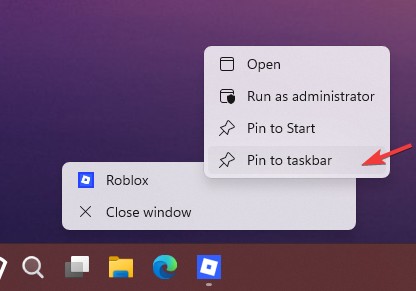
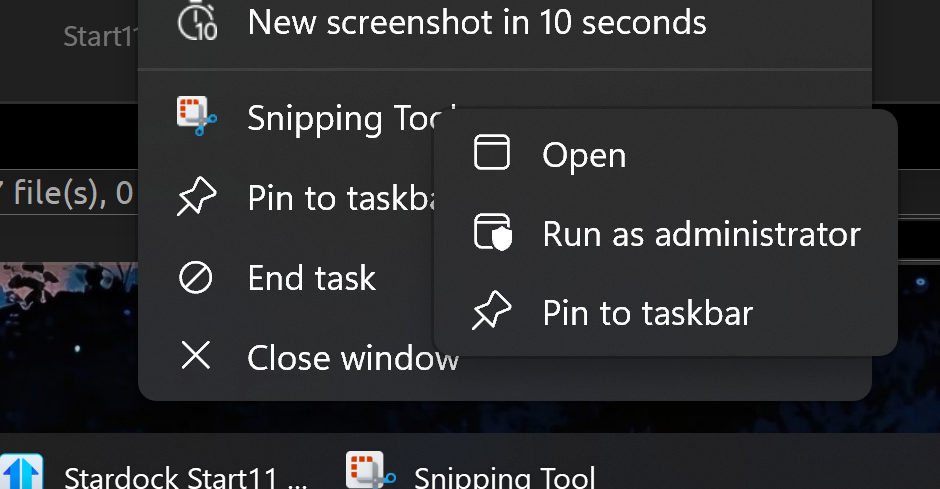
Actually you should be able to pin in your taskbar while on your secondary monitor. Need to right clicking twice, once on the taskbar button and once again when the menu open up, right click on that app menu. Refer my screenshot below.

Thank you,

Basj,
Stardock Community Assistant

Reply #4 Top

I guess it requires some sort of super special setting for the double right-click to work properly. On my machine A second right-click just shows the same menu as it does for the first right-click.

Reply #5 Top

Quoting Martyyy, reply 4

I guess it requires some sort of super special setting for the double right-click to work properly. On my machine A second right-click just shows the same menu as it does for the first right-click.
End of Martyyy's quote

You have to right click on the menu itself where the icon and title is showing.  Not on the taskbar twice as that will need do the same thing twice.

Reply #6 Top

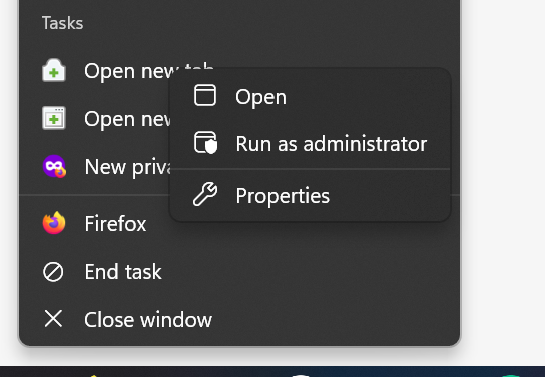
I got it working once, I guess, and I don't know how anymore. I followed your instructions today again, and what comes up is a contextmenu with:

  • Open
  • Run as Administrator
  • Properties

But not "Pin to Start" or "Pin to Taskbar" like in your screenshot. How do I get them as well?

Some applications do show these two options. But for example Firefox does not. Even though I did manage to pin it using your instructions, I can now no longer pin or unpin it from that menu. Same for GitKraken. Same for Outlook. Same for Slack. Same for VSCodium.

But for example Windows Terminal and Teams do have the two pin options. So it's not completely broken. Just broken for most applications (that I use). Even the Start11 config application itself doesn't show the two pin options.

I have already upgraded to 2.71, to be clear.

Reply #7 Top

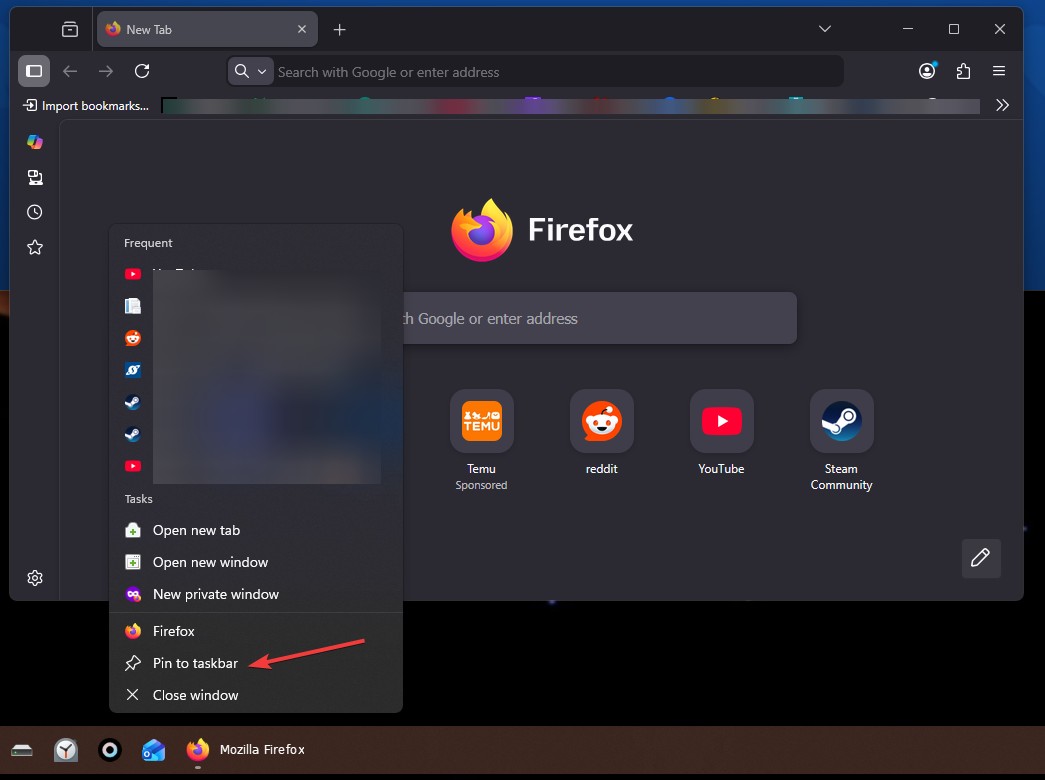
Here is what I get for Firefox. There is pin to taskbar. Please post a screenshot on what you have on Firefox.

Thank you,


Basj,

Stardock Community  Assistant

Reply #8 Top

Like I said, I do not have that option for Firefox.

It's just not there. Or at least, not anymore. Something got broken or removed or otherwise bollocksed up.

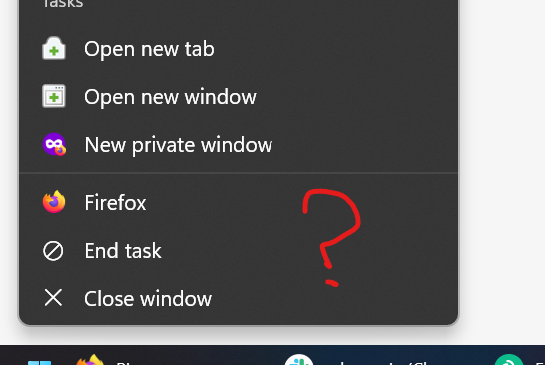
I currently *only* seem to have pinning functionality for the taskbar on the primary monitor. I can even drag an application to the secondary monitor and pinning options dissapear once there.

When I follow your previous instructions, on the secondary monitor:

Again, it's just simply not there.

But on the primary monitor:

Btw, I did apply the recently released update to 2.74. So I guess this issue was not fixed.

Reply #9 Top

Is there any condition in your code that has to be met in order for the "pin to taskbar" menu entry to appear? There has to be, or it would just show up in every scenario.

Please let me know the exact conditions under which it will show. Post the code if you have to. It will help me figure out if there's something on my end that might be broken, while you figure it out on your end. Otherwise we can keep guessing until Easter and Pentecoste fall on the same day, and still have a pinning option that you are seeing and I'm not.

Reply #10 Top
Quoting Martyyy, reply 3996485

I currently *only* seem to have pinning functionality for the taskbar on the primary monitor

End of Martyyy's quote

I believe this is default, "Pin to taskbar" only appear in the primary monitor. Not on secondary monitor. What you could do is pin it in your primary monitor taskbar and than move it to your secondary by using this setting in Start11.

Thank you,

Basj,

Stardock Community  Assistant

Reply #11 Top

Unfortunately that menu is provided by Explorer rather than Start11, so it is outside our control to make it show that if for whatever reason it is not.