
desktop 2026 MAJOR BUG on reopening

opening the program now leaves it in an unusable state

I am running a fast rig with a 4080 graphics card and 32Gb of ram. I made a playlist of 5 photos that had animations added to them. The animations used were and/or rain, zoom, snow.  I saved the playlist. and closed the program to see how they were working.

Now when I try to open the program, this is what I see:
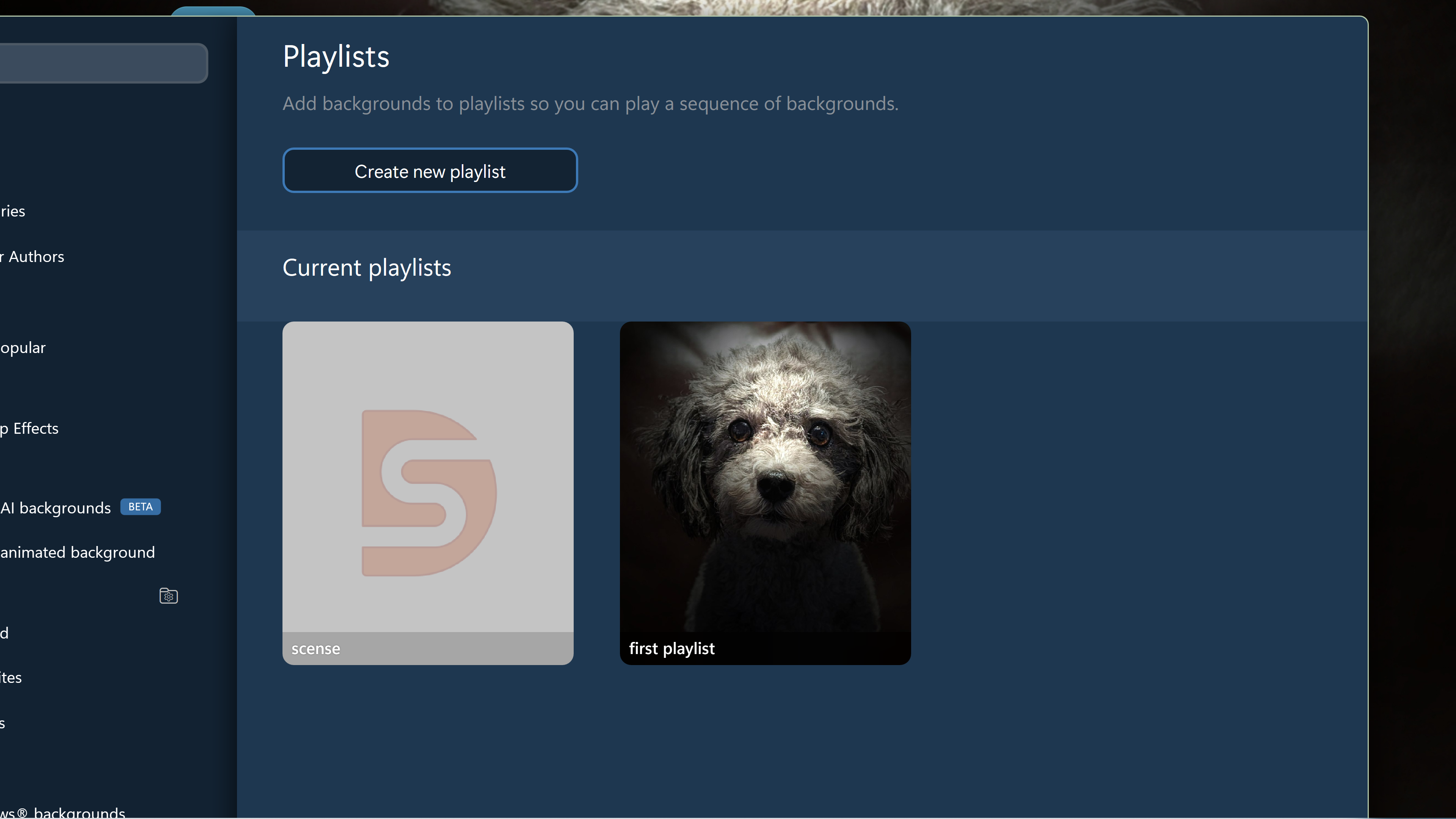
I have no way to change this. There is no maximize/minimize button, no right click menu. clicking anywhere on the screen does nothing. I have to shut it down using task manager. I even tried the normal window key shortcuts like win+up arrow and win+down arrow. But nothing works. Now I have no way to change my desktop at all unless I uninstall this program.  

Incidentally the rain or snow effects do not work in any of the animations. Another bug. I am going to ask for a refund.

50 views 6 replies
Reply #1 Top

I am sorry you are having trouble.  Thats very odd because opening the config UI should never go the playlists screen.  It always goes to the home page.

My best guess here is the something was hung and relaunching it just brought it back up to that screen.

Did the actual backgrounds change on your desktop (I.e. everything but the effects or did nothing actually happen?)

Currently effects don't apply to playlists which is less of a bug and more of a missing feature as you cannot apply effects directly to any image from the playlist UI anyway and effects are saved per wall (or in this case playlist not files within the playlist).  I am pleased to say we are looking into extending support for those so playlists do now load up effects as well but it isn't as simple as it sounds due to how the playlists work.


+1 Loading…
Reply #2 Top

As an update, we have a new version available here https://forums.stardock.com/r?u=https%3A%2F%2Fstardock.cachefly.net%2Fsoftware%2FDeskScapes%2FDeskScapes2026%2FDeskScapes2026_setup.exe

This resolves a number of the issues you had, with high dpi needing scrolling, I think the screensaver prompt issue and playlists will now run most effects (there may be some work still to do on this depending on the effect)

Reply #3 Top

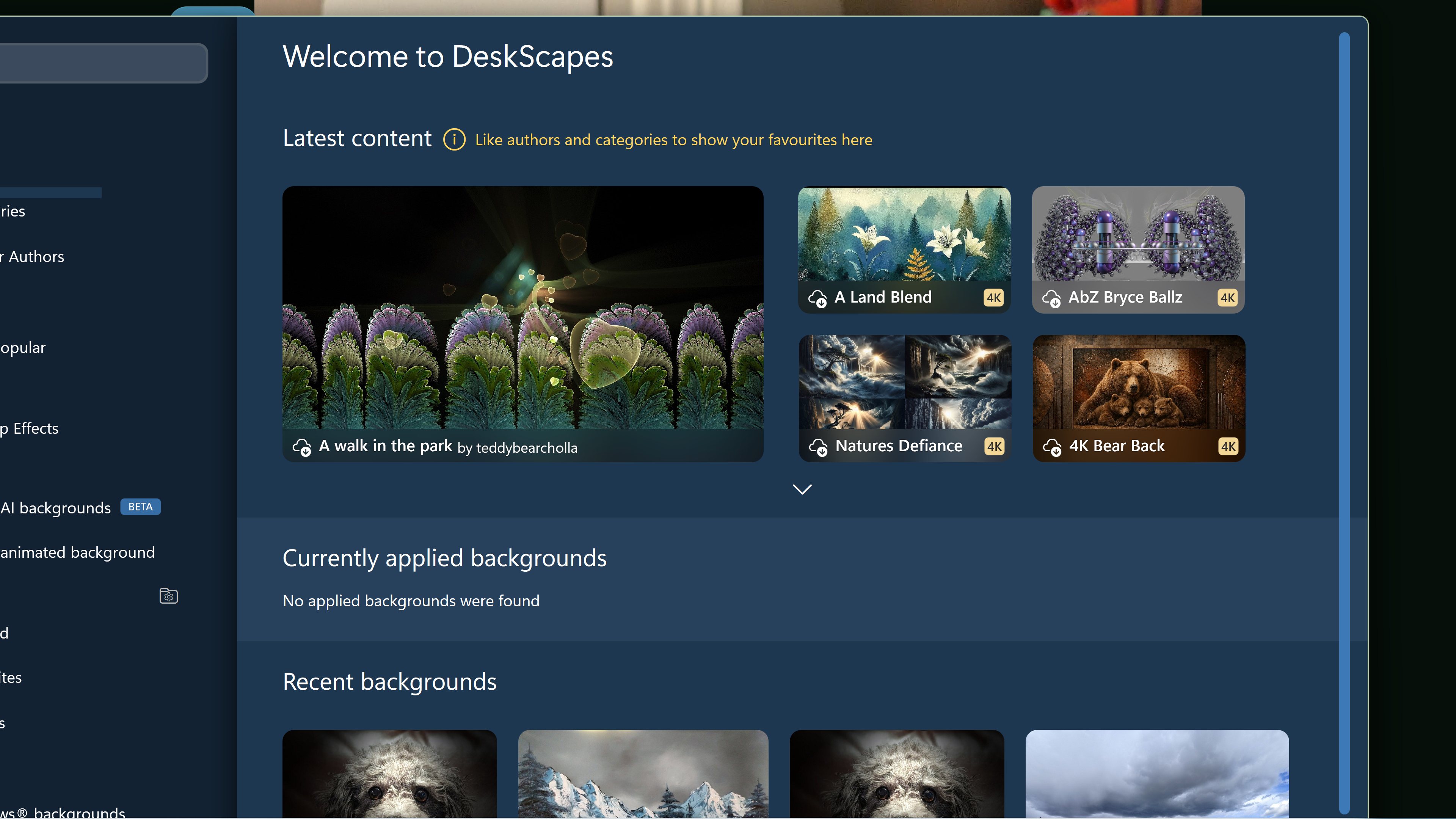
I downloaded the new update. However although my program now opened to what I think is the home screen there is still no header bar anywhere at the top and I still can't see the left hand side of the screen.

Nothing I can do changes this. I can't use the program and have to use task manager to end task to close it. As a final resort, I will uninstall compleltely and use the newest version to do a clean install.

Reply #4 Top

Please try purge and reinstall steps as mention here : [Deskscape Purge and reinstall Steps]. Just make sure to redownload the latest version from your account page. Reboot after the purge. Reinstall and reboot again after the installation. Retest and report back here.

Thank you,

Basj,

Stardock Community  Assistant.

Reply #5 Top
Quoting kaatza, reply 3993511

I downloaded the new update. However although my program now opened to what I think is the home screen there is still no header bar anywhere at the top and I still can't see the left hand side of the screen.


Nothing I can do changes this. I can't use the program and have to use task manager to end task to close it. As a final resort, I will uninstall compleltely and use the newest version to do a clean install.

End of kaatza's quote

I am wondering if that's linked to you having it show a standard title bar previously as that hides those buttons.

Can you click on the settings button bottom right still?

If so can you set it to not have that and also did you toggle the setting to show effects on previews?

Reply #6 Top

I finally have fixed the problem. After doing a full uninstall, I checked the deskcapes folder and found a windows runtime dll still there. I deleted it. Then I went into the registry and deleted the deskscape entries that your program left there. Then I reinstalled the program and finally I have a normal view that allows me to see all the content.

With regards to your reply, I haven't made any recent changes to my title bar. I do run Start 11 and Fences 6.