
Fonts
Too small
from  Stardock Forums
Stardock Forums
New fonts are small and no way to make them bold. Any way to change them?


Too small
Stardock Forums
New fonts are small and no way to make them bold. Any way to change them?
Hello,
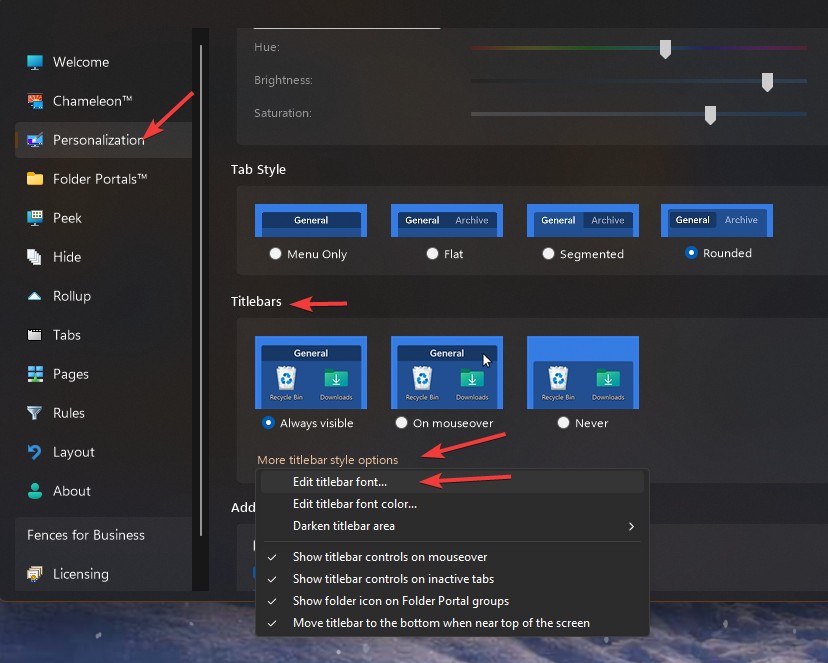
Sorry to hear you are having issues. Need to be clear, you wish to change which fonts? If you're referring to the Fence title you can change it using this setting: Fences configuration Windows->Personalization tab->Titlebar->Click on "More titlebar style options"->Click on Edit titlebar Font-> Select you prefer font size->Click Apply , refer my screenshot below.
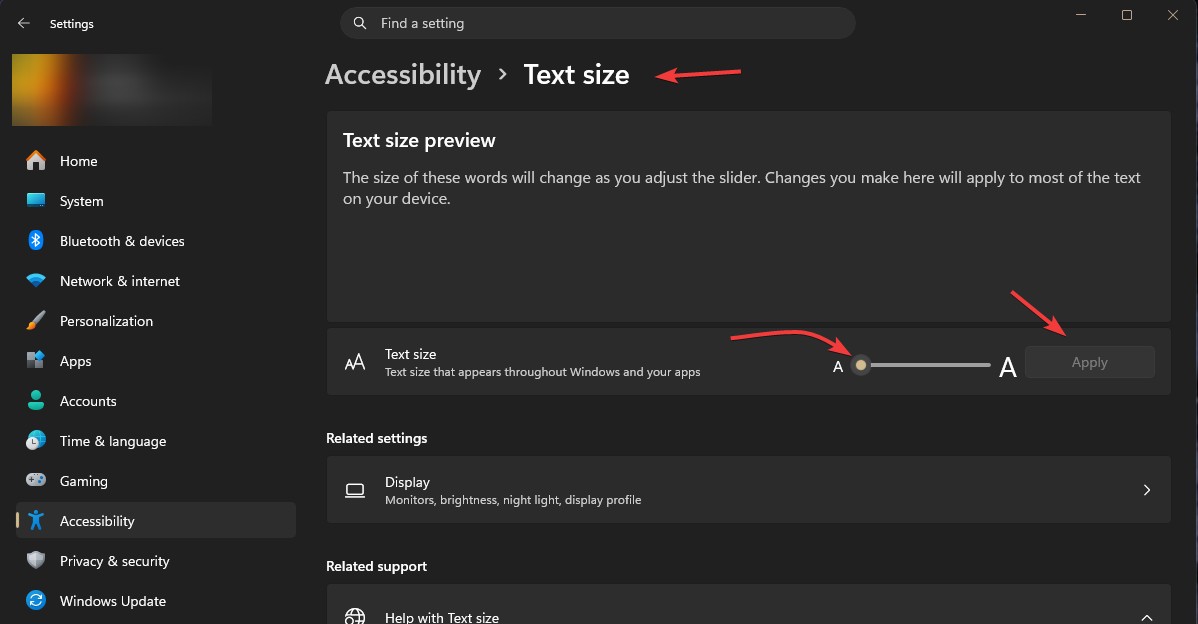
If you asking about those text under the icons. Those are control by Windows setting. Try Windows Settings->Accessibility -> Text Size-> Use the slider to increase the text size -> Click apply.
Thank you,
Basj,
Stardock Community Assistant.
Hi kabrewer42, could you paste in a screenshot of the issue, and your monitor’s DPI?
Hoping to see this and verify if it is or isn’t matching the expected behavior. Thank you
You can also accomplish this by going to About → Troubleshooting → Create error report package, and it will contain some extra info for us

Welcome Guest! Please take the time to register with us.
Select a reason for giving karma:
You're about to visit an external site:
Sign up here to get the latest news, updates, and special offers delivered directly to your inbox.