
taskbar unresponsive
I am having trouble and need your help. On my taskbar, the items on the right side (circled in red) are not responsive to mouse clicks. I cannot expand the items using the up arrow,
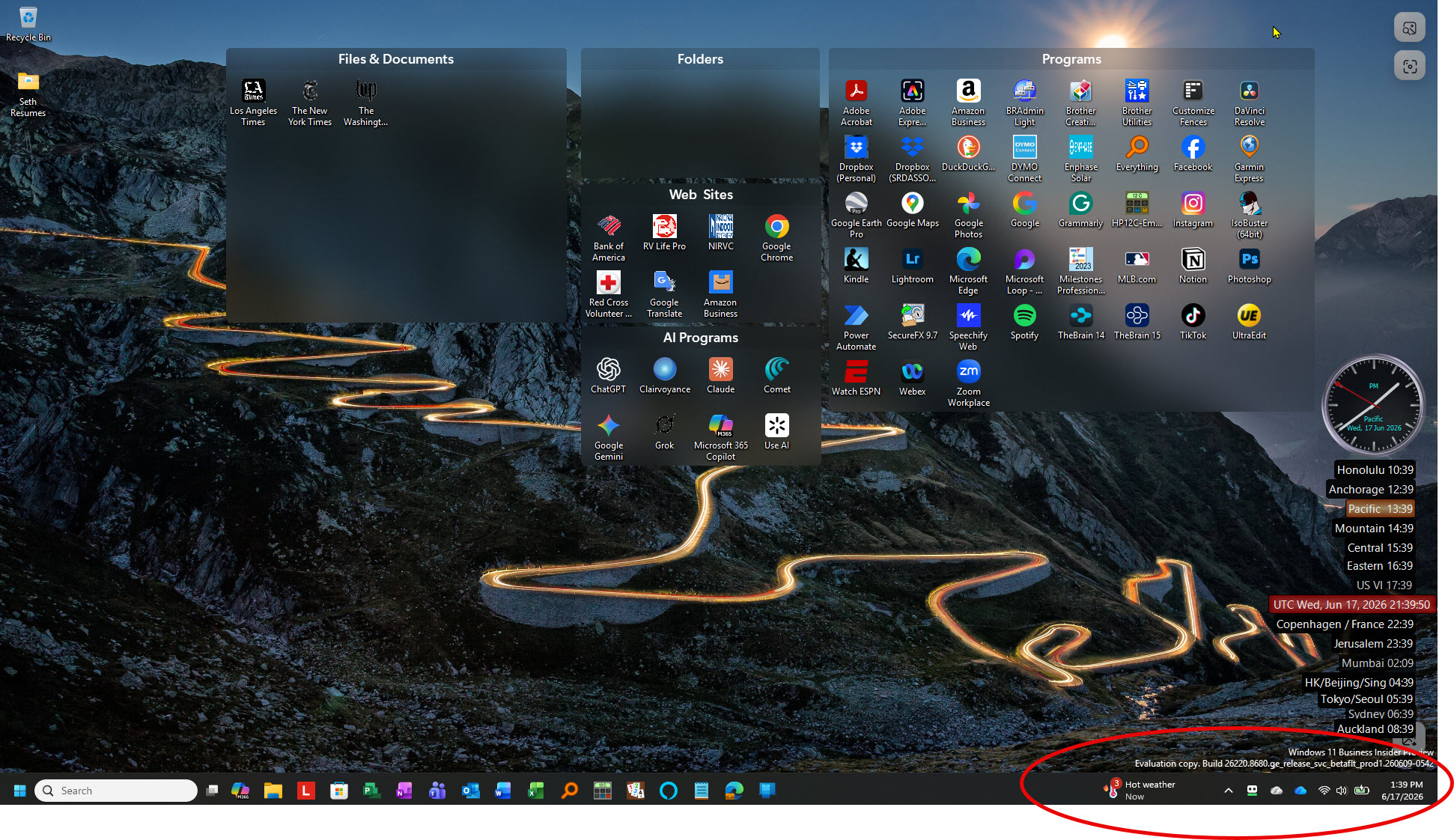
nor can I access the notification.
Stardock will be closed for the week starting on Monday, June 29th and we will be returning on Monday, July 6th. We will be monitoring support tickets and forums during this time but expect delays in responses during this time.
I am having trouble and need your help. On my taskbar, the items on the right side (circled in red) are not responsive to mouse clicks. I cannot expand the items using the up arrow,
nor can I access the notification.
Hello, Sorry to hear you’re experiencing issues. From your screenshot, it looks like you’re on a Windows 11 Insider Preview build, which Stardock does not support. Insider builds are experimental and often change rapidly, making it difficult for software developers to ensure stability and compatibility.
Please revert back to the official Windows 11 release and retest your issue.
Thank you,
Basj,
Stardock Community Assistant.
We have had a couple of people report something similar, but one had it with vertical only taskbars, and not an issue when at the bottom.
Are you able to export your settings and send me a private message with a link to them as on a build here we cannot reproduce any issue what so ever.
Hello,
We've put together a build you can try, which includes a fix to address this issue. You can download and update from the link on this thread:
https://forums.stardock.com/541828/start-11-tray-icons-non-responsive#3994836
Please remember to reboot the PC after installing the update. We encourage you to follow up with feedback on this on the above thread.
Best regards,
Adam McGuinness
Stardock Support Specialist
Welcome Guest! Please take the time to register with us.