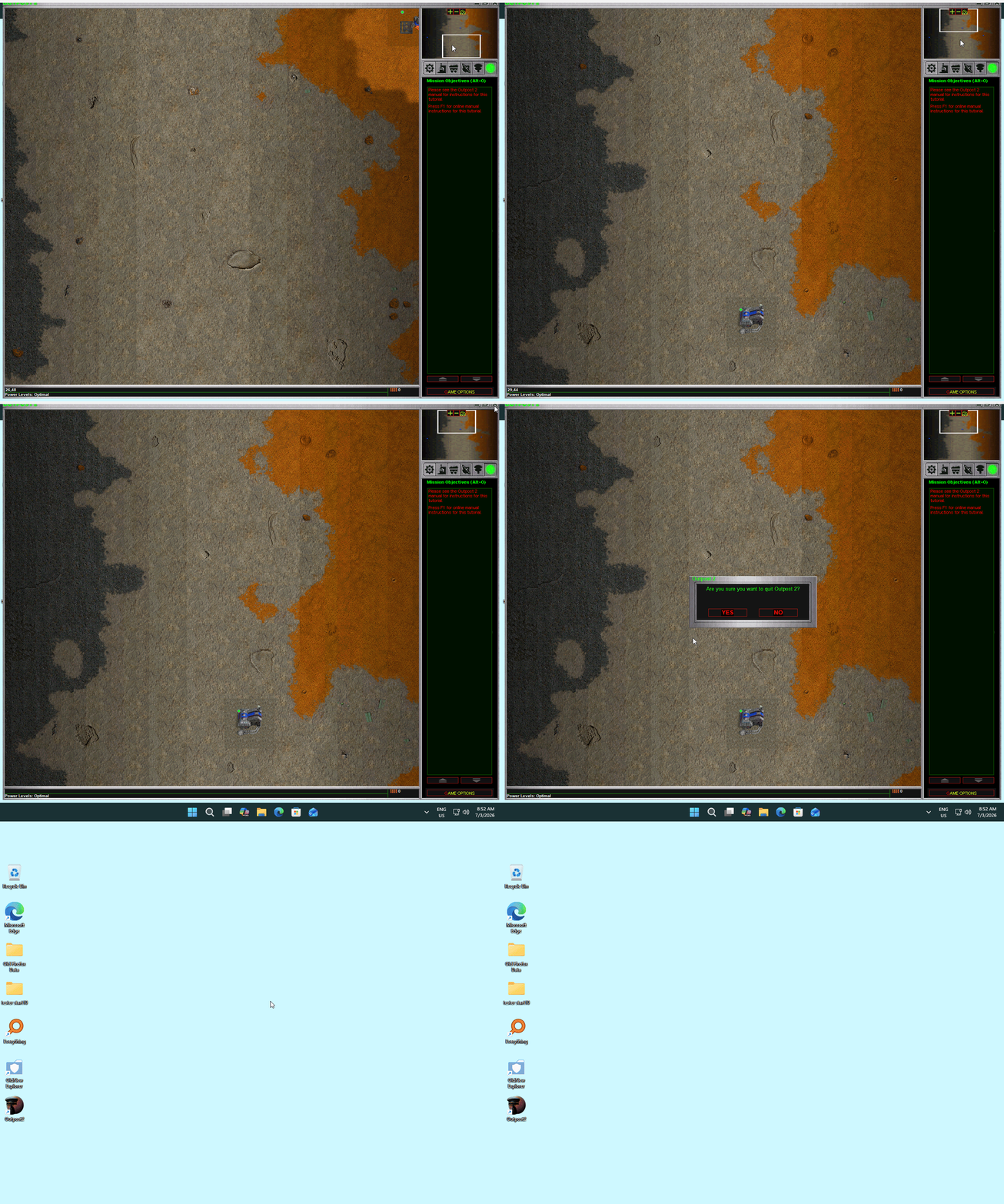
With taskbar at screen top, after running game "Outpost 2", taskbar shrinks to left size about 4" yoib return to desktop

taskbar shrinkage

I use taskbar at top of screen.  If I run the game "Outpost 2", when I quit and return to desktop, the taskbar seems to shrink to the left about 1/2 height and to about 1/3 its length.  Using Start 11 ver. 2.72.    I have "before" screen shots, but after returning to desktop following the game, printscreen didn't work properly.  So I took a photo with my phone camera if that would help. (about 2 mb).

Oh yes, if I keep the taskbar at the bottom of my screen it isn't affected after running the game!

On my other Windows 11, using Start 11 ver. 1.55  this taskbar at the screen top bug doesn't happen. 
 

797 views 5 replies
Reply #1 Top

Hello,

Sorry to hear you are having issues. Never played the game however I found it and installed. And I can't reproduce your issue. Perhaps need more details on your system.

  1. Windows 11 full version and OS Build number. Please use Winver.exe.
  2. Which Outpost 2 version you have on your system? 
  3. Post the screenshots or share a link to your video. 

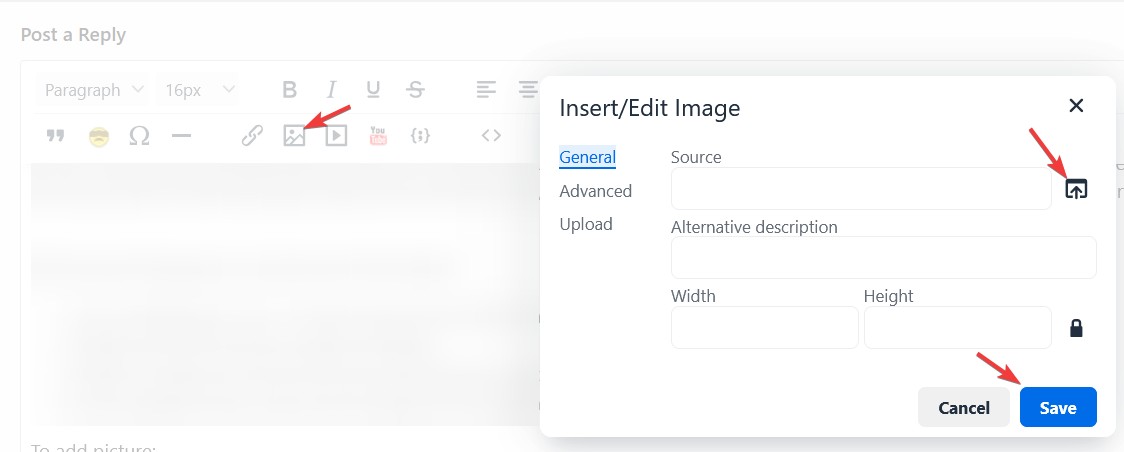
For screenshot you can upload to the forum using this steps.

Thank you.

Basj,

Stardock Community  Assistant

Reply #2 Top

As a reference here is what I get when I try it and quit. The taskbar still there.

Thank you,

Basj,

Stardock Community  Assistant

Reply #3 Top

Basj:


Winver 25H2 build 26200.8737

Outpost 2 from GOG  Ver 1.01

Windows 7 start button using Win8start_2xres_large  aligned to the left edge

Today i made the following 3 changes to taskbar settings:

allow taskbar to be resized (on)

one pixel at edge for compatability (on)

taskbar allign top

With these settings, the problem is solved!!!  Full sized taskbar appears after encing Outpost 2.


Reply #5 Top

Well I always have Enhanced taskbar turn on, perhaps that is why I don't see the issue.

Thank you,

Basj,

Stardock Community  Assistant