Start11: 9x Style?

Is there any way to get a Windows 9X style menu? Everything since Windows 98 has been stupidly large and clunky. ClassicShell worked great for this through Windows 10, but has ceased development. OpenShell is the current fork, but it causes stability issues with explorer due to Microsoft's insistence on preventing users from users to use their machines the way they want. I had hoped Start11 might be a solution, but it seems to only offer fat menu options from Windows 7 and later. Indeed, there does not even seem to be an entry in the menus to just access the traditional Start Menu folder, instead one must navigate the monstrosity that is "All Programs."

Is there any hope that Start11 can provide a usable classic interface, or am I barking up the wrong tree?
90 views 4 replies
Reply #1 Top

Hello,

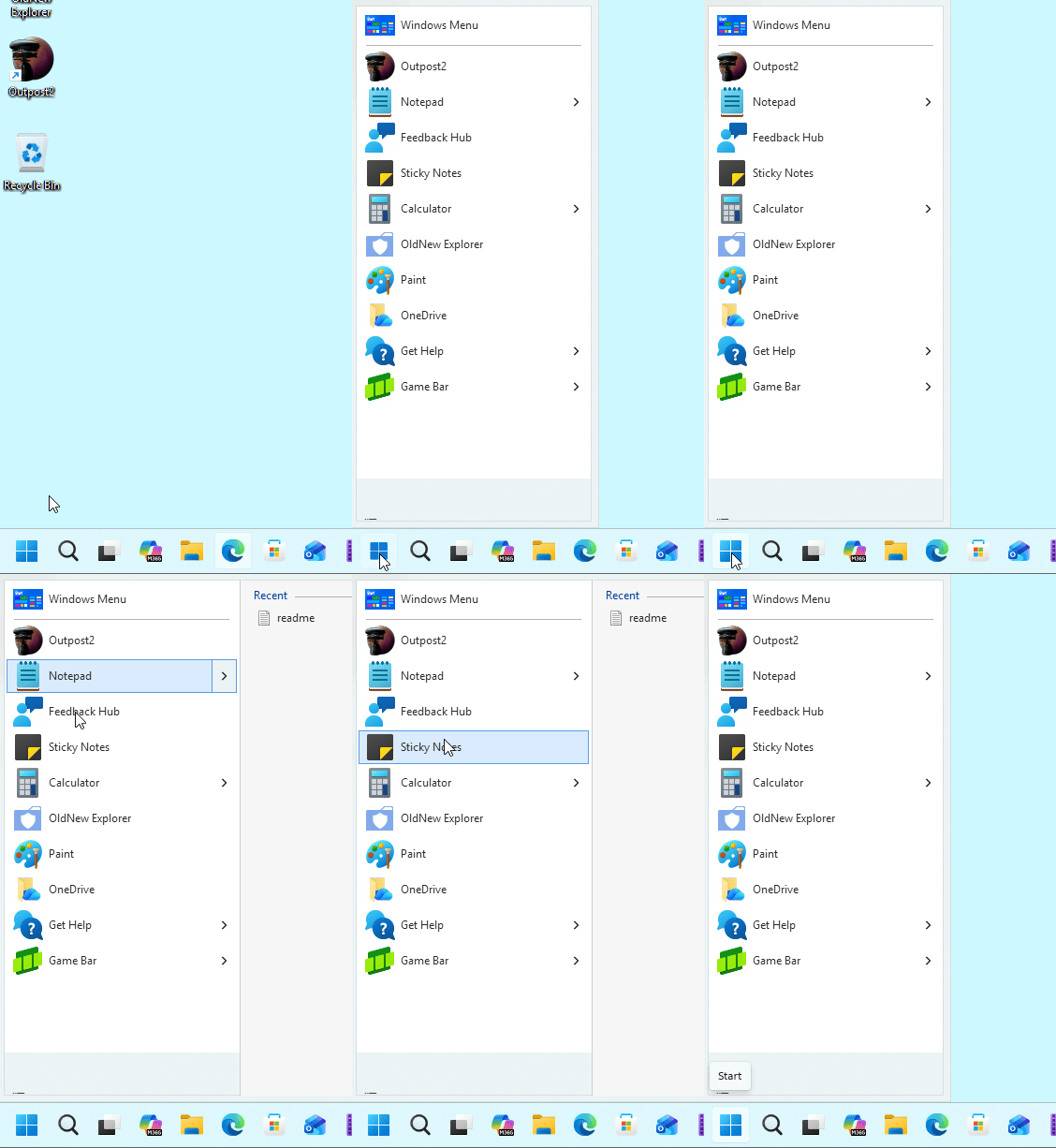
Sorry to hear you are having issues. This is the best I can get with Start11v2 that look close to Win9x Start panel style. Perhaps not 100% the same.

Thank you,

Basj,

Stardock Community  Assistant.

Reply #2 Top

Unfortunately, while compact, that does not seem to offer access to a collapsing menu for the conventional Microsoft\Windows\Start Menu\Programs directory trees without all of the modern "Apps" stuff blended in... Moreover, the "All Program"s seems to mask the Startup folder.

Reply #3 Top

Hello,

I understand you’re hoping for a Windows 9x‑style Start panel. From what I can set and test, this is the closest we can get to that style with Start11 v2. At the moment, these are the available options, and I’m not sure if future versions of Start11 will add this feature.

Thank you,

Basj,

Stardock Community  Assistant

Reply #4 Top

This request has been noted for possible future versions / updates.