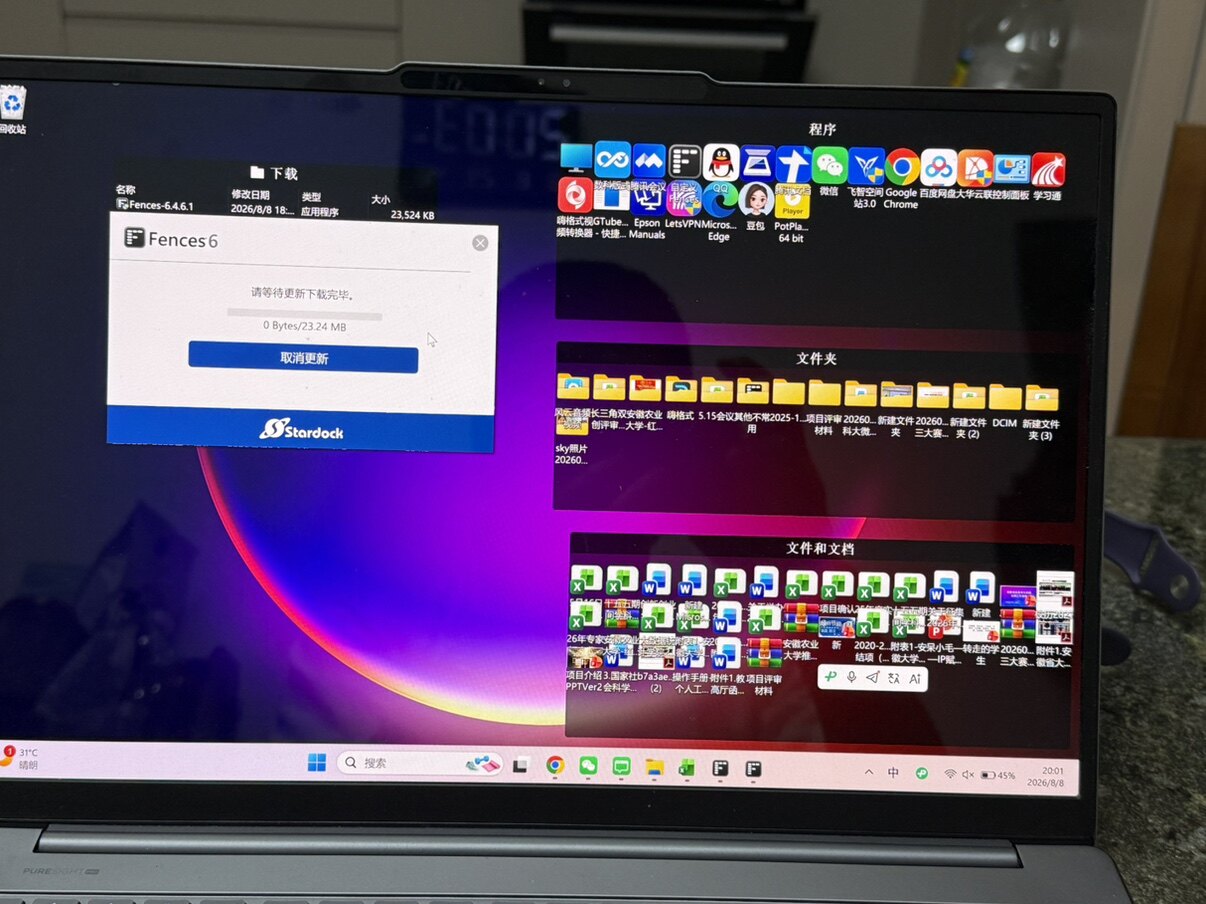
after installing Fences, desktop icons are all crowded together.

Hello,

After installing Fences, my desktop icons are all crowded together.
Strangely enough, as soon as I uninstalled the Fences software, the icons returned to normal.

I tried using the purge tool to clean and reinstall Fences, but the problem persists.

May I ask is there any solution? Thank you.

 

304 views 2 replies
Reply #1 Top

Hello,

Sorry to hear you are having issues. Please try purge and reinstall steps as mention here : [Link]. Just make sure to redownload the latest version from your account page. Reboot after the purge. Reinstall and reboot again after the installation. Retest and report back here.

If the issue still appear, we need few more information.

  1. Windows 11 full version and OS Build number. Please use Winver.exe to get these numbers.
  2. Fences full version number.
  3. What is your desktop icons size setting? Right click on desktop->View->icon size selected. If you change to small or medium, does the same issue appear?

Thank you,

Basj,

Stardock Community  Assistant.