Newest Start11 Update is Showing my start menu at the top of my 2nd monitor

Newest Start11 Update is Showing my start menu at the top of my 2nd monitor. It flashes on and off randomly. It's not usable. It's some weird image caching issue. It's a nightmare. HELP! I didn't have an issue until the update I installed 2 days ago. It won't show up if I try to do a screen recording or a screen capture.

1,015 views 8 replies
Reply #1 Top

Hello,

Sorry to hear you are having issues. Please try, uninstall Start11, reboot immediately (important), download latest version available in your account product download page: https://store.stardock.com/myaccount/products. Install it, reboot immediately again. Retest it and report back.

If the issue still there,

  1. You on Windows 10/11? Also need its full version and OS Build number. Use Winver.exe.
  2. Start11 full version installed.

Thank you,

Basj,

Stardock Community  Assistant.

Reply #2 Top

Same problem here.  Windows 11 Pro 25H2  26200.9168 with latest updates ;  Start11 V1.56.  Also started happening after installing the most recent V1.56 update (a couple of days ago.).  Have restarted the computer several times. There is obviously some sort of programming glitch that slipped into this version on your end.

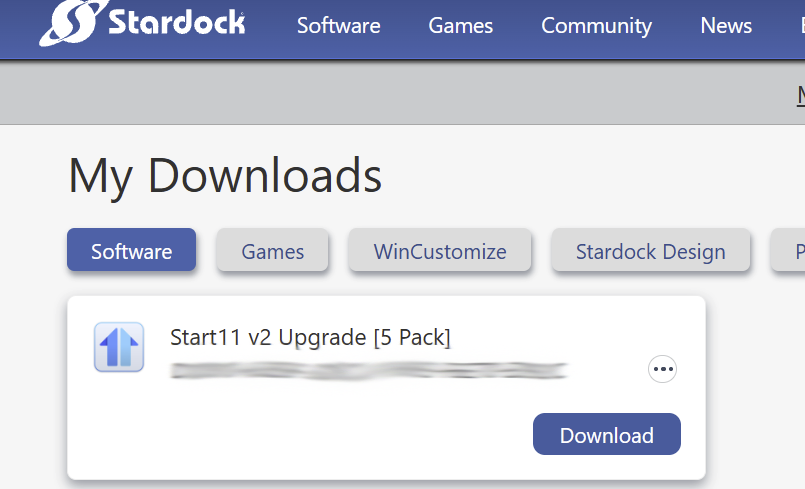
When I went to look at your link to 'my products' it did not show me 1.56, it showed me V2 upgrades and a download button and I was able to download it..  Does this mean the V2 upgrade is free?

Reply #3 Top
Quoting chmillman, reply 3997138

Same problem here.  Windows 11 Pro 25H2  26200.9168 with latest updates ;  Start11 V1.56.  Also started happening after installing the most recent V1.56 update (a couple of days ago.).  Have restarted the computer several times. There is obviously some sort of programming glitch that slipped into this version on your end.

When I went to look at your link to 'my products' it did not show me 1.56, it showed me V2 upgrades and a download button and I was able to download it..  Does this mean the V2 upgrade is free?

End of chmillman's quote

Hello,

Sorry to hear you are having issues. I am not really sure on that, it best to raise support ticket using the link below, use the "Ask a Question" option. Include all information details. Remember to record down the ticket number for future reference if needed. Do not raise multiple ticket, that will make your ticket back to the end of the line. Send once and wait. Ticket will be answer by the order they send in.

https://stardock.atlassian.net/servicedesk/customer/portal/4/group/14

Thanks
Basj,
Stardock Community Assistant

Reply #4 Top

OK, I realized I had actually bought the V2 upgrade (5-pack) last year and installed it on my laptop.  Don't know why the desktop was never upgraded.  Did that just now, will see if the problem continues with V2.

Reply #5 Top

I just followed your instructions. So far so good. I'll report back if the issue happens again.

Reply #6 Top
Quoting MPrice86, reply 4145357

I just followed your instructions. So far so good. I'll report back if the issue happens again.

End of MPrice86's quote

Great, glad to hear that.

Thank you,

Basj,

Stardock Community  Assistant

Reply #8 Top
Quoting MPrice86, reply 4145369

It's back. Uninstalling and reinstalling didn't work. Now what do I do?

End of MPrice86's quote

Next, please try Clean Boot, Refer here for steps: https://support.stardock.com/space/SHC/1334935592/Start11+Clean+Boot. Do note that Clean boot need to be done with care. Try it and report back.

Also, we still need these information.

Quoting basj, reply 3997094

If the issue still there,

You on Windows 10/11? Also need its full version and OS Build number. Use Winver.exe.

Start11 full version installed.

End of basj's quote


Thank you,

Basj,

Stardock Community  Assistant