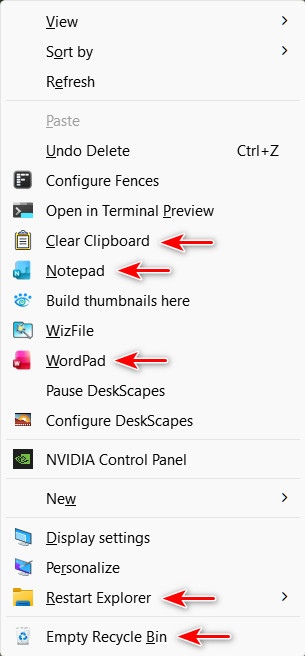
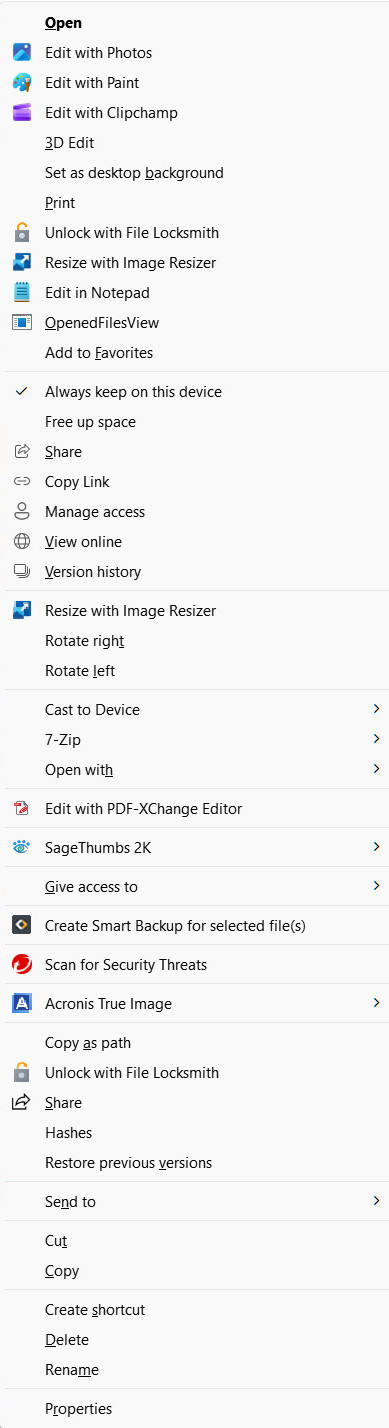
Looking Forward to 26H2 Customizable Context Menu

My favorite feature coming to 26H2

It looks like Microsoft is finally going to let us customize the Context Menu in Windows 11 - 26H2.

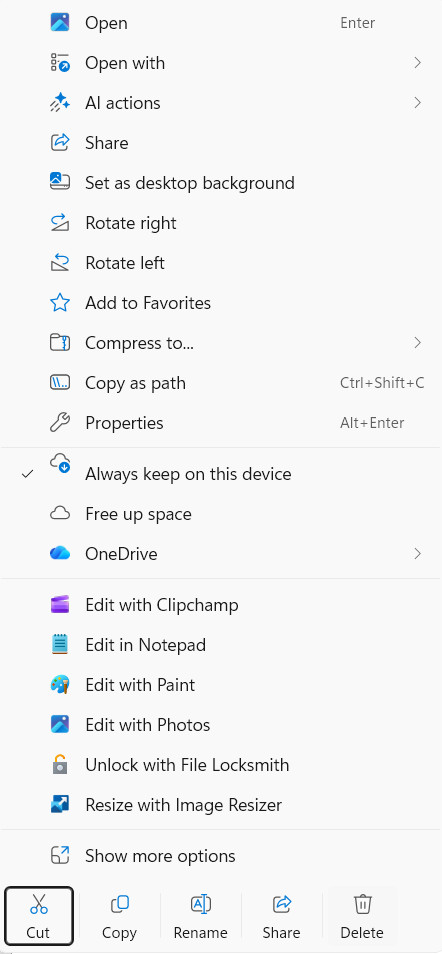
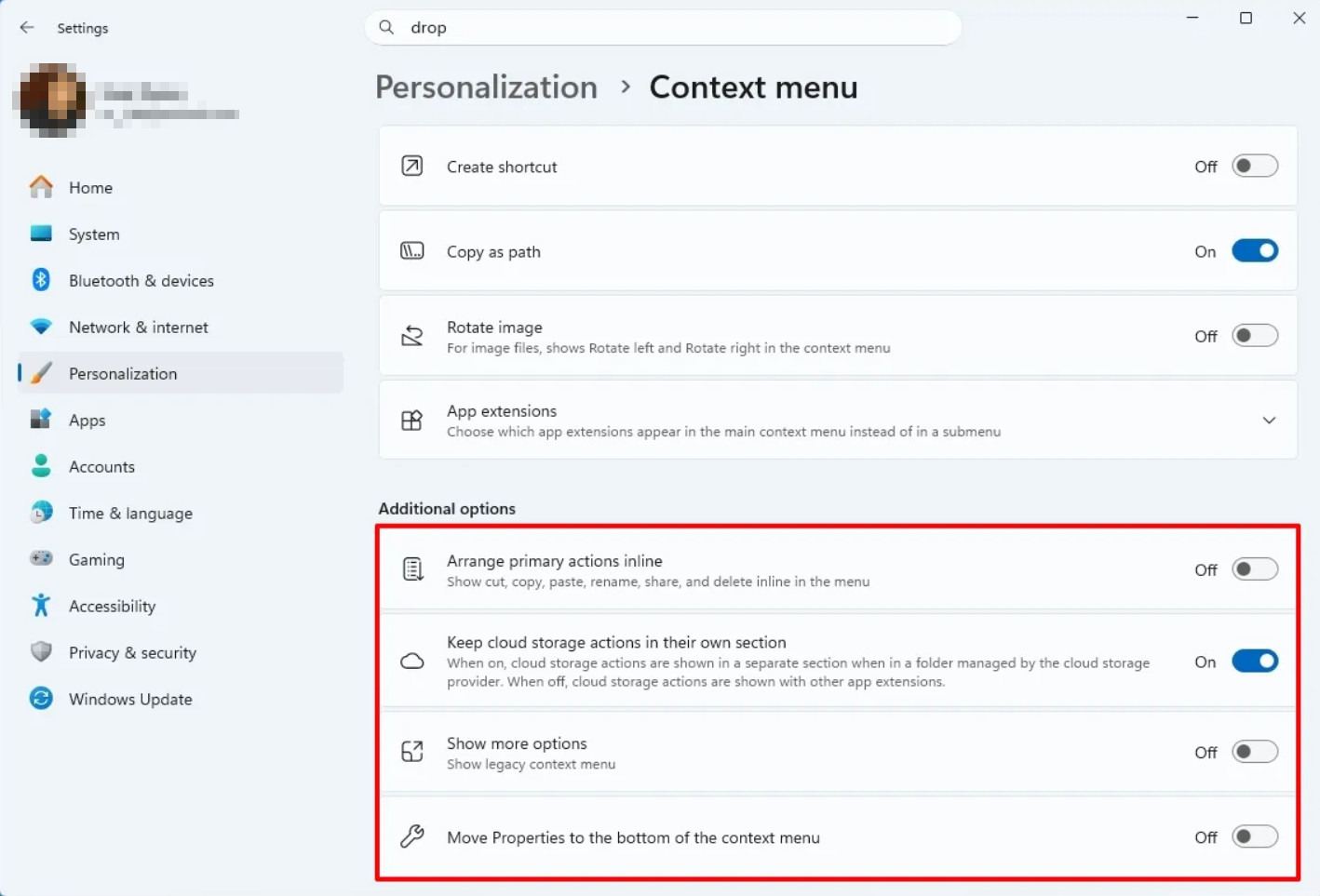
There have always been ways to make adjustments to the context menu using Registry settings or third party software, but this looks very promising. I have included a few pics to show the new settings that will be available, unless they change their minds.

What are your opinions on this new feature?

CUSTOMIZE MENU
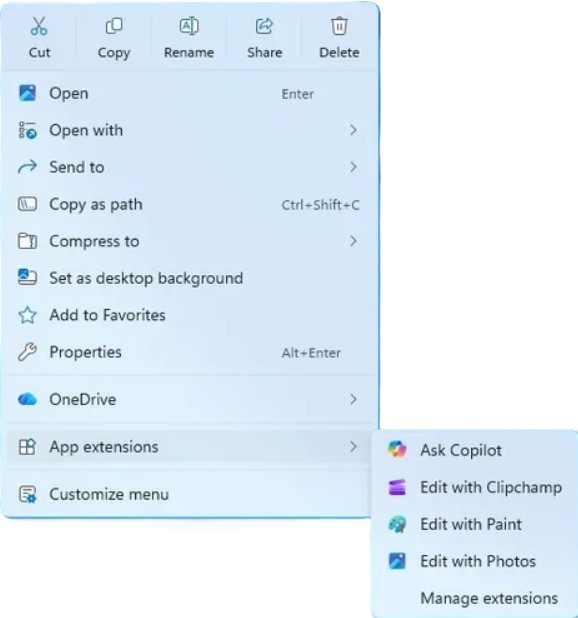
FILE ACTIONS
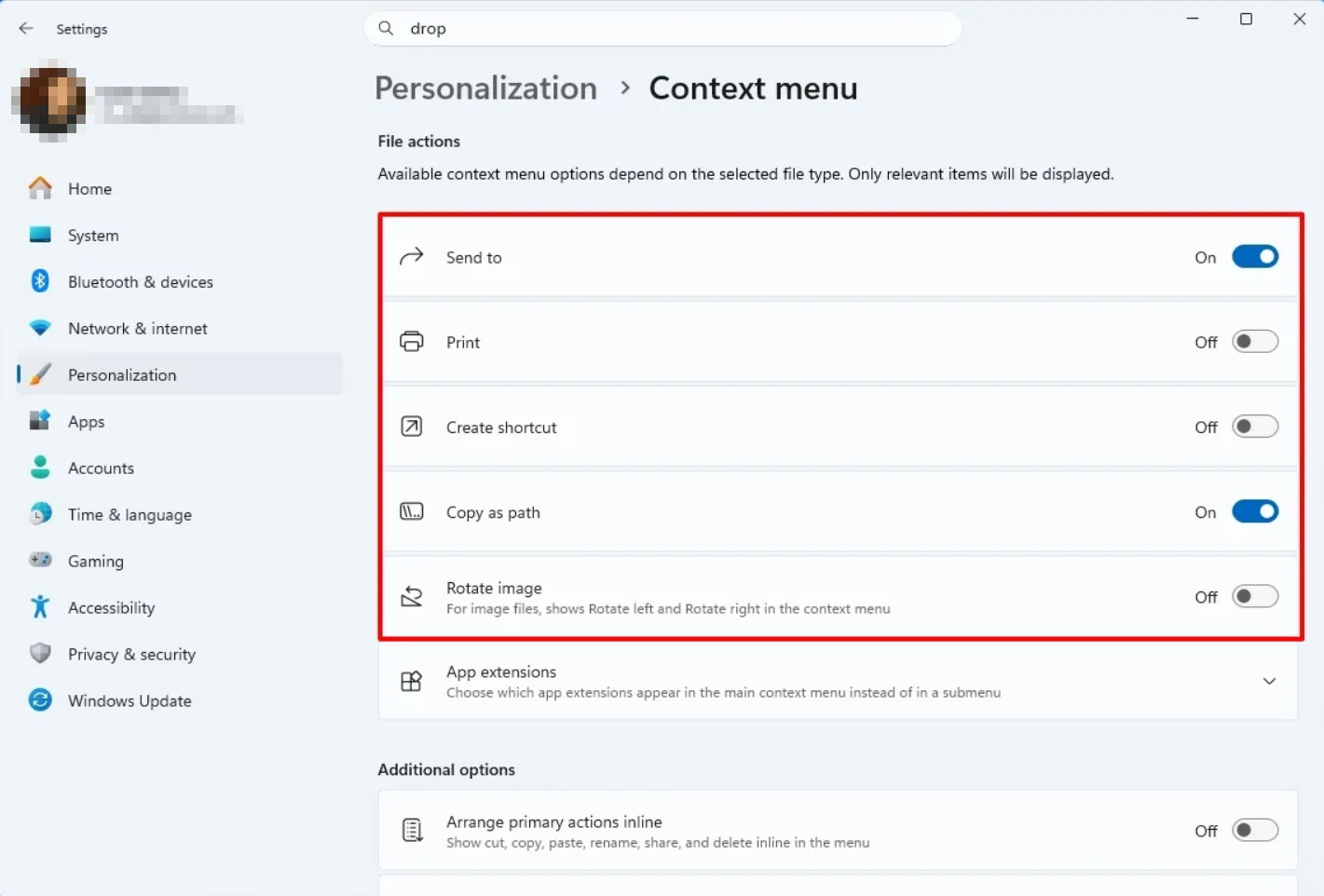
ADDITIONAL OPTIONS
APP EXTENSIONS
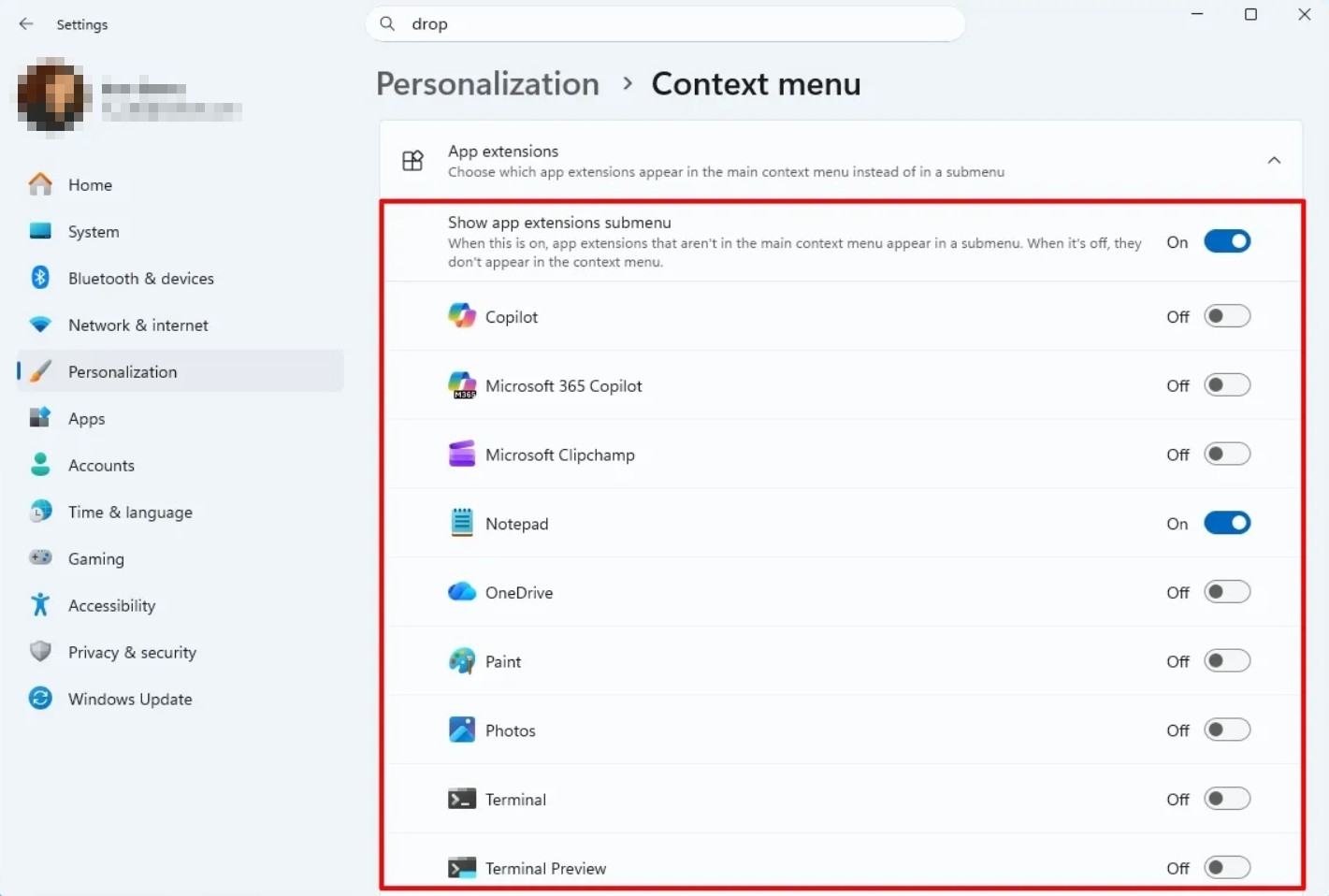
(Images credit: Mauro Huculak)
Share this article
420 views 4 replies +1 Loading…
Reply #1 Top

If it happens, it'll be better than the present, but I can't help wondering if MS loosens its death grip on the context menu, could RightClick make a come back? Wishful thinking, I suppose...

Interesting post, pelaird. Thanks. :thumbsup: 

+1 Loading…
Reply #2 Top

I have managed to somewhat customize my Context menu using the Registry and a third party utility, but I am really looking forward to this new feature. I use the Context menu hundreds of times everyday.

+1 Loading…
Reply #3 Top
Quoting DrJBHL, reply 4145423

If it happens, it'll be better than the present, but I can't help wondering if MS loosens its death grip on the context menu, could RightClick make a come back? Wishful thinking, I suppose...

Interesting post, pelaird. Thanks.

End of DrJBHL's quote

Tried installing Right-Click this morning. It installed okay but totally non-functional. Explorer kept restarting and Fences turned itself off, and DeskScapes wouldn't work. Uninstalled it immediately.

I don't see any reason this couldn't be updated to work with Windows 11. It's still very easy to add items to the Right-click > Show more options menu in the Registry by creating a new Key and Command String at Computer\HKEY_CLASSES_ROOT\Directory\Background\shell.

Here's looking forward to more customization features. :grin: 

Reply #4 Top
Quoting pelaird, reply 4145496
Quoting DrJBHL, reply 4145423

If it happens, it'll be better than the present, but I can't help wondering if MS loosens its death grip on the context menu, could RightClick make a come back? Wishful thinking, I suppose...

Interesting post, pelaird. Thanks.

End of DrJBHL's quote

Tried installing Right-Click this morning. It installed okay but totally non-functional. Explorer kept restarting and Fences turned itself off, and DeskScapes wouldn't work. Uninstalled it immediately.

I don't see any reason this couldn't be updated to work with Windows 11. It's still very easy to add items to the Right-click > Show more options menu in the Registry by creating a new Key and Command String at Computer\HKEY_CLASSES_ROOT\Directory\Background\shell.

Here's looking forward to more customization features.

End of pelaird's quote

Agreed...not sure why it was allowed to die. It was a great app...and increased productivity.