
Rainmeter
from  WinCustomize Forums
WinCustomize Forums
Does anyone know if a Rainmeter skin can be built as an all-in-one skin?

 WinCustomize Forums
Does anyone know if a Rainmeter skin can be built as an all-in-one skin?
I asked ChatGPT your question and got the following response:
"If you mean Rainmeter skin: yes. You can build a Rainmeter skin as an all-in-one skin—for example, one package/skin that contains the clock, weather, system meters, CPU/RAM, drives, network, shortcuts, media controls, etc.
If you mean one single .ini file, that's also possible, although for a complex skin it's usually better to have several measures/meters organized into separate files and use #Include files.
If you tell me what you want the all-in-one skin to contain, I can design the structure for you—or create the actual Rainmeter .ini files."
Just dont expect AI does ist right for the 1st time.  You need a few more prompts and curses to get it right.

I asked ChatGPT your question and got the following response:
"If you mean Rainmeter skin: yes. You can build a Rainmeter skin as an all-in-one skin—for example, one package/skin that contains the clock, weather, system meters, CPU/RAM, drives, network, shortcuts, media controls, etc.
If you mean one single .ini file, that's also possible, although for a complex skin it's usually better to have several measures/meters organized into separate files and use #Include files.
If you tell me what you want the all-in-one skin to contain, I can design the structure for you—or create the actual Rainmeter .ini files."
Thanks Doc, That would be great. I like all elements other than weather that no longer functions

I asked ChatGPT your question and got the following response:
"If you mean Rainmeter skin: yes. You can build a Rainmeter skin as an all-in-one skin—for example, one package/skin that contains the clock, weather, system meters, CPU/RAM, drives, network, shortcuts, media controls, etc.
If you mean one single .ini file, that's also possible, although for a complex skin it's usually better to have several measures/meters organized into separate files and use #Include files.
If you tell me what you want the all-in-one skin to contain, I can design the structure for you—or create the actual Rainmeter .ini files."
Thanks Doc, That would be great. I like all elements other than weather that no longer functions
Rainmeter weather certainly does still work, as you can see in my SS. The issue is that occasionally the API key needs to be updated, which you can do yourself. Sometimes the creator updates their weather with new API keys, or maybe Rainmeter does; I am not sure. What you can do is find a skin that is working and use that key, which you can change in the resource + variables file. I believe that there are skins that use different providers and don't need key updates.
If you want to give it a shot and have a replaceable API in the variable file, this key is working for me. 71f92ea9dd2f4790b92ea9dd2f779061
Just make sure to save and refresh Rainmeter after replacing the key.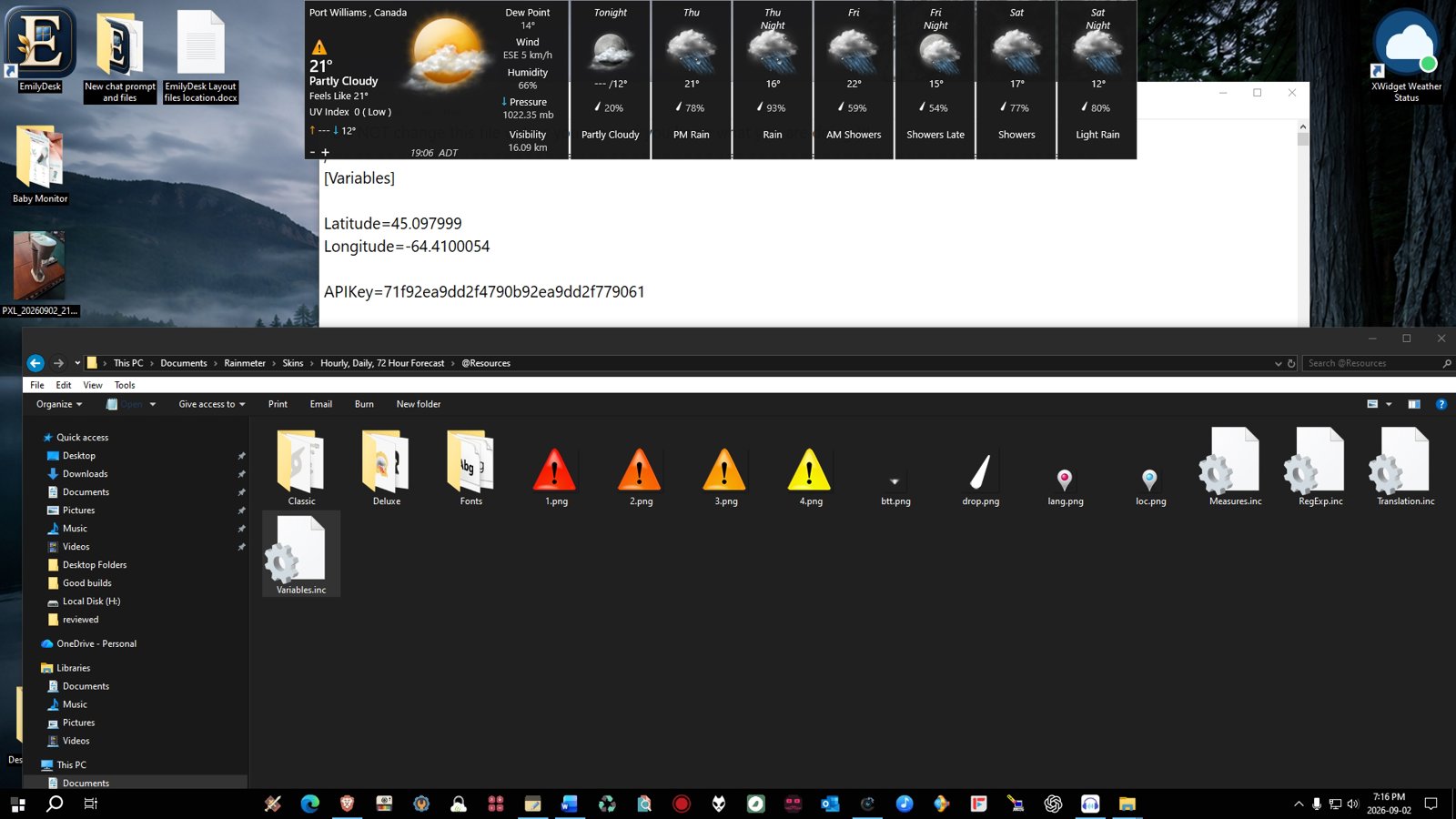
Does anybody have any weather skins that are working? I am unable to find one. I was told there are working ones out there. If anybody does it would be nice if you shared. I want to build an all in one but want all features in skin.
Thanks
Don
Does anybody have any weather skins that are working? I am unable to find one. I was told there are working ones out there. If anybody does it would be nice if you shared. I want to build an all in one but want all features in skin.
Thanks
Don
There are a tone of rainmeter weather skins that work; it just takes a bit of downloading to determine which work and which don't but even the ones that don't, most can be updated with a simple API key change, as I mentioned above.
Take a look at my screenshot; these are all working weather skins. The one in the lower left of the screen was not working, so I updated the key today, and now it works.
Ones in my screenshot are:
WindowsAirQualityAPI
WeatherTimeBarHD_API
LargeCleanWeather
RoyalWeatherAPI
WeatherStationHD_API 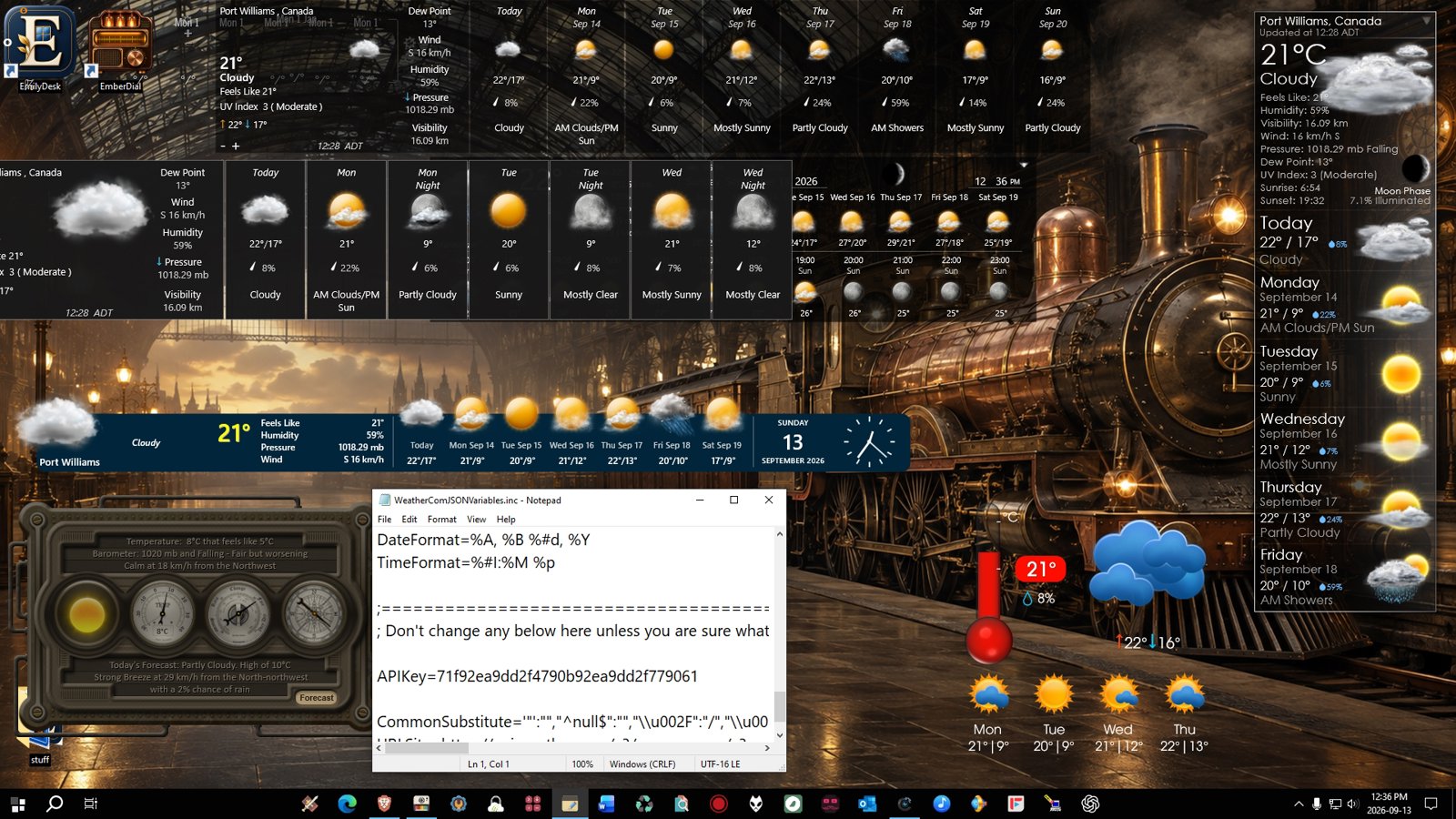
Welcome Guest! Please take the time to register with us.
Select a reason for giving karma:
You're about to visit an external site:
Sign up here to get the latest news, updates, and special offers delivered directly to your inbox.
 Stardock Forums