Keyboard Wake Reliably Crashes Explorer — Mouse Never Does (DeskScapes + Fences)
4/4 reproducible on keyboard-triggered reactivation, 0/4 on mouse — full dump, stack trace, and root-cause analysis inside
 Stardock Forums
Bug Report: Recurring explorer.exe Crash — Fences / DeskScapes
NULL Pointer Read in Shell Icon Work-Area Calculation, Triggered on Keyboard-Initiated Session Reactivation
System: Windows 11, build 10.0.26100.9223 Products involved: Stardock Fences 6 (v6.5.4.1), Stardock DeskScapes (v26.0.1.1, "DeskScapes 2026")
1. Summary
explorer.exe crashes reproducibly following a keyboard-triggered session reactivation from a locked/screen-off state, roughly 13-15 seconds after the keystroke. A controlled trial (4 keyboard reactivations, 4 mouse reactivations, alternating order) found the crash occurs on 4 of 4 keyboard-triggered reactivations and 0 of 4 mouse-triggered reactivations. A full memory dump shows the crash occurring in native Windows shell code, but only after the call chain passes directly through window-procedure hooks belonging to DeskScapes and Fences. Separately, we found two different versions of a core DeskScapes DLL simultaneously loaded in the same explorer.exe process, and that DeskScapes' own uninstaller cannot remove the older of the two.
2. Environment
3. Symptom
-
Both monitor desktops disappear
-
Both taskbars disappear
-
Start menu becomes unavailable
-
Windows itself remains responsive; Task Manager is accessible throughout
-
Manually restarting explorer.exe restores normal operation
4. Reproduction Steps
-
Lock the session (Win+L) with both DeskScapes and Fences running normally
-
Allow the display to time out (60 seconds in this environment)
-
Reactivate using a keyboard keystroke (not mouse movement)
-
Enter credentials to complete login
Result: explorer.exe crashes approximately 13-15 seconds after the keystroke, consistently, across repeated controlled trials. Mouse-triggered reactivation under otherwise identical conditions does not reproduce the crash.
5. Diagnostic Findings
5.1 — Crash Signature (Event Viewer, Event ID 1000)
Identical across every occurrence:
Faulting application name: explorer.exe, version: 10.0.26100.9223
Faulting module name: comctl32.dll, version: 6.10.26100.9223
Exception code: 0xc0000005
Fault offset: 0x00000000000a2233
5.2 — Memory Dump Analysis
A full user-mode dump, analyzed in WinDbg:
KEY_VALUES_STRING:
AV.Dereference: NullPtr
AV.Type: Read
Failure.Bucket: INVALID_POINTER_READ_c0000005_shell32.dll!CListViewHost::GetWorkAreasWithDPI
ExceptionAddress: comctl32!CListView::GetWorkAreasWithDpi+0xf3
Attempt to read from address 0000000000000000
Call stack (most recent call first; third-party frames marked):
comctl32!CListView::GetWorkAreasWithDpi+0xf3
shell32!CListViewHost::GetWorkAreasWithDPI+0x140
shell32!CListViewHost::IterateThroughImageServicesPerWorkArea<lambda>+0xac
shell32!CListViewHost::SetIconsOnlyPerWorkArea+0x36
shell32!CListViewHost::RefreshSettings+0x15c
shell32!CDefView::_ApplySettings+0x158
shell32!CDefView::_ReloadSettings+0x64
shell32!CDefView::_ReloadView+0x41
shell32!CDefView::_Exec+0x4ab / Exec+0x27
shlwapi!IUnknown_Exec+0x80
shell32!CDesktopBrowser::_OnCommand+0xa7
shell32!CDesktopBrowser::_WndProcBS+0xbb9
shell32!CDesktopBrowser::s_DesktopWndProc+0x5c
user32!UserCallWinProcCheckWow+0x356
user32!CallWindowProcW+0x16c
>>> DESKSCAPE!ReloadSettings+0x6201 <-- Stardock DeskScapes
user32!UserCallWinProcCheckWow+0x356
user32!CallWindowProcW+0x16c
>>> DESKTOPDOCK64!Shell_GetUrlPath+0x4d56 <-- Stardock Fences
>>> DESKTOPDOCK64!EnableDrawHooksDotNet+0x25a31
>>> DESKTOPDOCK64!EnableDrawHooksDotNet+0x26466
user32!UserCallWinProcCheckWow+0x356
[... standard message dispatch / thread startup frames omitted ...]
explorer!wWinMain+0xb19
Interpretation: a desktop icon-settings reload is routed through two chained, subclassed window procedures (DeskScapes, then Fences — the CallWindowProcW frames are the standard subclass-chaining mechanism) before reaching native shell32/comctl32 code that dereferences a NULL pointer. Neither third-party module ships public symbols, so the specific function names shown (at large offsets) are unreliable; the module identities and their presence on this stack are not.
5.3 — Two DeskScapes Versions Simultaneously Loaded
ModuleName FileVersion Company FileName
---------- ----------- ------- --------
Deskscapes.dll 11.0.0.0 Stardock Corporation C:\Program Files (x86)\Stardock\DeskScapes\Deskscapes.dll
deskscape.dll 26.0.1.1 Stardock Corporation C:\Program Files (x86)\Stardock\DeskScapes\deskscape.dll
DesktopDock64.dll 6.5.4.1 Stardock C:\Program Files (x86)\Stardock\Fences\DesktopDock64.dll
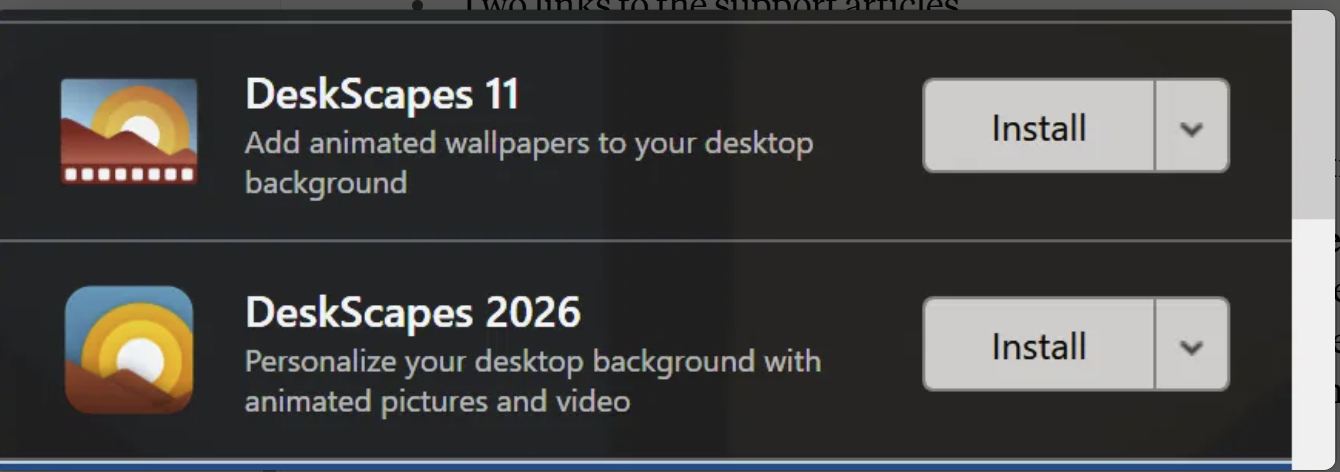
Both DeskScapes files sit in the same install directory and load simultaneously in explorer.exe. The registry shows both "Stardock DeskScapes 11" and "Stardock DeskScapes 2026" entries, sharing the identical uninstaller and the identical uninstall.xml manifest, both with the same install date — indicating a single installer run that failed to remove or supersede the prior version, not a years-old user oversight.
5.4 — Monitor / DPI Configuration
Mixed-DPI, same physical monitor size, different native resolution: Dell (4K, 200% scaling) alongside Acer (1080p, 125% scaling), both Windows-recommended values. The crash site is explicitly DPI-aware work-area calculation code. Crash onset began at or after the monitor swap that created this pairing; confirmed absent before it.
5.5 — DeskScapes Uninstaller Is Non-Functional for the Legacy Registration
Two independent attempts to uninstall "Stardock DeskScapes 11" both hung indefinitely at the "Uninstalling services..." step:
-
Attempt 1: hung with the underlying service in an unclean state
-
Attempt 2 (controlled): service confirmed properly stopped via Service Control Manager beforehand; hung identically regardless
Both attempts were verified to make zero progress (registry entries and files fully unchanged) after forcibly ending the uninstaller and rebooting. This rules out service state as the cause and points to a defect in the uninstaller itself.
5.6 — Controlled Trial: Device Type Determines Reproducibility
To eliminate reliance on ambiguous system logs, reactivation trials were performed and recorded directly by the operator, alternating trigger type each trial to control for time/state drift:
This split is statistically unlikely to occur by chance (Fisher's exact p ≈ 0.014). Service state and loaded-module state were confirmed unchanged throughout via direct verification, ruling out environmental drift. No mechanism is currently known for why input device type would affect this crash — this is the most specific and actionable open question in this report.
5.7 — External Corroboration
Stardock's own community forums document closely related issues:
-
A January 2026 thread reports DeskScapes 11 crashing explorer.exe specifically on multi-monitor systems
-
A May 2026 thread describes a user resolving a DeskScapes 2026 issue by manually removing leftover files and registry entries after an uninstall attempt, then reinstalling — directly analogous to Sections 5.3 and 5.5 above
6. What This Report Does and Does Not Establish
Established with high confidence:
-
The crash is real, reproducible on demand via keyboard-triggered reactivation, and identical every time
-
DeskScapes' and Fences' own code executes directly on the crashing call stack — not merely loaded in the process
-
DeskScapes has an independent, confirmed defect (dual-version loading) and a non-functional uninstaller for the affected version
-
The crash correlates with a mixed-DPI monitor configuration and did not occur before it
Not yet established:
-
We have not been able to remove DeskScapes/Fences and confirm the crash stops — every uninstall attempt failed before this test could be completed. The evidence connecting these products to the crash is strong and converging, but circumstantial rather than a direct removal-based confirmation.
-
No mechanism is known for why keyboard-triggered reactivation reproduces the crash while mouse-triggered reactivation does not.
7. Questions / Requested Action for Stardock
-
Can Fences and/or DeskScapes reproduce a NULL-pointer condition in desktop icon-reload/work-area handling under a mixed-DPI multi-monitor configuration, specifically following keyboard-triggered session reactivation?
-
Is there a known difference in how your hook code handles a keyboard-initiated versus mouse-initiated reactivation sequence?
-
Is it expected for DeskScapes 11 and DeskScapes 2026 files to coexist and both load after an upgrade? If not, this is an installer/uninstaller defect independent of the crash.
-
Is a full memory dump (1.55 GB) useful for your engineers? Available on request via file transfer.
-
Is there a supported clean-removal procedure for machines where the standard uninstaller hangs indefinitely at "Uninstalling services..."?
Appendix — Related but Distinct Finding (Start11)
A separate crash pattern was also found in ShellExperienceHost.exe, directly faulting in Start11's own module (Start10_64.dll, v2.8.0.2). This module is confirmed loaded in the current explorer.exe process but does not appear on the crash stack described above. Included for completeness given the same vendor and a related symptom category; not connected by evidence to the crash described in this report.
Moved to Deskscapes area