WindowBlinds Causing Vertical Black Bar to Appear on Display

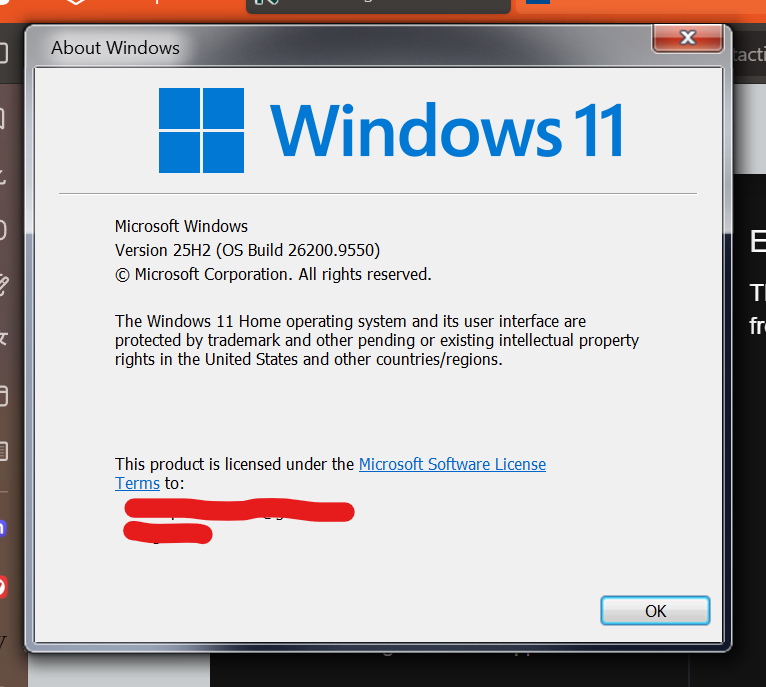
Windows Version Number: Windows 11 25H2 (26200.9550)
App Version: 11.07

I have noticed WindowBlinds 11 causes a vertical black bar to appear on the right side of my screen. It occurs whenever I select or change a theme and remains on there until I restart my PC. Is there an explanation as to what causes this?

I also used RetroBar and thought it was causing it, but after uninstalling WindowBlinds 11, I can confirm it is the latter causing it.
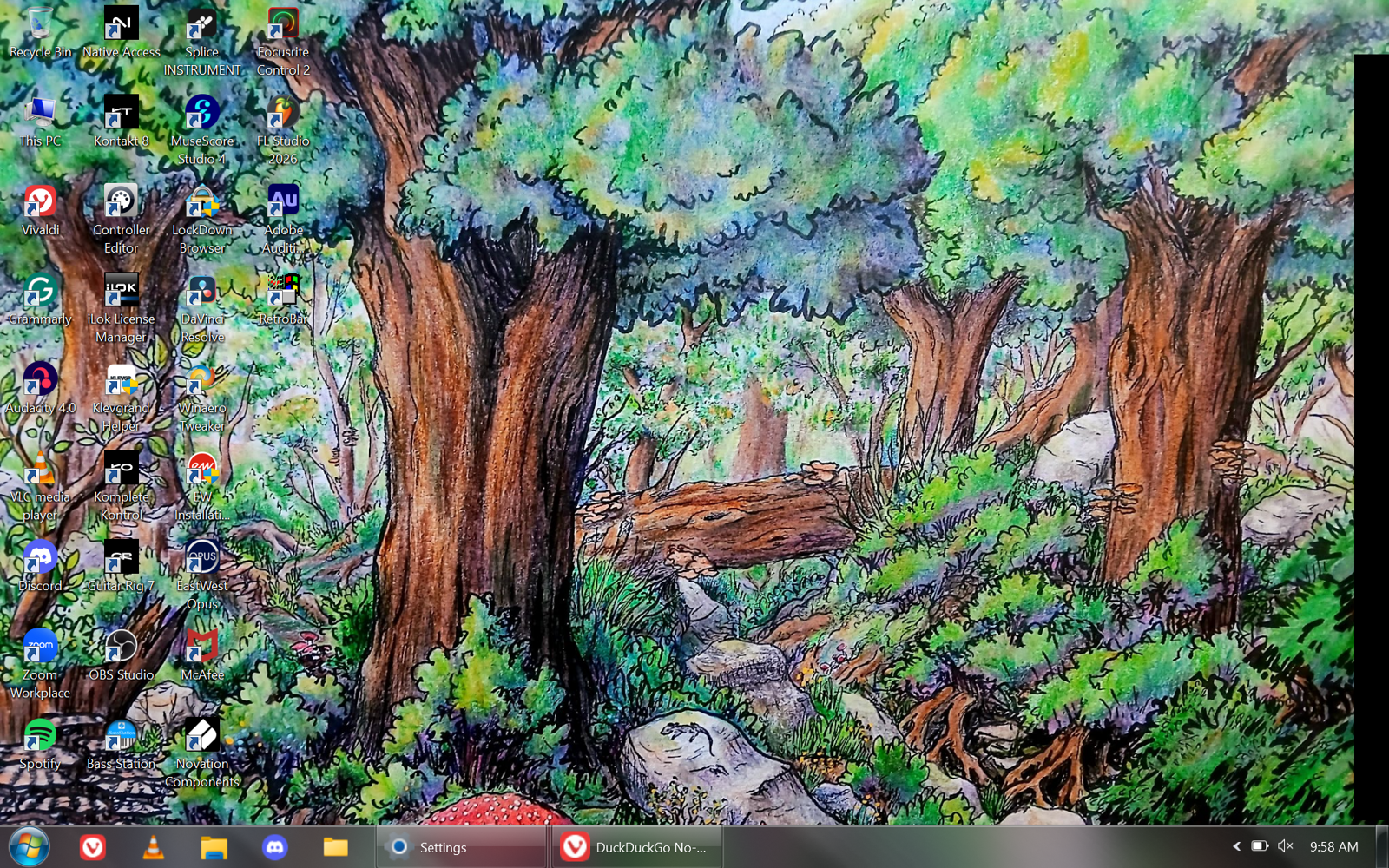


Is there a way to remove the black bar from my display?

285 views 5 replies
Reply #1 Top

Hello,
Sorry to hear you are having issues. First, please  try, uninstall Windowblinds, reboot immediately (important), download latest version available in your account product download page: https://store.stardock.com/myaccount/products. Install it, reboot immediately again. Retest it and report back.

If the issue still appear, just as a test, tried, temporarily, disable Retrobar from Start on boot, reboot the system and see if the issue still there.

Thank you,
Basj,
Stardock Community Assistant.

Reply #2 Top

I already uninstalled both programs to determine the cause, then reinstalled Retrobar first. I can confirm it is a WindowBlinds issue.

Reply #3 Top

I just wish to know if the issue is compatibility between Retrobar vs Windowblinds. And if so, perhaps, try to exclude Retrobar from Windowblinds might help to solve your issue.

Thank you,

Basj,
Stardock Community Assistant

Reply #4 Top

I excluded the application from WindowBlinds and rebooted my PC. The black bar returned within seconds.

Reply #5 Top

Would like to suggest try Clean Boot steps, refer here for steps: https://support.stardock.com/space/SHC/1346830395/WindowBlinds+Clean+Boot. Do note that Clean boot need to be done with care. Try it and report back.

Thank you,

Basj,
Stardock Community Assistant