OS/2 theme

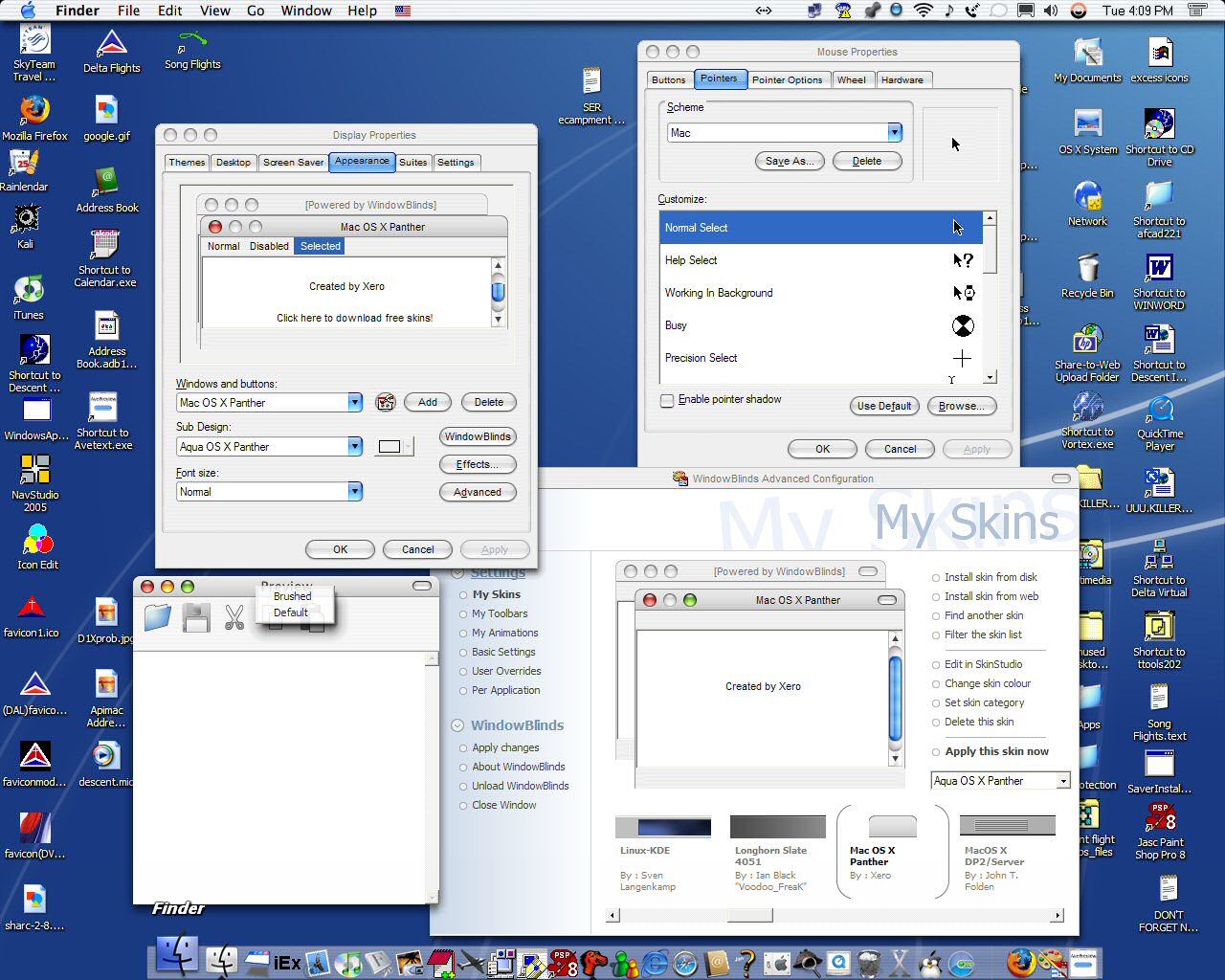
I'm looking for a good OS/2 theme for WindowsXP that doesn't require Windowblinds. Maybe something like my Panther theme that's it's own style instead of Win classic or XP.
5,063 views 22 replies
Reply #1 Top
That's vague. How would you propose having an OS/2 style UI without WindowBlinds?


Powered by SkinBrowser!
Reply #2 Top
Reply #3 Top
I don't know. Window Blinds I didn't like tho. I uninstalled it because it was ruining my current Mac (Panther) theme. But the way it works is it's its own visual style instead of being under Windows XP or Windows Classic.
Reply #4 Top
And the vagueness increases 10-fold...
Reply #5 Top
That's vague. How would you propose having an OS/2 style UI without WindowBlinds?


I've probably got a Warp 4 install CD lying around here that he can have


Powered by SkinBrowser!
Reply #7 Top

There are numerous OS/2 themes here.  Stardock, the developer of WindowBlinds, was once the world's leading ISV for IBM OS/2. Object Desktop (which WindowBlinds is part of) was, after all, an OS/2 product first.

If you want Windows to look like OS/2, WindowBlinds is the only way you're going to be able to do it. 

Reply #8 Top

https://www.wincustomize.com/skins.asp?library=1&SkinID=1664


Reply #9 Top
My current theme is proof that it's not the only way to do it. WindowBlinds switch my current one to a Windows Classic theme instead of it's own. It's not that important tho. Maybe I'll reinstall WindowBlinds sometime and when I decide I want this theme again, I'll uninstall it.

My current one:

Reply #10 Top
OK, but Windows can't do that by itself. You HAD to use another software. So, what did you use?
Reply #12 Top
You should try Windowblinds again, it's much more flexible. For example, with WB you could have the titlebar buttons on the left like it should be on OSX, while you can't with the msstyle format.
Reply #13 Top
My current theme is proof that it's not the only way to do it.


Strange looking OS/2 theme you have there.
Reply #14 Top

Style XP just patches your system DLLs which effectively enables you to replace graphical resources.

Your "Mac" theme has the buttons on the wrong side.  OS/2 has the close button on the left of the min/max buttons (which, btw, was based on a Stardock design for OS/2 Warp 4). 


[Message Edited]
Reply #15 Top
#9....definitely an odd-looking OS2.....so a poor example of OS2 emulation capabilities, don't you think?....
Reply #16 Top
It ain't OS/2, and yes I know the buttons are on the wrong side for OSX. Maybe I'll try WB again.
Reply #17 Top
WB is most def worth a try. Try the free first
Reply #18 Top
All right I did it, and now my desktop looks like Warp. Now. Are there any cursors and sounds out there? I came here, went to Google, and I can't find OS/2 sounds and cursors. Anyone know?
Reply #19 Top
There are icons and Windows comes with mouse cursors like OS/2's.
Reply #20 Top
Got those. still no sounds tho. Also, I downloaded NextStart and a theme for it, but it didn't quite show up the way the screenshot showed it. Are there settings on NS that I have to mess with? Is WindowBlinds competing with it at all?

thx
Reply #22 Top
Try Object Dock.