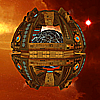
Can someone please test this mesh to see if it fix's the torp tube problem Klingon Battle Cruiser . Sorry you'll have to change the name as that eluded me at the time, and I don't have the texture files. Thanks.
SZ0
Hey when you did this mod, did you give the light frigate a new name and description in the string file, or have you just modified the existing light frigate and left it as is. I think from memory you need to give it a new name in the string file so the game engine knows its dealing with a different entity than the stock one that is already in the game. I know that the info cards won't update to your modified weapon stats unless you do this.
Oh! maybe that was needed for something else, perhaps it was assigning extra material I can't remember. Anyway I am glad the problem is fixed. In previous attempts at converting the file to mesh, did it succeed at writing in the point data? If so you could just copy them.
[quote].OBJ saves the UVs and .FBX saves the mesh points. Converted mesh to BIN imported to 3DS. Exported OBJ to XSI 7.5 and did the UVs and tangents as per the documentation. 1 issue is it is saving 2 sets of materials even after I clean the scene and freeze. If I delete the empty set from the mesh its a no-go. NumMaterials 2 Material[/quote] When you import and obj. into a scene you get the material(s) that come with it. This is on top of the m
Hey Major Stress, when your model is in modtool, in the explorer how does your set up look alongside the blue box under clusters? does it say "Sample" or "Texture_Coordinates_AUTO". If it is "Sample" change it to "Texture_Coordinates_AUTO". You should then be able to do your tangents as described in the forge tools documentation & they should export correctly. Another thing that might be happening IDK for sure, is that convertxsi sometimes bends edges the opposite way, especially
[quote]TXT MeshData hasValidTangents TRUE BoundingRadius -1.000000 MaxBoundingExtents [ -340282346638528860000000000000000000000.000000 -340282346638528860000000000000000000000.000000 -340282346638528860000000000000000000000.000000 ] MinBoundingExtents [ 340282346638528860000000000000000000000.000000 340282346638528860000000000000000000000.000000 340282346638528860000000000000000000000.000000 ][/quote] I have come across this error before when trying convert a
[quote]Yes, I'm working on my own style/process for texturing the ships. Mainly I paint the ships with the main colors and then dirty them up with a hull pattern material that applies some depth to the ship as well[/quote] Yeah, That's pretty much what I do. Here is a material/texture I made from some of the original Sins textures, that you and the community may find of some use. Panel texture
Cool, awesome work there myfist0, glad you worked it out. Are you making a "Sins Plus" type of mod or making different planet sets for the community to use? Next week hopefully I will release a Beta of AHA extended, just got to do some buttons and optimizing to do. It would make a great addition to it if I could add some planets for the full version also. But if your making a Sins plus type mod the 2 may well work together anyhow.
Cool, great idea, downloading now.
Well I don't know exactly why, but a thing you might try if you haven't already done so.. Remember how models exported from max have there normals inverted, and to fix it you make a symmetrical copy. You could try this. Also if you apply a texture projection in XZ, does the plain appear 90 degrees out? If so after you have rotated the model 90 degrees on the x axis after importing from max "freeze all transforms" , try your xz projection and it should be orientated correctly.<
Hey nice work there ZombiesRus5. I like the paneling effect of your textures. Do you use a material to apply them?
Make sure you are in model mode, (press 1 on the key board, not number pad) Make sure you are in object selection mode (press space bar) meshes should appear white on your model. Make sure you have no object selected (Shift+Ctrl+a) = deselect all Go to "Create" section & select "Poly.Mesh" select "Merge" . From there your curser should turn into a "Pick". Then select the objects you want to merge ( meshes turn white) then click right mouse button to end picking ses
Nice work TobiWahn Kenobi, Very nicely textured. The lighting on the Apollo name looks awesome. I am curious as to how you achieved this effect. Is it done with a lighting filter on the texture or have you put some Flair points there? Either way fantastic job. Get models there also Alexrose.
Looks good to me. Nice work with your mod too by the way.
This would be cosmetic only, from what I understand. It does make a noticeable improvement so for that reason alone its well worth doing. Great work "Aractain"
[quote]also, the talak model looks cool but imo it doesnt really fit the vasari aesthetic style, too boxy and no curves or sharp edges[/quote] I agree, others have said the same. In the next version I will put in a model made from existing Phase capitals. Also I may do this with others also, but more because this will reduce the texture files needed and the overall size of the mod. [quote]mod is great but i noticed that the talak destructor doesnt move into range if i manually
Looks awesome, great work
[quote]Zomb, might I suggest you put pics in that you can enlarge? I can't even read the text on that small screenshot looking pic[/quote] Hey guys, you know you can hold down "Ctrl" while scrolling, this works for the whole page, where ever. On a side note, if your interested I could make some variations to some of the cap models to make as the flagships, if you like. Like the Kol mod Ryat is referring to. Eventually PUREVENOM and myself, and anyone else if they want t
Well, that's a good point Lord_Asmodeous. To be honest I am yet to play this game to the end, and I agree in the end the tile limit will determine what you end up keeping. I am curious though as to whether that is what you end up doing to cities you have built also anyway. It just seems to me at the moment to be too advantages to overtake cities rather than develop trade treaties and the like. In the long run, maybe the reverse is true IDK.
Yes, I agree also. Something along the lines of a transformation cost is needed. Also, and to be honest I don't now whether this is possible already, but perhaps in cities you build, if you were allowed to build multiple buildings of a curtain type that give bonuses would help balance this out. So if you take over a city with 2 mills & 2 irrigation systems, it would be less necessary to build more simply because you may want the tiles to bolster something else. If in cities you have alrea
Check out this segment from the "Elemental for Dummies" thread that's pinned in this forum. There are over a dozen different books of magic in the game. When a player selects their sovereign (their sorcerer, channeler of magic), they can choose which books of magic they want. Each book will have a cost to it. So you can spend a lot of points on having lots of books or use those points to make your channeler more powerful. In addition, based on what race you are, you will g
Nice job ZombiesRus5, I like it.
I have a similar problem. Just out of curiosity, Have you guys got caravans going back and forth through barricade passage? And also have you installed the 1.01 version and then loaded a save from 1.00?
I got 2 caravans on their trade route trying to get through a small gap at the same time, so nothing can move through the passage. Here is a screen shot. Here is a save file I am experiencing the odd crash also, main
I have had this issue also. This happened straight after installing the patch. Re- started game and all Ok.