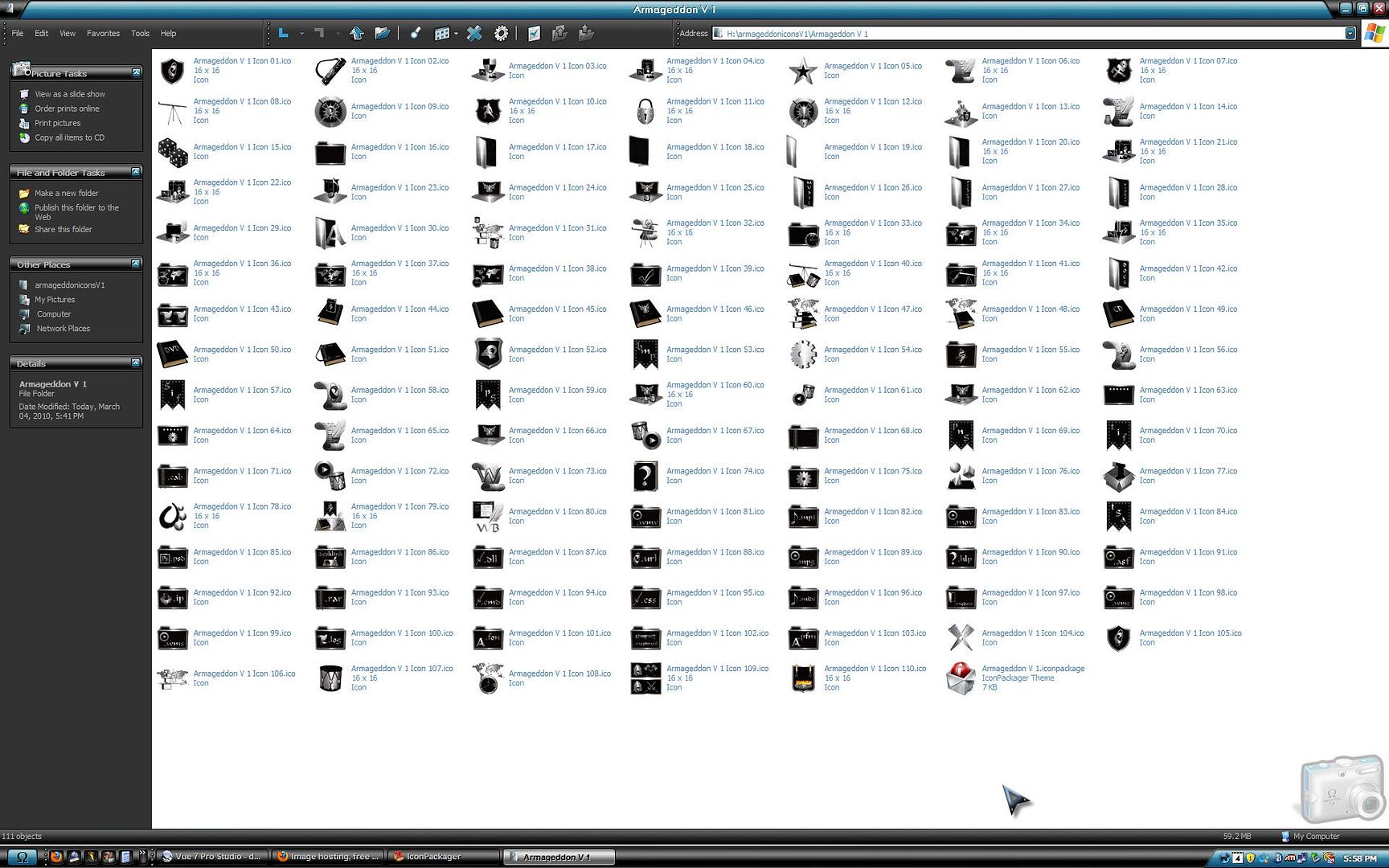
Murex: did you create this package within IP config by changing icons there or did you do it in Package Builder, if the first this may be the issue, I have always found it buggy when even just trying to change an icon or two in a package.
Icons were created in packager builder. I have had many problems creating the icons. All due to the fact that the icon list is not the same every time. I could never get the custom icons to show up I uninstalled icon packager a couple of times with the same result. I finally uninstalled IP and got rid of all traces of IP including in the registry then reinstalled IP and all the icons showed up including the custom icons. So I thought I had a borked download and that all was well now and made the set. Now I find out that maybe all is not well.
Another question .. why can't i set the font size?
[reset by Jafo]
icons loaded just fine for me using IP 5 and XP SP3.
Thanks Nimbin
Thanks Nimbin
I don't understand why the icons load for some and not for others
click on folder icons I get other icons.. click on drive icons again I get drive icons click on desktop icons I get drive icons. The list is always changing. Same thing happens when I choose show in groups the list is always different.
That menu list is to toggle on and off which groups you want to show, IMO it should have check marks to show what is selected but it does not. Click them as needed until you have all groups showing in Package builder then do not touch it again.
I have downloaded again, after making sure all from before deleted, unzipped, renamed IP to zip, unzipped, here is what is in folder ( not installed so no IconPackager interference on my end ), I see at least 6 icons from your preview pic that are not in folder

I have opened in package builder, seeing that the whole desktop group (my computer, my docs. etc) is missing, I think that when you were playing with toggling the groups it was causing the icons to be lost.
I have made a new icon pack with IP 4 and uploaded it. I had a few people test it and every thing loaded for them. Your right about the check marks by the groups. In IP 4 there is a check mark beside the group so you know when it is on or off.
Thank you for your help
The new icon pack had been posted. If all of the icons do not load for you try the new icons pack
You're welcome; the new pack loaded all icons.
I didn't realize there was a problem untill I saw this post.
I uninstalled what I istalled last night, installed the new package and My Computer, My Documents, My Pictures and the Recyle bin are missing, maybe a few other that I don't use.
I'm on Wio 7 64 bit.
I will try another uninstall this time ussing CCleaner and see what happens. I will let you know.
EDIT: Everything loaded this time so chalk it up to operator error. ![]()
Dang it Philly don't do that to me LOL I already have ulcers from these darn icons ![]()
Welcome Guest! Please take the time to register with us.
- Richer content, access to many features that are disabled for guests like commenting and posting on the forums.
- Access to a great community, with a massive database of many, many areas of interest.
- Access to contests & subscription offers like exclusive emails.
- It's simple, and FREE!