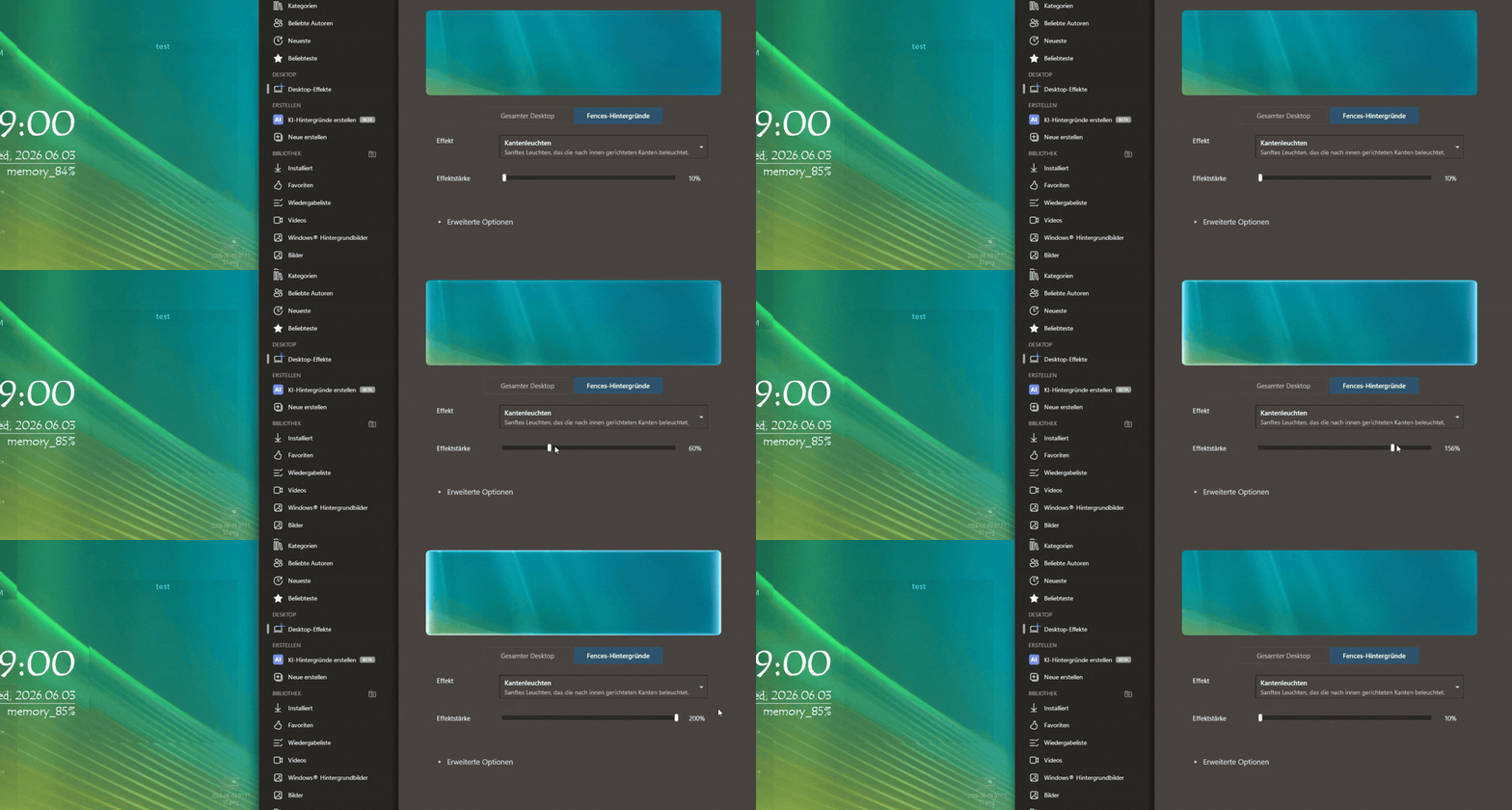
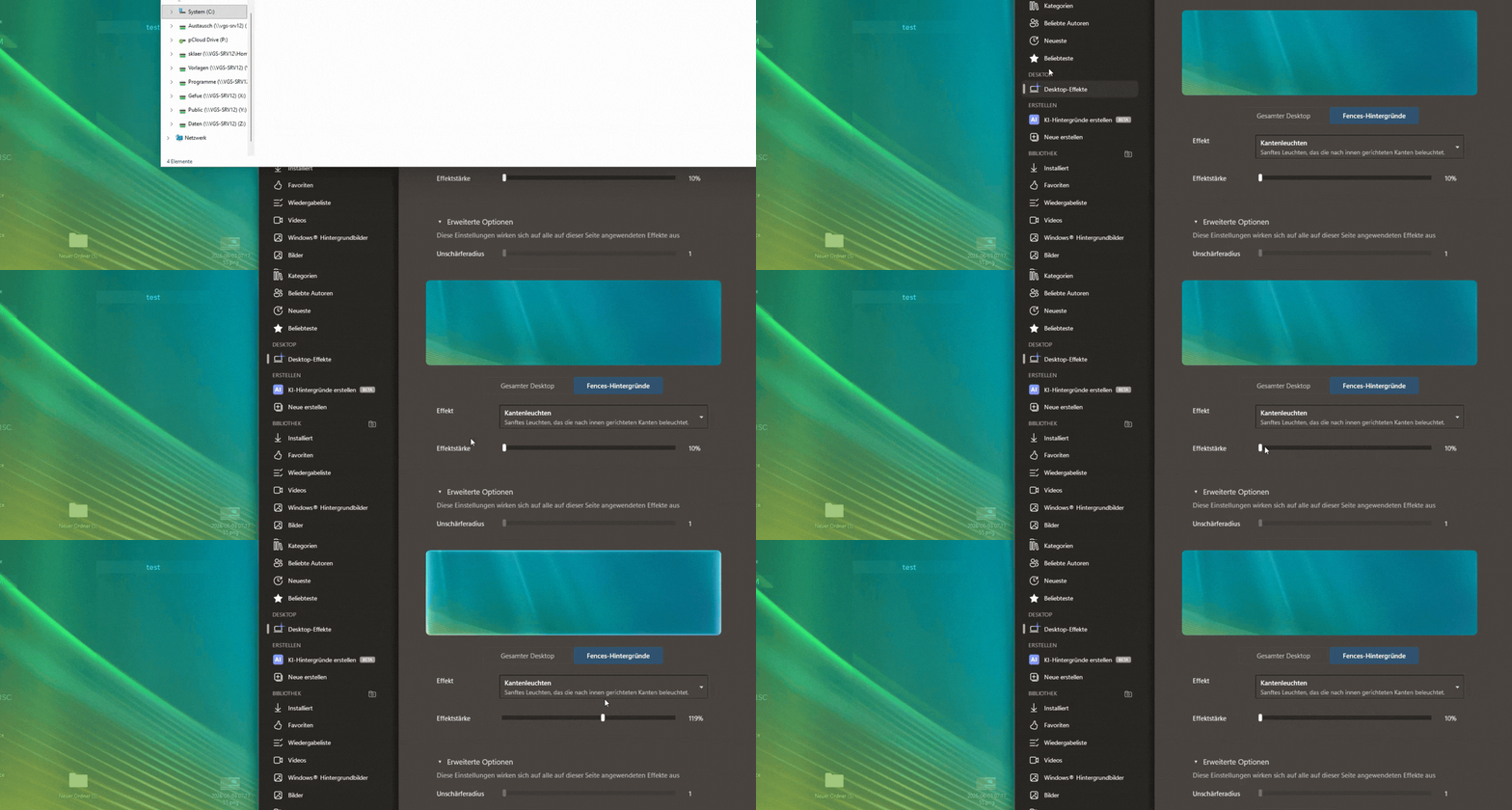
DeskScape 2026 > Desktop Effects

Dear Basj,


thanks again for fixing the black screen issue on this wonderful piece of software.

One more question I could not find help for: If I go through the menu

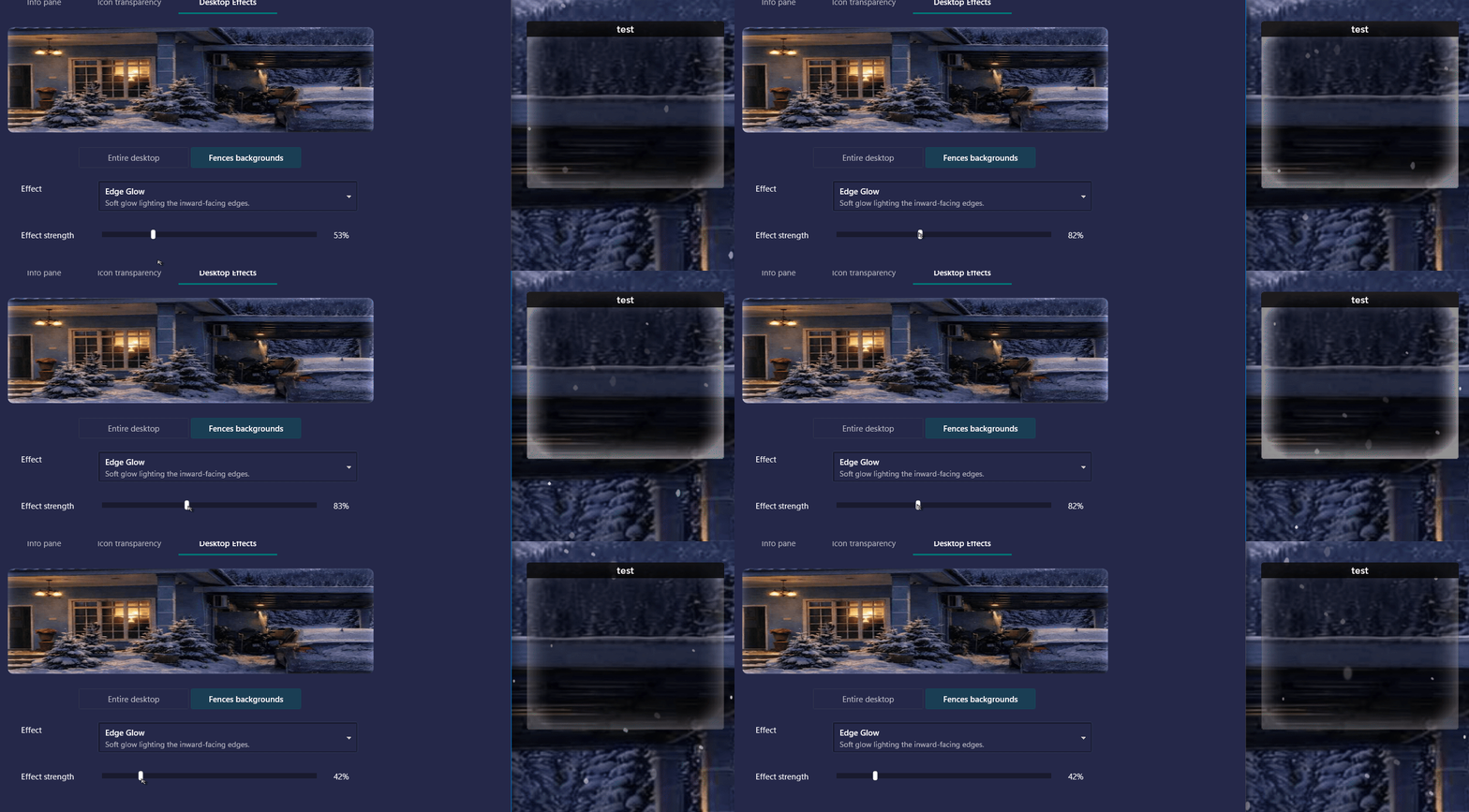
DeskScape 2026 >Desktop Effects >Fences Backgrounds >drop down list > e. g. Edge Glow

this does not seem to do anything. Same with other effects, has no impact. I do have Fences installed and in use. Does it refer to that? And what do I need to do to get these effects visible? Thanks for your support.

BR Steffen
250 views 23 replies
Reply #1 Top

Hello,

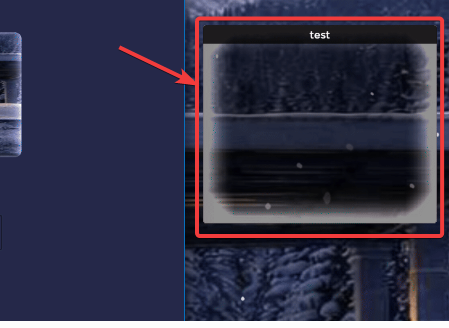
Thank you for reaching out, and I’m sorry to hear you’re experiencing difficulties. I tested some of the effects myself and noticed that a few are indeed subtle, though present. For Edge Glow, I also wasn’t able to see the effect clearly.

To ensure this is properly addressed, I’ve forwarded your question to the Stardock Support Team for further assistance. Please keep an eye on this thread for any updates from them. We truly appreciate your feedback and your patience.

Thank you,

Basj,

Stardock Community  Assistant

Reply #2 Top

Hi Steffen, thank you for posting.

Quoting klaer_it,

DeskScape 2026 >Desktop Effects >Fences Backgrounds >drop down list > e. g. Edge Glow

this does not seem to do anything. Same with other effects, has no impact. I do have Fences installed and in use. Does it refer to that? And what do I need to do to get these effects visible? Thanks for your support.

End of klaer_it's quote

I also wasn't able to notice a difference when using certain Fences background effects, when testing the following: 

Edge Glow, Scrolling Pulse, Underline Pulse, and Equalizer.  

We'll have this logged:

  • Internal Reference: ODNT-12380

The other Fences backgrounds effects seem to be working for me.  One thing you'll want to check and please let us know, if "Entire desktop" effects are also not working for you, or if it's just certain Fences background effects.  

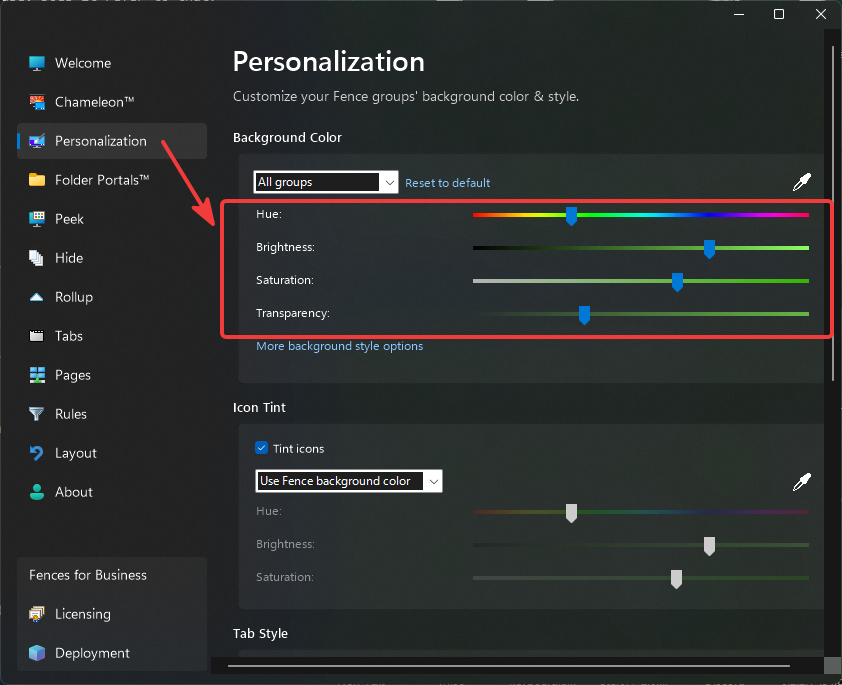
If you continue to encounter issues with Fences backgrounds, I can also recommend checking your Fences 6 Personalization tab.  These sliders in Fences (such as Transparency) can make a difference on the visibility of certain effects:

As this gets looked into, also please make sure to keep both DeskScapes2026 and Fences 6 updated to the latest versions (from the "About" or "Settings" sections of each app.)

Thanks again for posting and best regards.

Adam McGuinness
Stardock Support Specialist

Reply #3 Top

Dear Adam,

thanks for taking care:

"Entire desktop" effects are fine so far, only the "Fences Background items" are not visible (as described above).


All versions up-to date, i.e. DeskScapes 2026 26.0.0.1 and Fences 6.4.6.1

Please also note that DeskScapes > Settings "About" does not show any version. I have to use Programs/Features to check.


Reply #4 Top

Dear Adam,
dear Basj,

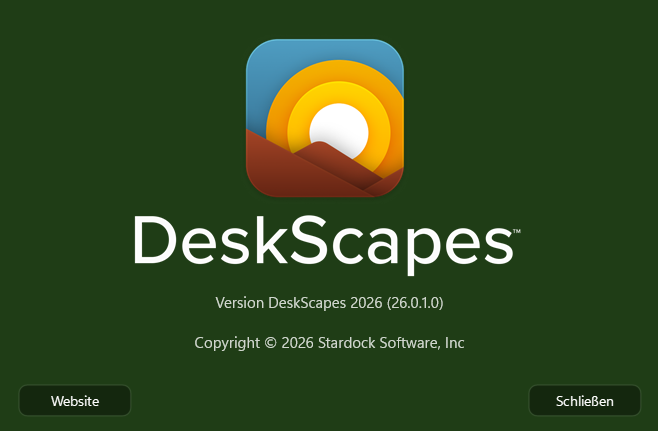
have version 26.0.1.0 (beta) installed and background effects in general are mostly working.

However, my anticipated favorite "Border glow" does not  appear to show any difference yet. Could you please have a second look?

Version number on "About" is now showing, great.

BR
Steffen

Reply #5 Top

But, on my system Edge Glow does work. Refer to my short video below.

Please retest it.

Thank you,

Basj,

Stardock Community  Assistant

Reply #6 Top
Quoting klaer_it, reply 3993889

Version number on "About" is now showing, great.

End of klaer_it's quote

Can you post a screenshot of what is wrong?

Sean Drohan
Product Lifecycle Manager

Reply #7 Top

Dear Basj,

your right: Like I said, turning "Glown" on  or off makes no difference.

BR
Steffen

Reply #8 Top

Dear Sean,

everything is ok. Until this beta, "About" did not schow a verrsion no.


BR
Steffen

Reply #9 Top

Not really sure on what you meant, Is it working now or still no? If no, please post a video showing what you get when you slide the slider around.

Thank you,

Basj,

Stardock Community  Assistant

Reply #10 Top

Dear Basj,

no worries: When you go to

>DeskScapes >Settings >About DeskScapes

this should typically show a version number of what is installed. Neither the initial 26.0.0.0 nor 26.0.0.1 displayed this information. Now wth 26.0.1.0 everything is ok.

BR
Steffen

Reply #11 Top

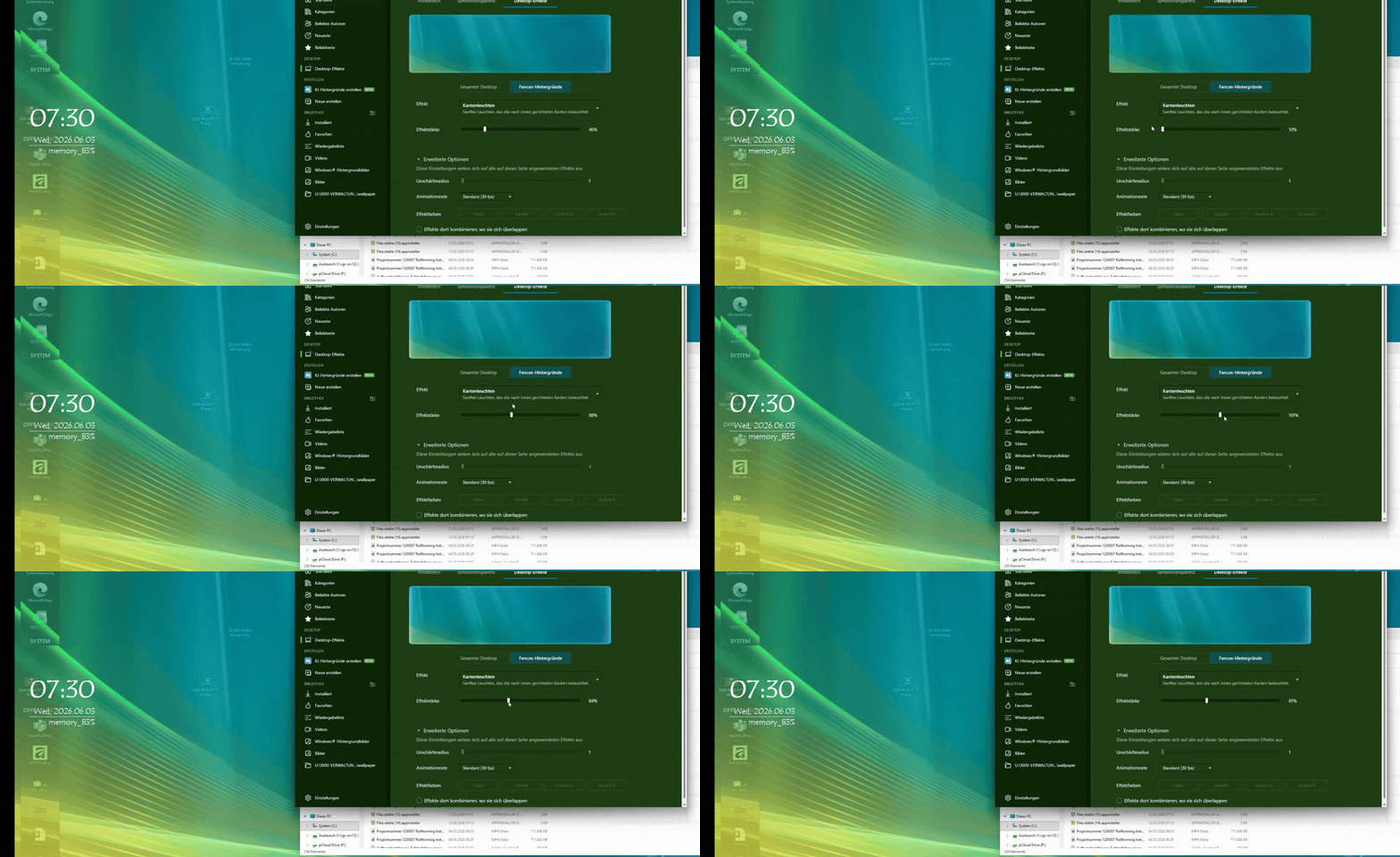
No, I was not asking screenshot of Deskscapes version. I was asking for a video capture of your issue. Something similar my short video, I posted in my Reply #5, Video showing the Fences border and the Edge Glow effect applied and the effect slider moved around, show us what you get on your desktop.

Thank you,

Basj,

Stardock Community  Assistant

Reply #12 Top

Dear Basj,

video is ready. Cannot upload via "image" button". Please advise.

Thx
Steffen

Reply #13 Top

You should be able to upload your video to any video sharing site. Such as Youtube. and share its link here. Make sure to set the video as public on that site so we can view it.

Thank you,

Basj,

Stardock Community  Assistant

Reply #15 Top

Dear Basj,

too little time to go through posting a video. Hope above does the job.

BR
Steffen

Reply #16 Top

Unfortunately, I don't see the actual Fences edge in your video. Something like my short video above.

Thank you,

Basj,

Stardock Community  Assistant

Reply #17 Top

Dear Basj,

the two fences before are on the left side. Anyway, here we go again.

BR
Steffen

Reply #18 Top

Thank you for the video. Do you also, perhaps, applied any effect on "Entire Desktop" too?

Moving forward, I have forwarded your problem/question again to Stardock Support Team for their assistance. Please keep an eye on this thread for any updates. We appreciate your feedback and patience. Thank you.

Basj,

Stardock Community  Assistant


Reply #19 Top

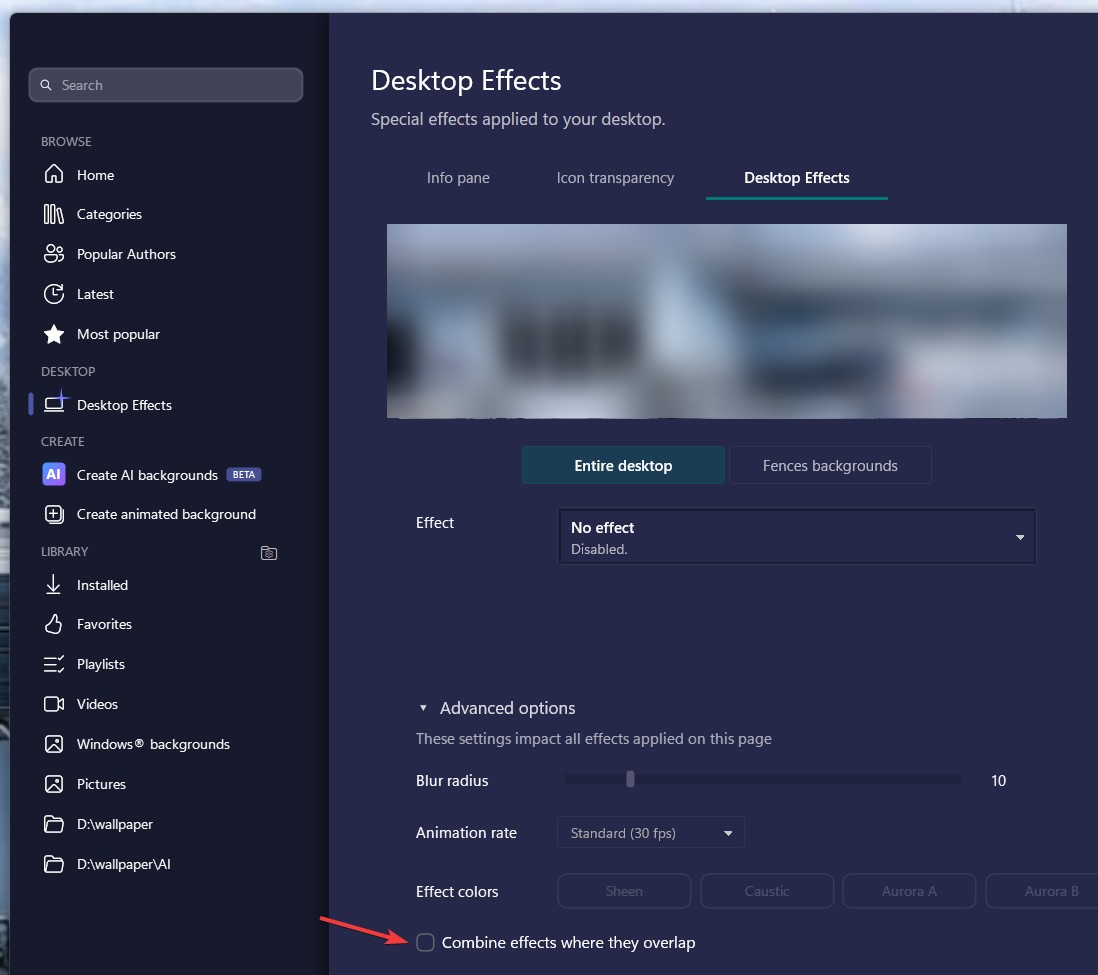
What effect do you have set on the desktop itself?  I ask as the wallpaper seems to be moving in response to that slider but not in the fence areas which is also odd (you do have it set to combine effects under advanced?)

Reply #20 Top

Dear Basj,

you are right. If I deactivate the entire desktop effect (in this case parallax), the glowing becomes active.

Please double-check with the developers. If both effects contradict each other, I suggest that conflicting options are greyed out.

BR
Steffen

Reply #21 Top

That actually explain it, try if turning on this option helps.

Thank you,


Basj,

Stardock Community  Assistant

Reply #22 Top

Dear Basj,


for desktop parallax is turned on for fences glow. Even if check the "combine" button, the "glow" is in effective.

I am forced to turn parallax off. And to clarify, screen does not show this, but "combine" is on.

BR
Steffen


Reply #23 Top

Thank you for the feedback. Please wait for Support or Dev to respond on this one. We appreciate your patience. 

Thank you,


Basj,

Stardock Community  Assistant