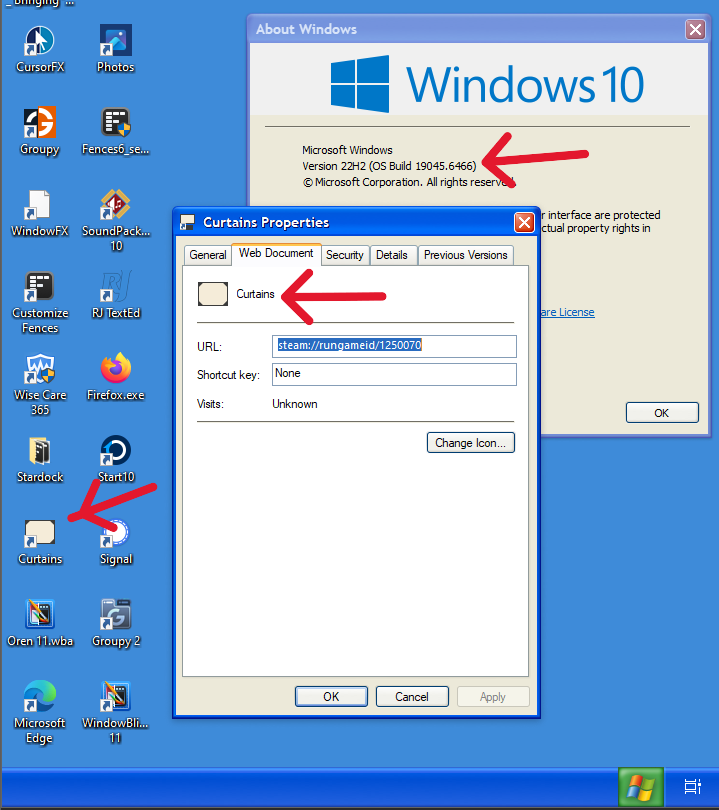
Windows 10 no longer enabling me to customize desktop icons

Especially executables

Well, as I said, Windows 10 Version 22H2, has suddenly stopped allowing me to customize many of my desktop icons for my shortcuts. Executable programs will only accept the icon of the program, no a custom icon. Does anyone know how to fix this?

341 views 10 replies
Reply #1 Top

What process are you using to apply the custom icons?

Reply #2 Top

I'm just right clicking on the shortcut, clicking properties, and clicking change icon. From there I go to various folders, where I have tons of ico's I have accumulated over the years and choose one for whatever program the shortcut belongs to. This has always worked like a charm, until about a week ago.

+1 Loading…
Reply #3 Top

I don't have Windows 10, but I tried changing icons on the desktop of Win32 apps, Windows apps, and Windows Store apps in Windows 11 25H2. I was able to change all three using the process you describe above.

Have you tried restarting your computer to see if that makes a difference?

Reply #4 Top
Quoting The-Reaper-Man,

Well, as I said, Windows 10 Version 22H2, has suddenly stopped allowing me to customize many of my desktop icons for my shortcuts. Executable programs will only accept the icon of the program, no a custom icon. Does anyone know how to fix this?

End of The-Reaper-Man's quote

After I read this I checked mine, and mine is working.  And I also have the windows version you have.

+1 Loading…
Reply #5 Top

I don't remember being able to change icons for .exe files; I was only able to change them for shortcuts. I changed icons for .exe files in the past using Resource Hacker. I can still change shortcut icons on Windows IoT Enterprise edition. 

Reply #6 Top

I tested on my Windows 10 VM and it look like I still can change it. But, do note that I am not at the latest Windows 10 OS Build. 

Thank you,

Basj,

Stardock Community  Assistant

Reply #7 Top
Quoting basj, reply 3994008

I tested on my Windows 10 VM and it look like I still can change it. But, do note that I am not at the latest Windows 10 OS Build. 

Thank you,

Basj,

Stardock Community  Assistant

End of basj's quote

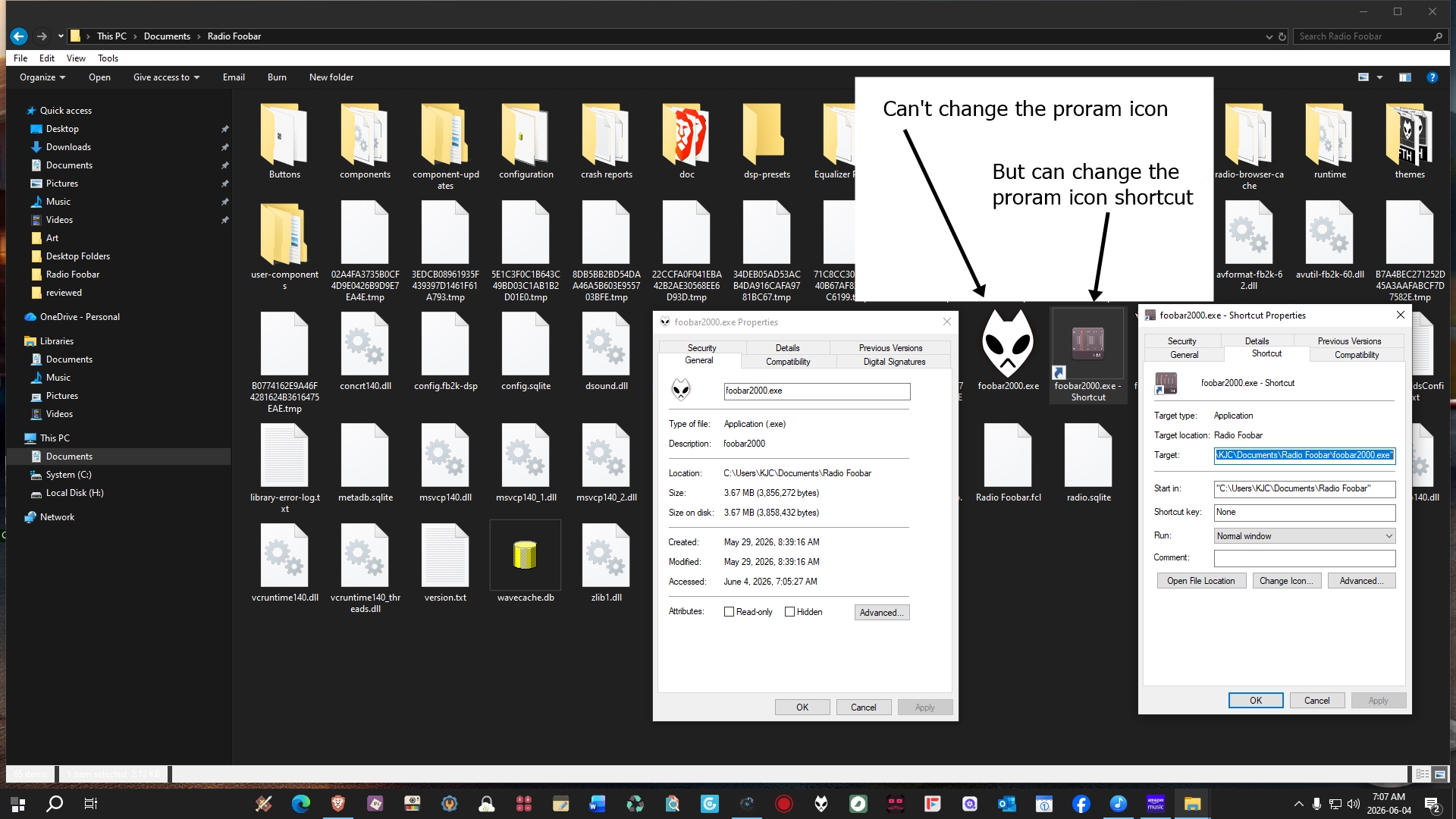
Yes, but that is for a shortcut, not for the program .exe file. For example, I installed a portable version of Foobar2000; inside the program folder, there is a Foobar2000.exe file to launch the program; I cannot change that icon. I placed the folder in my documents and created a shortcut to the Foobar2000.exe file on my desktop and changed the icon for it.
The-Reaper_Man said, "Executable programs will only accept the icon of the program, not a custom icon." "Does anyone know how to fix this?" So I am assuming that he wants to be able to change the icon of .exe files ("Executable"), not a shortcut to said .exe file, because doing that works with Windows 10. 
Like I mentioned, I don't know if you could ever change the icon of an
 executable file without using a third-party program such as Resource Hacker; I can remember using that program to do so.
 

+1 Loading…
Reply #8 Top
Quoting JuniorCrooks, reply 3994017

Yes, but that is for a shortcut, not for the program .exe file

End of JuniorCrooks's quote

I was only responded to OP issue. OP mentioned issue for shortcut.

Thank you,

Basj,

Stardock Community  Assistant

Reply #9 Top
Quoting JuniorCrooks, reply 3994017

Yes, but that is for a shortcut, not for the program .exe file.

End of JuniorCrooks's quote

Junior,

Please look at Reply #2 where Reaper explains the process he was using to change the icon of a shortcut on his desktop.

"I'm just right clicking on the shortcut, clicking properties, and clicking change icon. From there I go to various folders, where I have tons of ico's I have accumulated over the years and choose one for whatever program the shortcut belongs to. This has always worked like a charm, until about a week ago."

Reply #10 Top
Quoting pelaird, reply 3994021
Quoting JuniorCrooks, reply 3994017

Yes, but that is for a shortcut, not for the program .exe file.

End of JuniorCrooks's quote

Junior,

Please look at Reply #2 where Reaper explains the process he was using to change the icon of a shortcut on his desktop.

"I'm just right clicking on the shortcut, clicking properties, and clicking change icon. From there I go to various folders, where I have tons of ico's I have accumulated over the years and choose one for whatever program the shortcut belongs to. This has always worked like a charm, until about a week ago."

End of pelaird's quote

Yes, and I was talking about this "Executable programs will only accept the icon of the program, no a custom icon. Does anyone know how to fix this?" Does not the end of the sentence mean he also wants to change executable programs?
Anyways, I guess it does not matter, especially if I read it wrong, so everyone, just ignore what I wrote.