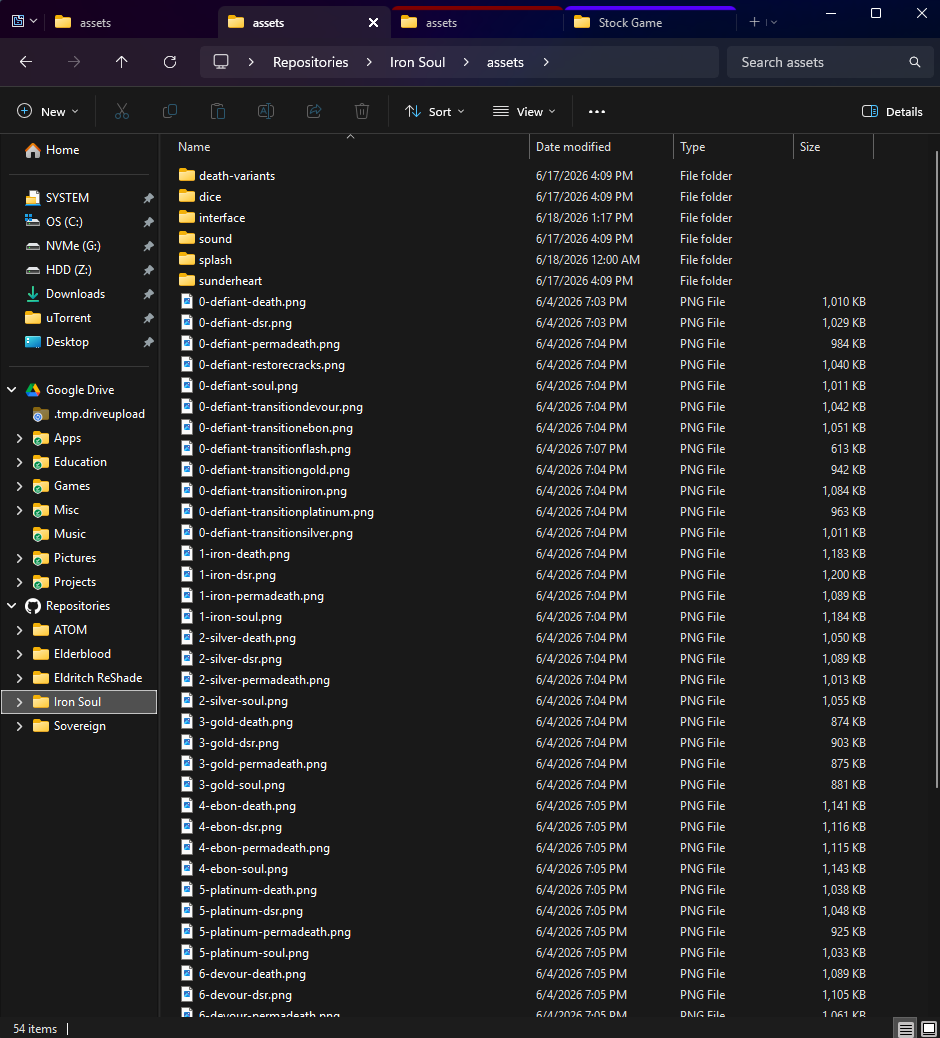
Thanks. I did some more digging and I think the important distinction is that this is not happening with a normal Quick Access pinned folder.
My affected sidebar entries are custom Explorer navigation-pane namespace roots, created by Winaero Tweaker:
Repositories:
HKCU\Software\Classes\CLSID\{628a8101-badd-4857-998e-c0659c88d723}
Instance\CLSID = {0afaced1-e828-11d1-9187-b532f1e9575d}
Instance\InitPropertyBag\Target = C:\Repositories
Google Drive:
HKCU\Software\Classes\CLSID\{71c269db-bacd-4608-bfff-a565bc34b218}
Instance\CLSID = {0afaced1-e828-11d1-9187-b532f1e9575d}
Instance\InitPropertyBag\Target = C:\Google Drive
They are also registered under:
HKCU\Software\Microsoft\Windows\CurrentVersion\Explorer\Desktop\NameSpace
So Explorer resolves them to real filesystem paths, but they appear to Groupy as shell namespace/PIDL locations at least some of the time. In Groupy’s SavedColoursDocs registry data I can see both normal path entries like C:\Repositories and encoded shell/PIDL entries containing those custom CLSIDs.
That may explain why your normal pinned-folder test works while this case does not.
Windows version:
Windows 11 Home, version 25H2, OS build 26200.8655
Groupy:
Stardock Groupy2 2.3.1.1 installed at C:\Program Files (x86)\Stardock\Groupy2
Repro:
1. Create or use a custom Explorer navigation-pane root that targets a real folder, for example C:\Repositories.
2. In Groupy, assign a tab colour to C:\Repositories and/or child folders.
3. Open the folder through its normal filesystem path. The colour persists correctly.
4. Open the same location from the custom navigation-pane root. The colour does not consistently persist/inherit.
Question:
Does Groupy currently treat Explorer namespace/PIDL locations separately from their resolved filesystem paths? If so, could Groupy resolve these navigation-pane entries to their filesystem target before applying saved folder colours?


 Stardock Forums