Minion charts are easy. Vampires are always better. More seriously I did do some Vampire versus Shambler graphs a while back. They are a few pages back if you want to dig them up.
Ptarth
Did it bug when teleporting to another location in LOS or only when going outside of LOS? I went ahead and did some testing. With full LOS versus the AI I wasn't able to replicate the Shoulder Weapon target locking. I modified the Totem of Revelation to have -20 Visual Radius. I was able to achieve target locks, however if further review I can't get it to lock consistently. Buildings are odd when it comes to visibility. The Rook was always able to t
DPS was calculated as [Damage Rating] * [Rate of Fire]. For example, the Unpacked QoT at level 20 has 306 Damage Rating and ~0.92 Rate of Fire. Her DPS is 306 * 0.92 = 280 DPS. If you have attack speed DPS is calculated as [Damage Rating] / [Attack Speed]. For example, the Unpacked QoT at level 20 has 306 Damage Rating and 1.09 Attack Speed. Her DPS is 306 / 1.09 = 280 DPS. Another tidbit of interest is that items that increase attack speed are p
So, I'm somewhat burnt out on trying to fix bugs and make mods. The lack of any feedback from SD, GPG, or the community combined with my own schedule have really unmotivated me. My own personal whining aside, I have some ideas about this. Watching the video I saw a couple of things. The game lasted around 20:34 according to the end game clock, the in game timer said it was only 14 minutes long. The Rook shoulder mounted ToL was having frequent target lock issu
Well, honestly there isn't much hope. I pretty much stopped working on it where you see. The problem is that the way I implimented the mod was to change the character blueprints and the localized language file. I changed the blueprints because not all of the stats were referenced correctly and some of them referenced the wrong thing. If I ported it over into the modding system now, it would be a non-ui mod, because it changes the blueprints. It would never be used because players don'
I wonder if this has something to do with how Sorian made the 'continue what you were doing after using a skill' changes.
I issue move orders to my QoT when she isn't selected all the time. She doesn't move though ;p. I'm assuming your Rook does move? Btw, I'm browsing the Rook TOL code atm to see if I notice anything that could cause the target lockup. If you have any additional information about its circumstances I'd love to know it.
One thing that may cause this is deselecting the demigod. It may be that during gameplay you deselect your character and this is the result. I would suggest pressing 'h' when this happens to see if that fixes it.
[quote who="Spooky__" reply="39" id="2464850"] "What is the best way to report bugs? Currently we have the Demigod Problem Reports forum, [email protected], the GPG forum and also one bug list thread for example, however it seems that information about bugs doesn't always reach Stardock and/or GPG."[/quote] This is probably the best way to approach it. It seems that Kryo's Buglist post, GPG's patch concerns, Frogboy's bug list, and SD Support are on completely different
When I first started working the mod I did reference Sorian's TorchBearer Fix. In it he does two important things: Merge = true, BlueprintId="hema01", The [BlueprintId] gives the name for the blueprint to be altered, the [Merge] includes all of the original information from the original [BlueprintId] and only overwrites with the new data. Unfortunately, for theQoT, my attempts to find her BlueprintID weren't successful. I trie
I might be missing something, but whenever I've tested the lua code I've written to do things like skin changes, modify demigod abilities, and item changes, I've always had to do the testing in game. I've yet to see a way to do anything but syntax checkingwith the lua editors. That being said if you are writing complex code (have you see some of the SupCom mods, they are very impressive), syntax and function checking will very important. Additionally, unless you are planning o
When I was working on altering the size of the QoT model, I found the necessary values in the queen_character.lua file. This file, although labelled as a lua, it is actually a blueprint file. Within the file is the character blueprint and it contains the field [Name = Queen]. This field was necessary to match my mod changes to the original table. The problem was that I could not figure out what the table was named. The blueprint namer functions have a series of rules for converting the filena
I believe I mentioned some of my findings in regard to setting up skin changes in earlier posts in the thread. I'll summarize my findings here in a more obvious place and make them a little more concise. There are (at least) two ways to change skins. Alter the blueprint files to point at different dds files. This requires making a non-UI mod As a non-UI mod, this requires that all players have the mod enabled for any of the players to use it</l
Probably? I haven't looked at it, but I know the projectiles are modifiable.
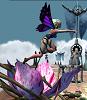
I made the installation instructions more explicit. The key to the process is replacing the queen_albedo.dds & flower_albedo.dds files. All the rest is just minor details. The base directory for the QoT Skins is ..\Stardock Games\Demigod\bindata\characters\Queen\ I would suggeset making a backup of your original files and keeping a set of the skins you download. That way you can reuse or change things later. Once you download the skins, move the original qu
QoT Skin Project Release #1: Installation Instructions Backup your original Demigod Skins For the QoT and current skins those files are ..\Stardock Games\Demigod\bindata\characters\Queen\queen_albedo.dds ..\Stardock Games\Demigod\bindata\characters\Queen\flower_Albedo.dds Create the Folder: ..\Stardock
So, I have a question, but I'm not sure it is simplified enough or if it is appropriate for the thread. However, I thought I'd give it a shot. I've been working with creating new texture skins for the various demigods Models. These changes are purely cosmetic and do not change gameplay or unit stats in any way. They are also mod independent. One thing I'd like to be able to do is have multiple skins for each demigod and have the game randomly choose one to use at the begining of every
Good Morning, I see some concerns expressed at the current skinning. I thought I'd clear up some things. I am planning on making a number of different skins for the QoT model. Some of them will have darker skin tones than others. My current attempt is focusing on a Black skin toned QoT because it offered the greatest difference on all features. It was also an interesting artistic challenge. However, it won't be the only skin tone, nor the only skin, nor does anyone have
Apparently, it is just me, but when I read: [quote who="heavenlysynn" reply="11" id="2459091"]can you make her back dark skinned and give me the mod?[/quote] I had the impression he was asking for a version with the regular light skin tone but with her back dark toned. Skunks are black animals with a white stripe on their back, hence a reversed skunk would be white with a black stripe, i.e., like what heavenlysynn asked for. However, at this point, I realize he just wa
So, I finally managed to get the size scaling to work, so now I don't have to squint as much. I'm currently tracking down what is wrong with her eyes, there seems to be some sort of white artifact that shows up. With the larger figure I found that: She does have eyebrows, that are rendered seperately from her face. Her eyes are not very bright. I might have left a translucent layer somewhere. The white artifacts might be the inside of the model. If that is
Some further updates. Placing only: [code="c++"] CharacterBlueprint { Merge = true, BlueprintId="hqueen", DrawScales = .7, } [/code] in queen_open_character.lua fails to do anything. However, doing: [code="c++"] CharacterBlueprint { Merge = true, Name = 'Queen_Unpacked', DrawScales
--Update-- I did manage to get it to work, see the ending. I leave the remainder here in case someone may find it helpful later. --------- Actually, I tried a couple of different things, but the DrawScales tag didn't seem to do anything when I changed it. I might doing it wrong, but I don't think so I tried: /mods/Queen/units.bp [code="c++"] UnitBlueprint { Merge = true, BlueprintId="hqueen
So the problem is only occuring with idol summons and demigod specific units? Is this the same issue that was posted a while back wherein these units walk straight through buildings? Can you be more specific about the behavior of the units?
So, looking at the files, it seems that it would be a great thing for someone to write up a pathmaking utility. It also seems that this will probably all be provided in the SDK (if we get it). So, this is what I read out of it. the *save.lua contains a series of points. These points are the locations of various features, namely spawn points (The locations minions come from), waypoints (the points that outline the path minions follow), and objectives (the destination of the min
Thank you everyone for your comments and thoughts so far. So, following the suggestions given here and some bits from the GPG forums, I came up with the following, which I think should have worked. [code="c++"] UnitBlueprint { Merge = true, BlueprintId="HQueen", Display = { UniformScale = .75, }, }[/code] However,